
deutrino
boosted
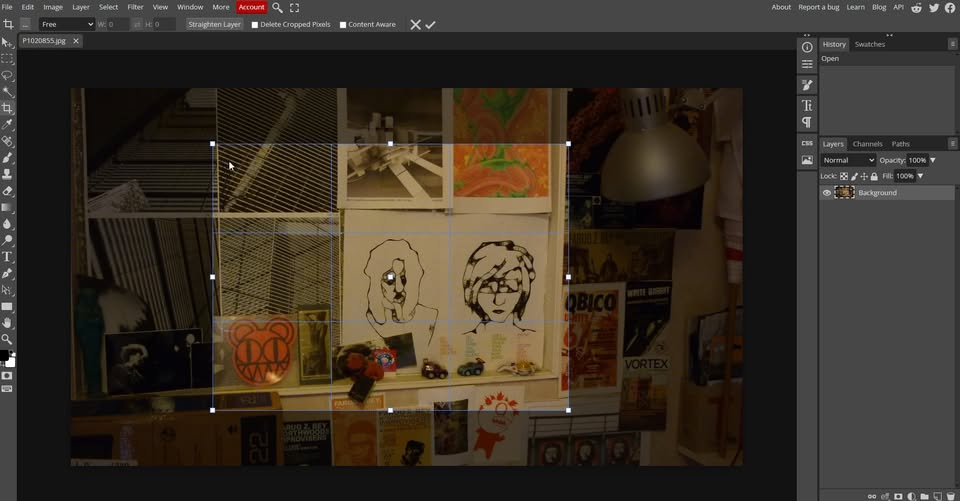
Though Im sure many people in the masto communities already know about it, here's a recommendation for Photopea. A very real alternative to Photoshop for many uses, this is a browser-based app that has multiple functions of PS, all in the browser. You do not need to be connected to the internet once you have opened the webpage (I need to do a couple of tests on this to find out how it works). All your artwork is kept on your own computer, so uses the local-hosting model for privacy and security (eg similar to Cryptpad). It is incredibly powerful, and free. Search for more information to find out more about it.

I will say this... checking in on the eternal Gimp flamewar a couple times a year does in fact serve a purpose.
every so often, I try out a potential alternative. so far nothing has stuck, but eventually, I'm going to find an app that does what I need it to do, and never have to use that cursed pile of hacks again.
OR, I'll check in, and somebody will say "they've implemented Adjustment Layers and also merged 3472 fixes starting with the text tool" and all will be right with the world!
and speaking of that, at this point I'm gonna have to give #PhotoPea a try and see how well it works with adblock enabled.
I hate the idea of a non-native photo editing app for some reason, but if it works and the UX is good....
Though Im sure many people in the masto communities already know about it, here's a recommendation for Photopea. A very real alternative to Photoshop for many uses, this is a browser-based app that has multiple functions of PS, all in the browser. You do not need to be connected to the internet once you have opened the webpage (I need to do a couple of tests on this to find out how it works). All your artwork is kept on your own computer, so uses the local-hosting model for privacy and security (eg similar to Cryptpad). It is incredibly powerful, and free. Search for more information to find out more about it.