
Discussion
Loading...

Post

Log in
  • About
  • Code of conduct
  • Privacy
  • Users
  • Instances
  • About Bonfire
Nico Rikken
Nico Rikken
@nicorikken@mastodon.nl  ·  activity timestamp 2 weeks ago

I found out you can update brightness and contrast of images in #LibreOffice, while preparing for the talk on Ada & #Zangemann with @kirschner at #FOSDEM Come see us Sunday 14:00 https://fosdem.org/2026/schedule/event/R9Q9ZP-ada-zangemann-bestseller-automation/ Braille image by Stéphane Godin.
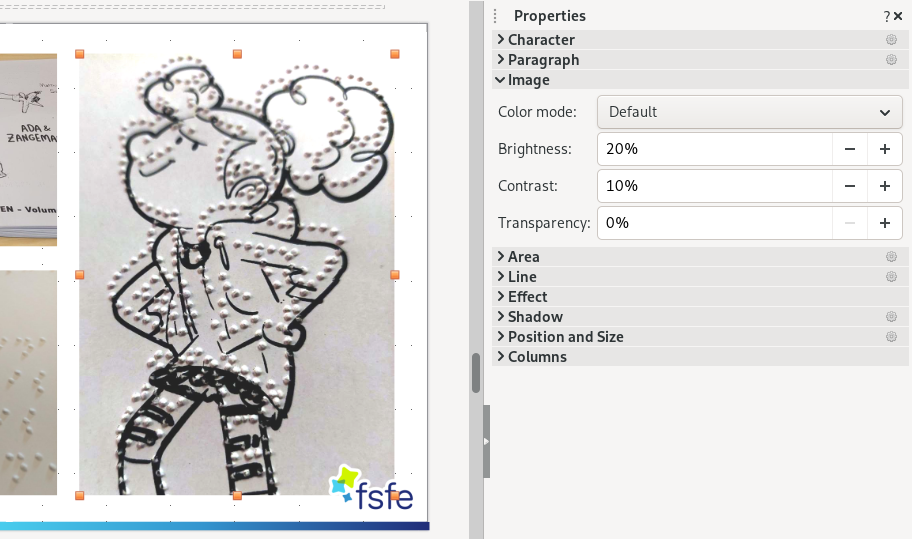

Screenshot of LibreOffice Impress. On the left a slide with an image of Ada from Ada & Zangemann, embossed in Braille-like dots. The image is selected. On the right side a pane with image properties. The section of Image has options for Color mode, Brightness, Contrast and Transparency.

FOSDEM 2026 - Automating translation of a bestseller to spark children's interest in coding

  • Copy link
  • Flag this post
  • Block

bonfire.cafe

A space for Bonfire maintainers and contributors to communicate

bonfire.cafe: About · Code of conduct · Privacy · Users · Instances
Bonfire social · 1.0.2-alpha.7 no JS en
Automatic federation enabled
Log in
  • Explore
  • About
  • Members
  • Code of Conduct