Discussion
Loading...

Post

Log in
  • About
  • Code of conduct
  • Privacy
  • Users
  • Instances
  • About Bonfire
pranabekka
pranabekka
@pranabekka@mastodon.social  ·  activity timestamp last week

@forteller @FineFindus

mmm... a "search" bar integration even?

  • Copy link
  • Flag this post
  • Block
FineFindus
FineFindus
@FineFindus@floss.social replied  ·  activity timestamp last week

@forteller There is, it's set to Ctrl + N.
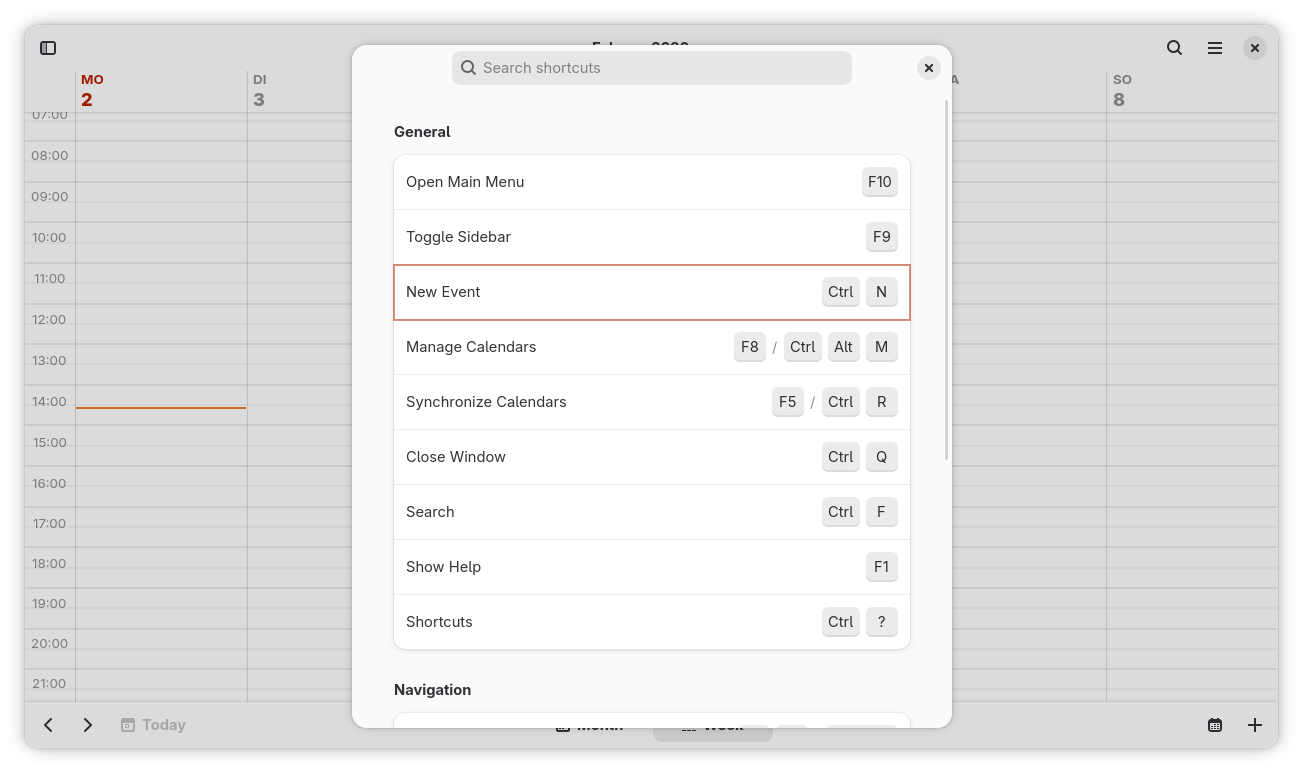
Screenshot of GNOME Calendar's shortcuts dialog, showing a highlighted new event row, with the shortcut Ctrl + N
  • Copy link
  • Flag this comment
  • Block
Børge
Børge
@forteller@tutoteket.no replied  ·  activity timestamp last week

@FineFindus That's good! But I meant a general shortcut for the OS level

  • Copy link
  • Flag this comment
  • Block
pranabekka
pranabekka
@pranabekka@mastodon.social replied  ·  activity timestamp last week

@forteller @FineFindus

mmm... a "search" bar integration even?

  • Copy link
  • Flag this comment
  • Block
Børge
Børge
@forteller@tutoteket.no replied  ·  activity timestamp last week

@pranabekka @FineFindus Oh, yes! That's an incredible idea! Type the title, and maybe even a date and time into the search bar and select Add to calendar to add the event directly! Yes, that's even better than a keyboard shortcut, possibly!

#gnome #GnomeCalendar

  • Copy link
  • Flag this comment
  • Block

bonfire.cafe

A space for Bonfire maintainers and contributors to communicate

bonfire.cafe: About · Code of conduct · Privacy · Users · Instances
Bonfire social · 1.0.2-alpha.7 no JS en
Automatic federation enabled
Log in
  • Explore
  • About
  • Members
  • Code of Conduct