

I do use Home Assistant! Maybe the solution isn't a smart switch that fully kills power to the bulb, rather one that's Matter over Thread or something?
Discussion
Loading...

@christianselig Delayed thought on this: is your Zigbee channel (you can see/change it in the Hue app) overlapping with your Wi-Fi channel? If it is that could explain some of your issues.


@christianselig I have Shelly 1’s in all my light sockets, hue lights connected to Home Assistant via the a Zha zigbee bridge. Works great and my entire apartment does color temp change throughout the day but we use normal light switches.


@christianselig@mastodon.social I've been using Lutron switches and absolutely love them. I went with Dim-To-Warm bulbs (in my case Lotus, but many brands are offering bulb style or their own versions). Has been great for the family.
@nemesio Dim to warm is a clever approach!

@christianselig Lutron is the only way to go IMO. Physical switches, rock solid hub, home kit compatibility. A friend in home automation has them in his own house so I did the same after trying a handful of things.
@richardemyers Yeah would be an easy decision if they supported automatic color temperature
@christianselig Ah yeah ok I missed that requirement :)

@christianselig if you love the automatic color temperature switching, you might want to try the adaptive lighting integration in Home assistant. It’s much smarter than the Hue implementation and works with all lights.

@christianselig I use smart bulbs for lamps and switches for not-lamps. If I need to dim, I'll buy dimmer switches.
Buying RGB bulbs for all your lights everywhere seems expensive.
Having said all that, Zooz switches (this is what I use!) have a smart bulb mode.

@christianselig I have two Hue Tap switches, a dimmer and a smart button and I did not notice any lag (or not enough to bother me?).


@christianselig just go all in with homework’s and ketra, it’s just $$& ;)

@christianselig I bought a bunch of IKEA bulbs and remotes (and a hub) and have been happy so far. I have the Zigbee ones, but they are being replaced with Matter over Thread models in the very near future. The little remotes work quickly and quite well, and can adjust color temperature and whatnot. Plus it’s all fairly cheap. Only issue is that I’m kind of disappointed with the quality of the voltage regulators in the bulbs, they flicker a bit when my circuits are under load.


@christianselig Oh, and normal latency is very good (feels instant, even with dimming), but because it's 2.4GHz you can have occasional glitches. I've seen that at times with 900MHz and 433MHz so 🤷
@christianselig One of the neat things is that the status LED on the switches updates based on remote commands to the lights to be in sync.
I'm using Home Assistant + zigbee2mqtt, but ZHA should work too. Lots of great docs on the Inovelli website!
@christianselig Just did the deep dive on this as a part of a reno. I ended up with Hue + Inovelli Blue (Zigbee) 2-1 switches. They support "smart mode" and direct device and group binding so if your hub is down the buttons still work. There's no Caseta solution if you want colour temp changing. Matter / Thread direct binding is not broadly supported yet. I'd had 1 switch before, and just set up the basement with 11 switches and ~25 Hue lights yesterday, so long term testing TBD.
@deviantintegral Interesting, what's the delay like from hitting the button to the light turning on?
@christianselig You reminded me, by default the switches have a short delay (configurable) to allow binding actions to a double-tap. As well, the lights and switches default to a smooth fade for the lights. You can turn those both off if you prefer speed over smoothness.

@christianselig eight years ago or so I wrote a Vapor server to control my LIFX lights using motion sensors and the time of day, but I didn’t reconfigure it when I moved out of that apartment.
Nowadays I only have a few LIFX bulbs with some HomeKit scenes.
@christianselig and if you plan to use a smart switch to power on/off your bulbs physically with a relais - just don‘t. it will be hard for your zigbee mesh each time something changes…
just keep the light powered and use a trigger to control the light via zigbee, do not power off the bulbs physically, this can easily be added to existing switches wits relais like shelly :)
Like, sometimes you just want a good, physical light switch! Lutron seems to have the best: multi-button AND fast/reliable, but the bulbs are inherently dumb (warm light at high noon is weird, cool light in the evening is hospital-y)

@christianselig I wanted the same thing and found a workflow that almost works with Nanoleaf Thread bulbs, but alas: they will occasionally, arbitrarily disconnect from the network when power is cut to them, necessitating a hard reset. Sadly, I think most smart bulbs are not designed for this use case. They want to be always powered and controlled by software.
(But, uh, other than the horrible disconnects, they return to adaptive lighting mode [via Apple Home] shortly after being re-powered.)


@christianselig I have a bunch of Lutron and Hue lights, and while my Hue stuff has been reliable, the Lutron is rock solid, never fails.


@christianselig Lutron’s Ketra line can do what you want, but it is $$$$$

@christianselig do you have room behind your switches for smart relays? I use the Sonoff mini zigbee one behind my dumb switches setup as a detached relay (so it never actually cuts power to the smart lights), then automations toggle the smart light when the dumb switch toggles the relay. If the lights are also ZigBee-based and you have HA running your automations, it’s 100% bullet-proof as long as your mesh is healthy. I wish Thread was as good.
@fichek You haven't had good experiences with Thread? It's been rock solid for me so far. That's an interesting approach though
@christianselig well to be fair my Matter over Thread devices are all ran via HomeKit so that’s likely the source of most if not all issues. I haven’t had a single unresponsive accessorry ever on my HA-ran zigbee network. Both networks have between 80-90 devices and the mesh was designed with a lot of thought (I was basically designing my house around the accessories I was gonna use).
@fichek Why not move them to HA?
@christianselig laziness + hope that it will get better with more/newer devices/firmware updates 😬 but yeah will probably eventually do that as HomeKit is complete abandonware at this point.
I do use Home Assistant! Maybe the solution isn't a smart switch that fully kills power to the bulb, rather one that's Matter over Thread or something?

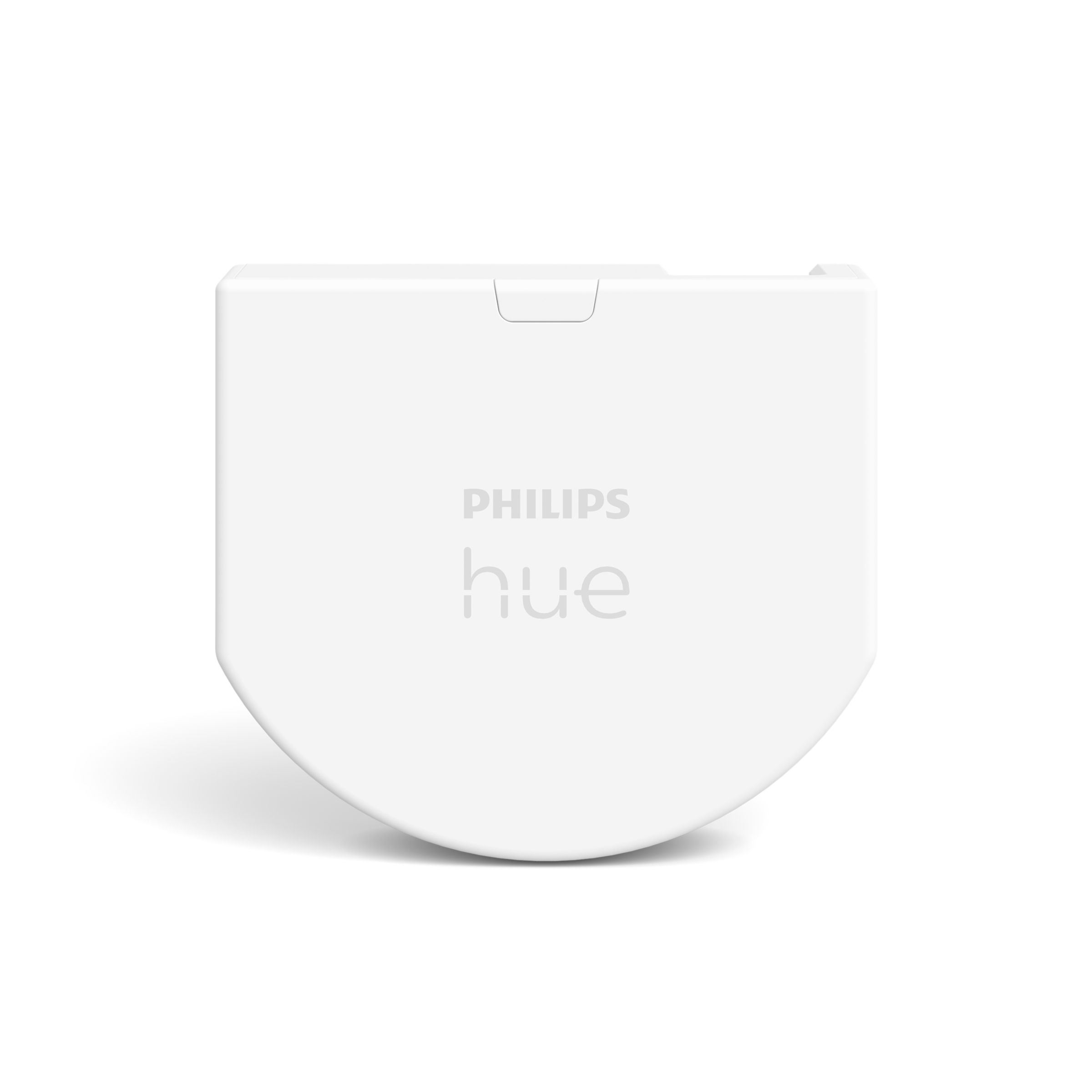
@christianselig Philip’s has a little dongle you can put behind your exisitinc light switch. That way instead of physically cutting power it just operates the hue bulb
@eierund Do you have a link?
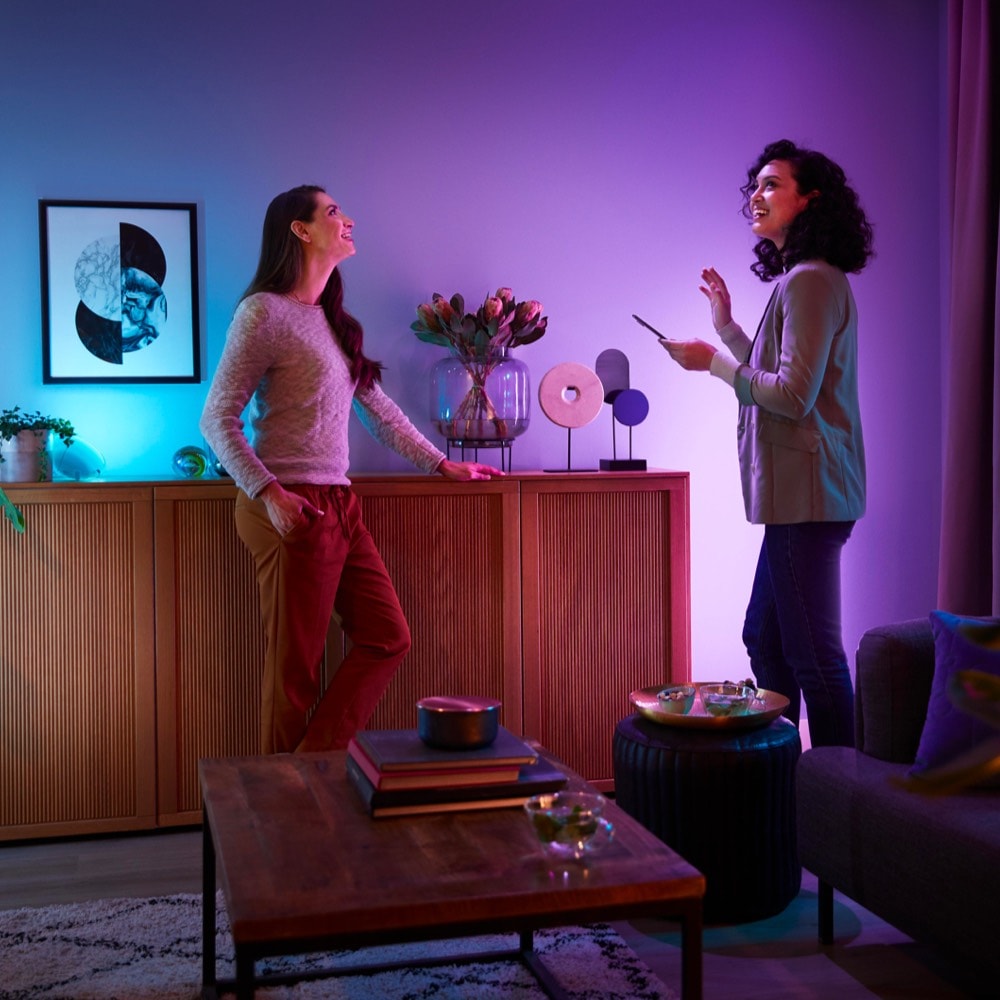

@christianselig @eierund It's this one: https://www.philips-hue.com/fr-fr/p/hue-module-d-interrupteur-mural-philips-hue/8719514318045
I'm also debating going with this instead of smart switches.
Unfortunately, they're not available in NA anymore so you might have to import them according to this post: https://www.reddit.com/r/Hue/comments/1q9czoo/how_to_source_hue_wall_switch_module_in_the_us/


@christianselig My Hue bulbs are much faster since moving them over to HA using Zigbee2MQTT but hassle if you’re not already using Zigbee on your HA.
@ashpole I might have to add it. But how’s the reliability?
@christianselig I should have mentioned that when I did use a Hue hub, I had a similarly slow down with my bulbs etc. Turned out to be my Hue Zigbee was on channel 25 and my 2.4GHz had moved up to channel 11 or 13, so they were sitting on top of each other. Put the WiFi down to channel 1 and the Hue hub was back up to speed.
@christianselig Very good, adding my Hue bulbs improved my whole Zigbee network as they’re also routers/repeaters.

@christianselig I tell Home Assistant to enable the natural light scene when it detects the light turns on. That way I can control them with an external switch but also can change the color/brightness using my voice.

@christianselig get an in wall actor (shelly) if possible and connect a physical wall switch. Now you can control the switch, also the output to the bulb either connected (switch cuts / toggles bulb power) or detached (switch toggles smart light directly with mains intact).


@christianselig I’ve got LIFX smart switches because they were on clearance at HD at the time. You can use a smart button like Aqara or similar or even a Lutron pico once you have a hub. Just leave the switch in the on position or wire it permanently on, use a wall blank, and put the smart button on the blank (command strips FTW). They do make pico mounting brackets that are cheap and give the switch plate a finished look if going that route.

I have matter over thread bulbs (from Nanoleaf) and they suck ass. Matter barely works, it’s like Bluetooth 1 levels of stable.

@christianselig Zigbee buttons? Ikea is selling some out now.
@spitfire The little individual buttons look kinda ugly, I just want some light switches
@christianselig there are signee light switches, bit battery and mains powered (I.e. from Aqara).
Yeah Hue just seems kinda slow unless you upgrade to the newer Hue Bridge Pro, and at that point I'd almost rather just get new Matter over Thread switches https://www.youtube.com/watch?v=ecLizk1IsOU

@christianselig if you care about RGB lighting then, at least in my experience, Hue seems to be much more accurate and have a wider color range than competitors, and different color temperatures of white are much more accurate with the RGB Hue bulbs than other RGB bulbs. If you don’t care about color, and especially if you don’t care to change color temperature, then Lutron Caseta switches with standard bulbs is absolutely the way to go.


@christianselig you might think that thread will be faster but if you’re using smart bulbs + smart switches it’s usually slower.
@wajdi Gah, I need some PoE Matter light switches to come to market :p
@christianselig I think what Inovelli has now is the best you can find, just needs a few tweaking which they give you access to some advanced settings


@christianselig I just drive my hue lights with Zigbee from HomeAssistant. Practically instantly for me. At least I don't expect them to go quicker.
@yatil Can you elaborate on what that setup looks like/how it's set up?
@christianselig Sure. I have a Zigbee dongle added to my HomeAssistant (I use the SMLIGHT SLZB-06 which you can put anywhere and power over Ethernet). It works with the native ZHA integration and I think was auto-detected and setup. Then for each bulb you reset them (switching them on and off six times, I think) and add them to HomeAssistant with the Zigbee integration. Once the bulb is detected, it shows up in the setup screen and then works like any other light in HA. Hope that helps!
1 more replies (not shown)

@christianselig I would stay away from anything that requires cloud service to function. I have Zooz Z-Wave switches and dimmers with standard LED lighting. The switches work like a normal switch except the physical switch is stateless (i.e. it springs back to center after you press it). They don't require the Internet or Home Assistant to control the lights, though you can configure them so that the switch doesn't control the light directly if you prefer.
@davidlsparks Oh yeah definitely no cloud service. I would love to go the "smart switch dumb bulb" approach but I don't think I can go back to not having the color temperature adapt over the course of the day, I like my cozy evening lighting while still having sunny lighting during the day
@christianselig I saw Paul Hibbard do a YouTube episode on a local switch that leaves the power on to the bulb and just sends the control signal. Even had a rotary control you can use as a dimmer or color mixer. However it did appear to be UK/EU only product.

@christianselig i simply linked all my hur bulbs and switches with Apple Home over Matter.


@christianselig Are you getting much out of Home Assistant? I keep meaning to give it a try. Everything in my ecosystem is just through Apple Home at this point.
@FlatFootFox Yeah I really dig it, I found Apple Home just had so many "ugh why does it work like this" kinda things, or "why can't it do X at all" and Home Assistant seems much more "you're a programmer! just make it!" minded. Just being able to even see my solar production over the course of a day in a nice little history graph (alongside how much power some outlets use) makes me happy. Like seriously Apple where are my graphs??

@christianselig I use these with Home Assistant, you can configure them as a regular switch and then control anything else in your setup: https://www.casetawireless.com/us/en/products/pico-remotes/pico-paddle-remote-for-dimmers-and-switches
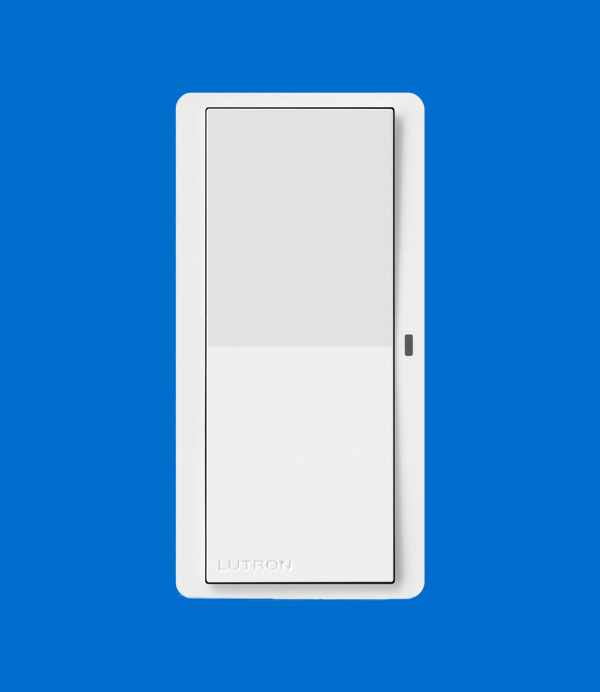
@christianselig I should stress this is a wireless, battery operated paddle switch which requires a Lutron hub. The wireless connection is low-latency and reliable, but if you’re controlling Hue then that has to be the same case for the Zigbee connection too. I have a Home Assistant Yellow and pair my Hue bulbs directly to that instead of a Hue bridge.
@RickyRomero Why not put Lutron through HA too?
@christianselig I would but I think they use a proprietary protocol and frequency?
1 more replies (not shown)
@RickyRomero Ah nice was looking at the Picos. How is the speed for turning on/off lights? Near "dumb" light switch speed?
@christianselig Yes, in my setup it’s very fast - easily under 200ms every time without fail
@christianselig You want to try out Inovelli white series switches, but doing smart bulb mode is complicated for any switch you choose, because you need a bypass switch to avoid lower power at the switch when it’s off. Worth a try though, and you can play with latency and get maybe 400ms if your thread network is good https://inovelli.com/products/aeotec-bypass

@christianselig Hi Chrisrian. I don’t have a recommendation but there seems to be a lot of #homeassistant users here, so adding the tag.


@christianselig I just got some Aqara buttons (also a Zigbee hub) and I have light switches wherever I want them


@christianselig There are devices called Shelly that can convert your regular switch into smart switches. The "real" switching happens inside the Shelly which can be triggered from the old switch (that connects to the Shelly) or via e.g. Home Assistant
@hashier Yeah but the issue there is if I fully cut power to the bulb via a smart switch then it won't know to change its temperature, no?
@christianselig Ah right, sorry. Yes, if you want to keep your Hue lamps then it probably makes more sense to get smart switches that turn off the Hue via signal. Shelly makes sense if you want to keep dumb lamps but be able to control them both from a physical switch and HA.
@christianselig i am not sure of course, bur your issue might not be related to hue directly and it might not be better with another product… i had a setup with 2 bridges which i just migrated to a pro bridge. 80 lights, 30 sensors - no lag at all… i am using home assistant for automations and not hue, so i am not sure about this part. but the zigbee net itself created and managed by the hue bridge seems really solid and responsive for years now…
@thegnuu What do you use for light switches?
@christianselig this might not help you at all, i am using some swiss standard light switches, but technically they are just basic momentary switches which work perfectly with shelly. you can use simple latching switches as well, but it is less responsive in my tests and you loose actions like „long press“, „double press“ aso.

@christianselig Everything I’ve read says don’t do Smart bulbs and smart switches on the same circuit. My one test a couple of years ago was bad.
Lutron Caseta is pretty great. We have dimmable switches in most of our rooms where it makes sense. You may need to replace your LED bulbs if they aren’t super great with them. We found some of the 5k ones we had would buzz until replaced with Philips dimmable.
Also recently installed Nanoleaf Skylight. The switch purchased with it is just a mountable remote. Happy with that so far.
@Jackson Yeah but then you're stuck with the same color temperature bulbs all day long, right? I love 5K at noon but don't want 5K in the evening
@christianselig The mix I’ve ended up with has Philips Hue bulbs in lamps that do the colour temp change through the day and then Lutron for the wall switches.
I’ve found, for us, the fixed temps in the kitchen and bedrooms make sense.
@Jackson How does that work if Lutron switches kill power to the bulbs? They still auto adjust when they come on, without any "jump"?

@christianselig https://inovelli.com/products/zigbee-blue-series-mmwave-presence-sensor-smart-dimmer-switch
These are pricy, but hardwire power on for the smart bulbs and can communicate directly with Hue bulbs via Zigbee binding for super-fast speed.
I’ve been using Hue’s in wall modules, have one of these on order and hoping it performs better. Additionally, if you’re a fan of auto-CT adjustments and use Home Assistant, you may be a fan of circadian lighting: https://github.com/claytonjn/hass-circadian_lighting. It maps CT to a gradual curve of micro-adjustments based on the sun
@christianselig I’m in a similar spot. I’m moving this year and am going to work *really* hard to only let Matter gear into my house. But I’ve currently got a good amount of Hue bulbs, and the color temperature changes are pretty nice.
My original plan was to move to smart light switches and dumb bulbs for most of the house. It turns out some of them have a “Smart Bulb Mode” which lets you keep the power on all the time, but use the wall switch to send on/off commands. No personal experience, but worth looking into maybe. https://inovelli.com/products/thread-matter-white-series-smart-2-1-on-off-dimmer-switch
It could be worth looking at your voice assistant setups. OG Alexa feels like it’s getting really slow and unreliable versus my phone’s assistant.
@FlatFootFox Interesting, that does sound like the best of both worlds, curious how fast it is. And it's not even the voice assistant that's slow, that's actually really fast, the dang Hue switches are glacial

@christianselig Smart bulbs connected to a smart switch is a big yikes, at least for normal usage. I have a couple outdoor lights that are on a Lutron smart switch and during the holidays I replace them with Hue bulbs so I can make ✨color ✨ but it requires two separate automations to turn them on from the switch first and then set the color a few minutes later (to give them enough time to power on and reconnect to the network) and they show a connection error when the smart switch is turned off.
@connor_g Gah I wish this was more of a solved problem
@christianselig Matter is worth the cost/upgrade for stability.
I’ve smart lights on some switches in groups & it confuses the system (HK). “Turn on the garage lights” ends up turning on the front half of my garage only while “turn on the garage light switch” turns them all on. The switches do prevent the smart bulbs from disconnecting.
Basic smart switches are cheap but not as versatile as dimmers. Low volt smart dimmers are expensive (ex. under cabinet lighting). Lutron Caseta is rock solid
@quarterswede Yeah I love the Matter over Thread stuff I have already, having a light switch use that might be the best of both worlds


@christianselig I replaced several of the worst smart bulbs I had by putting Lutron switches/dimmers and a normal bulb, and I’m having much better reliability.
@sanguish Yeah my main issue is with just a normal bulb (unless they have a dumb clock in them somehow?) are stuck with one color temperature all day long, and I love cool light during the day, but hate it at night

@christianselig I don't do any Hue related stuff, but two thoughts:
1. Caseta works great. Can't recommend Lutron enough. It's the only smart tech I have ever tried that does what it says on the tin. Make sure you buy the hub. (I think you have to, but if you don't have to, you should.)
2. Philips makes bulbs that are cheaper than Hue bulbs that warm up as you dim them, so if you decide to rely on "dumb" LEDs, that could get you halfway to your Hue setup, depending what your setup is.

@christianselig did you try the hue bridge pro? Sounds silly but it fixed my lag and bugs with switches entirely
@Lapfelix How fast are we talking? I'd prefer around "normal light switch" speed
@christianselig absolutely, in my experience. And for 5 lights at once on a single switch. Felt really satisfying


@christianselig Depends what your appetite is for maintaining things. I have Home Assistant running on a Raspberry Pi with a Zigbee dongle. My Hue bulbs are paired directly to that along with other smart stuff. I have a service installed in Home Assistant called "Adaptive Lighting" that takes care of the temperature shifts (and is very customisable).
Appreciate you may want something simpler but thought I'd put out more advanced options in case it's helpful.
@emdecy Oh yeah I already have Home Assistant powering things, I just haven't found a "smart switch" that works anywhere as nicely/reliably/quickly as a dumb switch


@christianselig hmm i wonder whether the lag could be network related? I don't experience that with my Hue's 🤔
@keir I don't think so, it's fast over the raw network/Home Assistant, but the Hue switches themselves are just slow as hell. Maybe I need to move to a better smart switch. Also once in awhile I'll tell the Hue bulbs to all turn on and one or two will just ignore it the command is repeated
@christianselig FWIW, if you use Home Assistant then you can basically get any switches you want and use them to control anything you want so that would open up a bunch of options at least if you did want to go with another brand
@keir Yeah the issue is the speed/reliability not whether I can do it or not. Hue just seems fundamentally slow without upgrading to the Hue Bridge Pro and at that point I'd prefer just a Thread device https://www.youtube.com/watch?v=ecLizk1IsOU
@christianselig oh ok. i have a couple of the dimmers and one of their little push button things which always respond basically instantly. I don't want to be one of those "well it works for me so you're wrong" people 😂 but it does feel to me like it's *something* else involved 🤔
@keir Are you using the Hue Bridge Pro? I'm using the non-Pro and this video basically mimics my situation, where Hue is pretty slow even right beside it https://www.youtube.com/watch?v=ecLizk1IsOU
@christianselig LOL ok i'm definitely getting the delay then. As it's like a quarter of a second i never considered it a delay 😂
I have a Pro and non Pro - honestly not noticed a difference between the two but as i never saw an issue before i guess that makes sense haha
@keir Yeah I like things to be instant haha, I'd rather things not slow down just because they're "smart"
1 more replies (not shown)
@christianselig Using a local protocol like Zigbee, Matter/Thread help a lot with latency. Home Assistant helps a lot to make everything local and the Philips Hue lights can easily join the local zigbee network without the need to go through the Philips cloud.