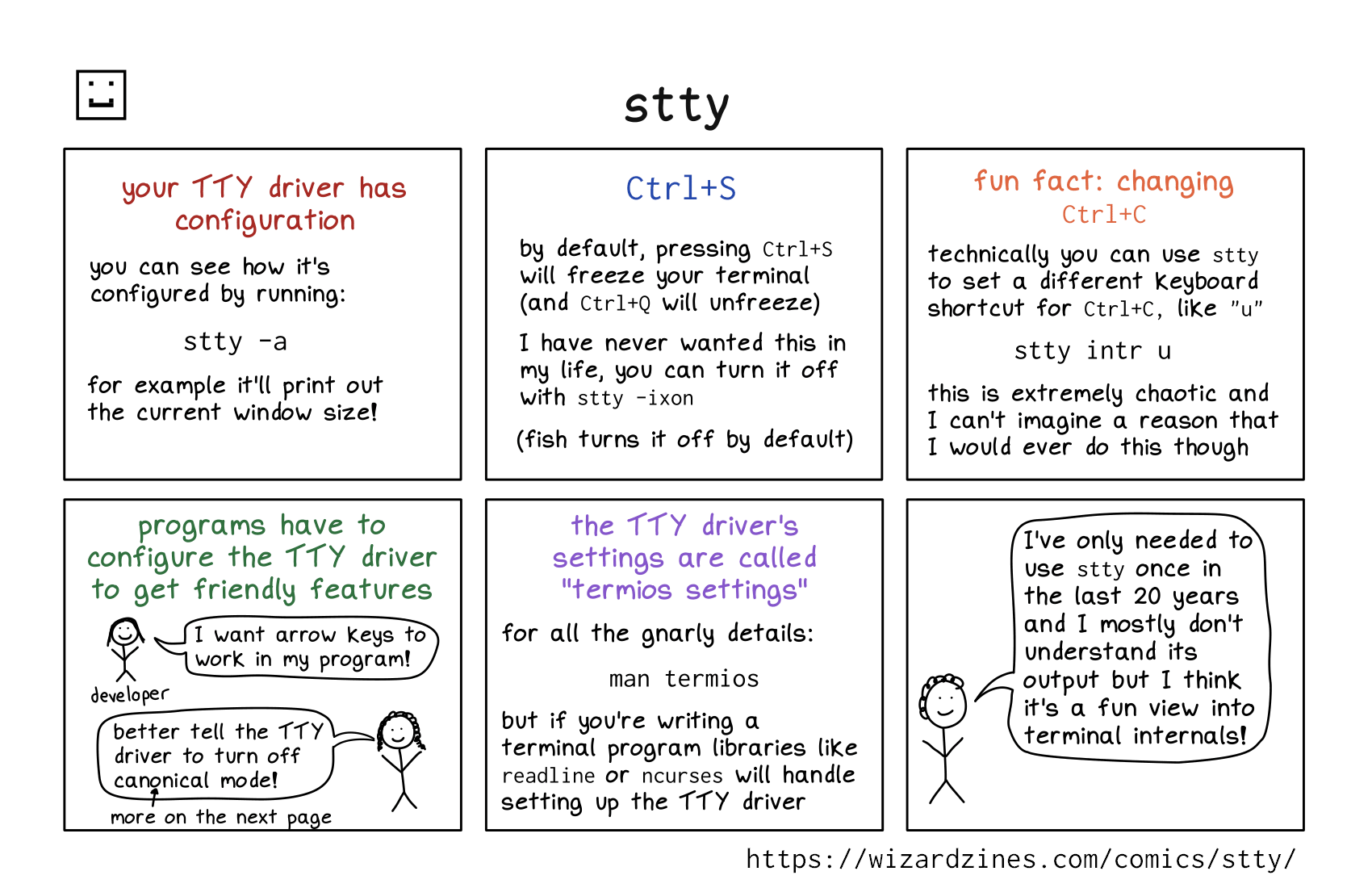
Julia's Reruns Bot @b0rk_reruns@social.jvns.ca · activity timestamp 58 min. ago sttyPermalink: https://wizardzines.com/comics/stty Read more Read less Translate Translate alt ### your TTY driver has configuration you can see how it's configured by running: `stty -a` for example it print out the current window size! ### `Ctrl+S` by default, pressing `Ctrl+S` wi(( freeze your terminal (and `Ctrl+Q` wi(( unfreeze) I have never wanted this in my life, you can turn it off with `stty -ixon` (fish turns it off by default) ###fun fact: changing `Ctrl+C` technically you can use `stty` to set a different keyboard shortcut for `Ctrl+C`, (ike "`u`" `stty intr u` this is extremely chaotic and I can't imagine a reason that I would ever do this though ### programs have to configure the TTY driver to get friendly features developer: I want arrow keys to work in my program! other person: better tell the TTY driver to turn off canonical mode! (more on the next page) ### the TTY driver's settings are called "termios settings" for the gnarly details: `man termios` but if you're writing a terminal program libraries like `readline` or `ncurses` will handle setting up the TTY driver ### panel 6 smiling stick figure with short curly hair: I've only needed to use `stty` once in the last 20 years and I mostly don't understand its output but I think it's a fun view into terminal internals! ### your TTY driver has configuration you can see how it's configured by running: `stty -a` for example it print out the current window size! ### `Ctrl+S` by default, pressing `Ctrl+S` wi(( freeze your terminal (and `Ctrl+Q` wi(( unfreeze) I have never wanted this in my life, you can turn it off with `stty -ixon` (fish turns it off by default) ###fun fact: changing `Ctrl+C` technically you can use `stty` to set a different keyboard shortcut for `Ctrl+C`, (ike "`u`" `stty intr u` this is extremely chaotic and I can't imagine a reason that I would ever do this though ### programs have to configure the TTY driver to get friendly features developer: I want arrow keys to work in my program! other person: better tell the TTY driver to turn off canonical mode! (more on the next page) ### the TTY driver's settings are called "termios settings" for the gnarly details: `man termios` but if you're writing a terminal program libraries like `readline` or `ncurses` will handle setting up the TTY driver ### panel 6 smiling stick figure with short curly hair: I've only needed to use `stty` once in the last 20 years and I mostly don't understand its output but I think it's a fun view into terminal internals! wizard zines stty Reply Boost Quote Like More actions Copy link Share View remotely Get latest replies Flag this post Block
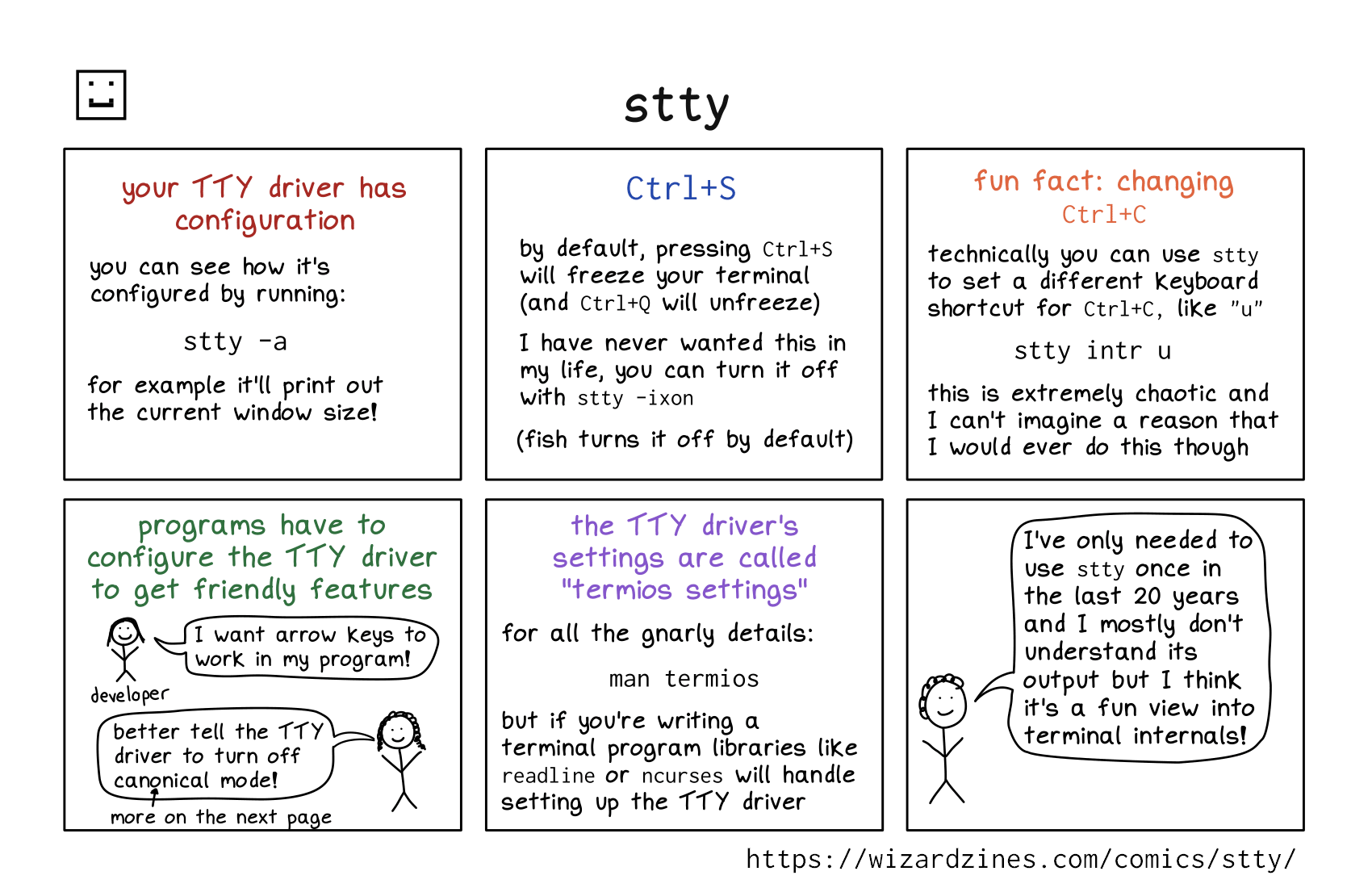
alt ### your TTY driver has configuration you can see how it's configured by running: `stty -a` for example it print out the current window size! ### `Ctrl+S` by default, pressing `Ctrl+S` wi(( freeze your terminal (and `Ctrl+Q` wi(( unfreeze) I have never wanted this in my life, you can turn it off with `stty -ixon` (fish turns it off by default) ###fun fact: changing `Ctrl+C` technically you can use `stty` to set a different keyboard shortcut for `Ctrl+C`, (ike "`u`" `stty intr u` this is extremely chaotic and I can't imagine a reason that I would ever do this though ### programs have to configure the TTY driver to get friendly features developer: I want arrow keys to work in my program! other person: better tell the TTY driver to turn off canonical mode! (more on the next page) ### the TTY driver's settings are called "termios settings" for the gnarly details: `man termios` but if you're writing a terminal program libraries like `readline` or `ncurses` will handle setting up the TTY driver ### panel 6 smiling stick figure with short curly hair: I've only needed to use `stty` once in the last 20 years and I mostly don't understand its output but I think it's a fun view into terminal internals! ### your TTY driver has configuration you can see how it's configured by running: `stty -a` for example it print out the current window size! ### `Ctrl+S` by default, pressing `Ctrl+S` wi(( freeze your terminal (and `Ctrl+Q` wi(( unfreeze) I have never wanted this in my life, you can turn it off with `stty -ixon` (fish turns it off by default) ###fun fact: changing `Ctrl+C` technically you can use `stty` to set a different keyboard shortcut for `Ctrl+C`, (ike "`u`" `stty intr u` this is extremely chaotic and I can't imagine a reason that I would ever do this though ### programs have to configure the TTY driver to get friendly features developer: I want arrow keys to work in my program! other person: better tell the TTY driver to turn off canonical mode! (more on the next page) ### the TTY driver's settings are called "termios settings" for the gnarly details: `man termios` but if you're writing a terminal program libraries like `readline` or `ncurses` will handle setting up the TTY driver ### panel 6 smiling stick figure with short curly hair: I've only needed to use `stty` once in the last 20 years and I mostly don't understand its output but I think it's a fun view into terminal internals!