

@wdormann @ajn142 @ifin Oh, who is the "them" in this case? I guess I lost the context somewhere, it's been a week. In VSCode it runs immediately, and then keeps running it every time you interact with VSCode. Doesn't seem right. I need to try it with an absolutely vanilla vscode install though. That's a heavier lift for me right this moment.
25
Replies
·
0
Boosts

My comment is that Mindgard did a less-than-stellar job in conveying the vulnerability in a way that somebody attempting to reproduce it can.
By leaving out the "You must wait 30 minutes for git.exe to launch", they perhaps caused some people (such as myself) to move on and think that it's not legit.
But now that I'm re-reading this thread I'm seeing that there's an iFin writeup that's talking about the VSCode side of things.

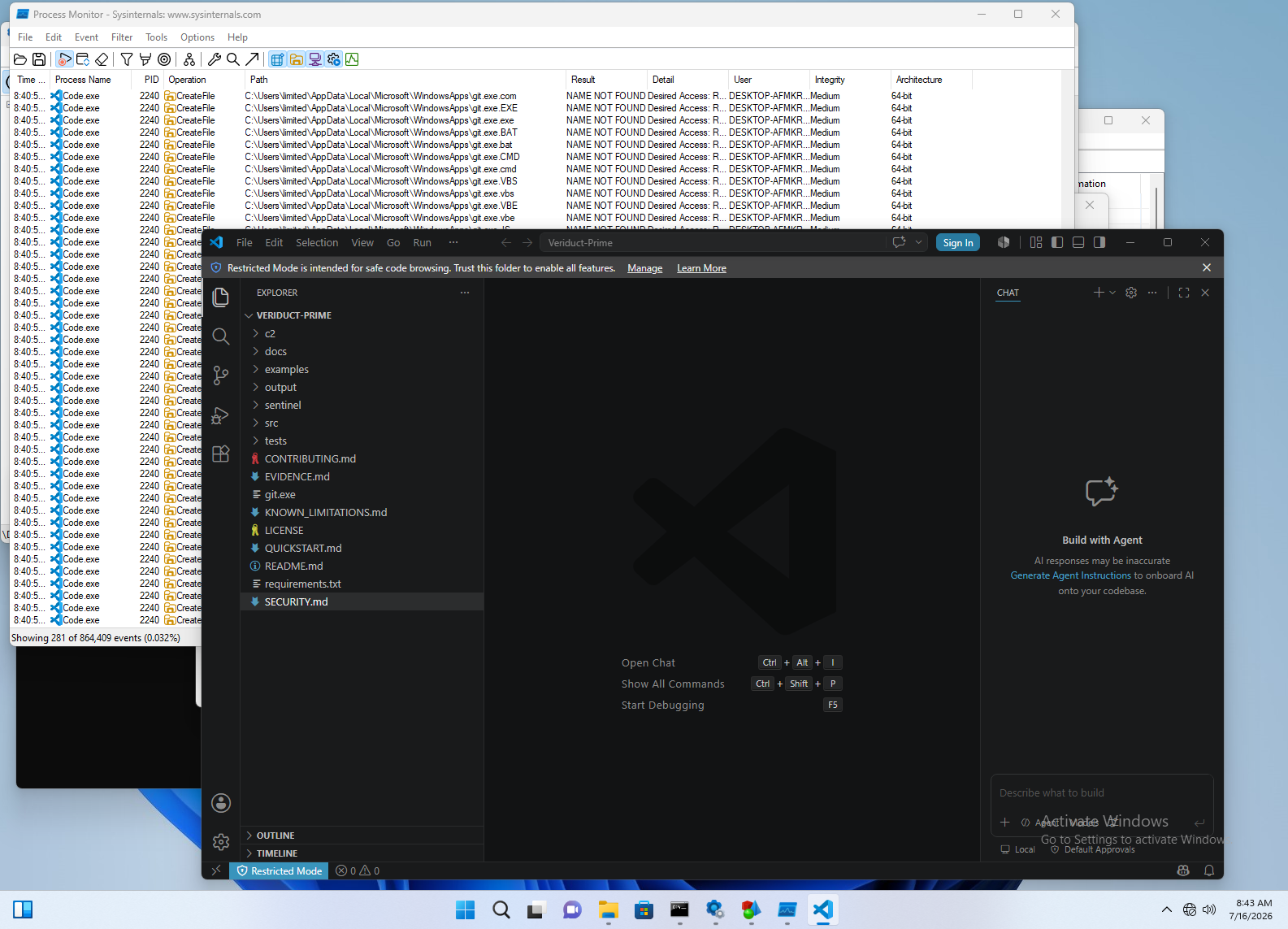


@mttaggart Confirmed that exiting restricted mode launched calc multiple times instantly.
@mttaggart @ajn142 @Sempf @ifin
Hm, I've got 6 VMs running (with different properties, e.g. trusted vs. not, actual git directory vs. not, git.exe installed vs. not) and have yet to see a git.exe launch from the project directory.
Note that these are all click-through-the-installer installs on a clean Win11 VM. No optional features, no github integration, etc.
We'll see what happens at the 30-minute mark.
@mttaggart @ajn142 @Sempf @ifin
Even after 30 minutes, I have no execution of git.exe from my repo directory. Even after exiting restricted mode.
If there's a way to repro this with a clean install of VS Code in a clean Win11 VM, then I suppose more guidance might needed to share what the trigger is.
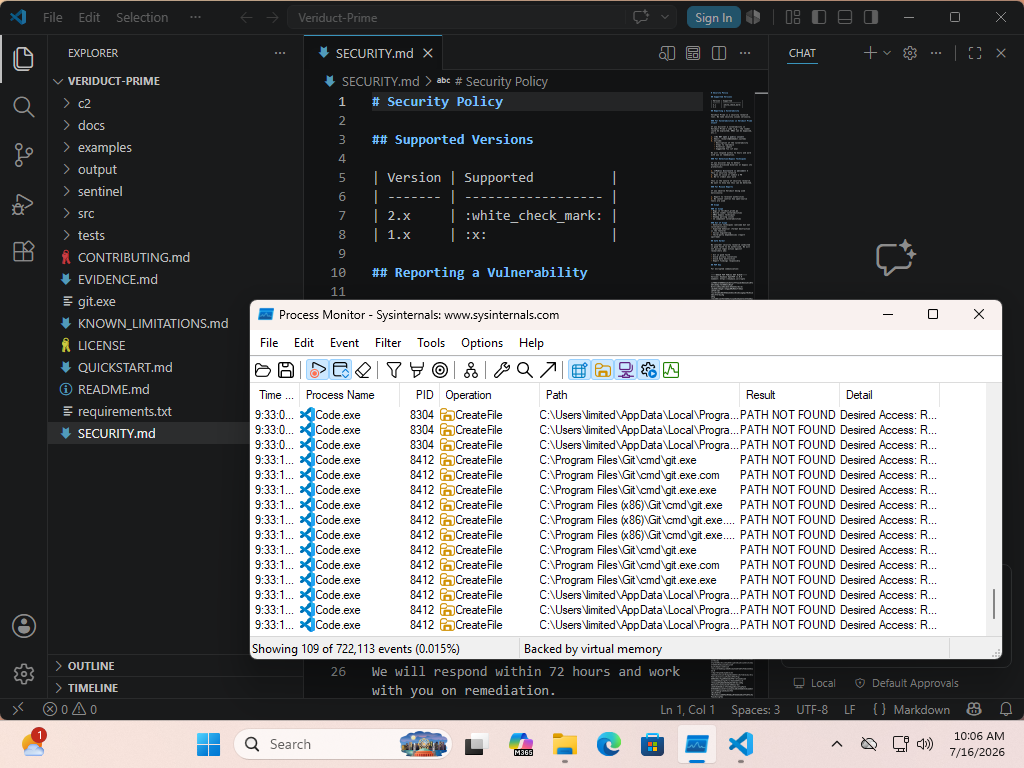

@mttaggart @wdormann @ajn142 @Sempf @ifin maybe it depends on which install of git people have? Some will be earlier in search order.
It comes with a few different software installers in different locations. I will give it a try at reproducing later
@sharkfie @mttaggart @ajn142 @Sempf @ifin
I've not found any git install option that triggers it. (Including not having git installed)

@mttaggart @sharkfie @ajn142 @Sempf @ifin
I was just about to post my recent findings:
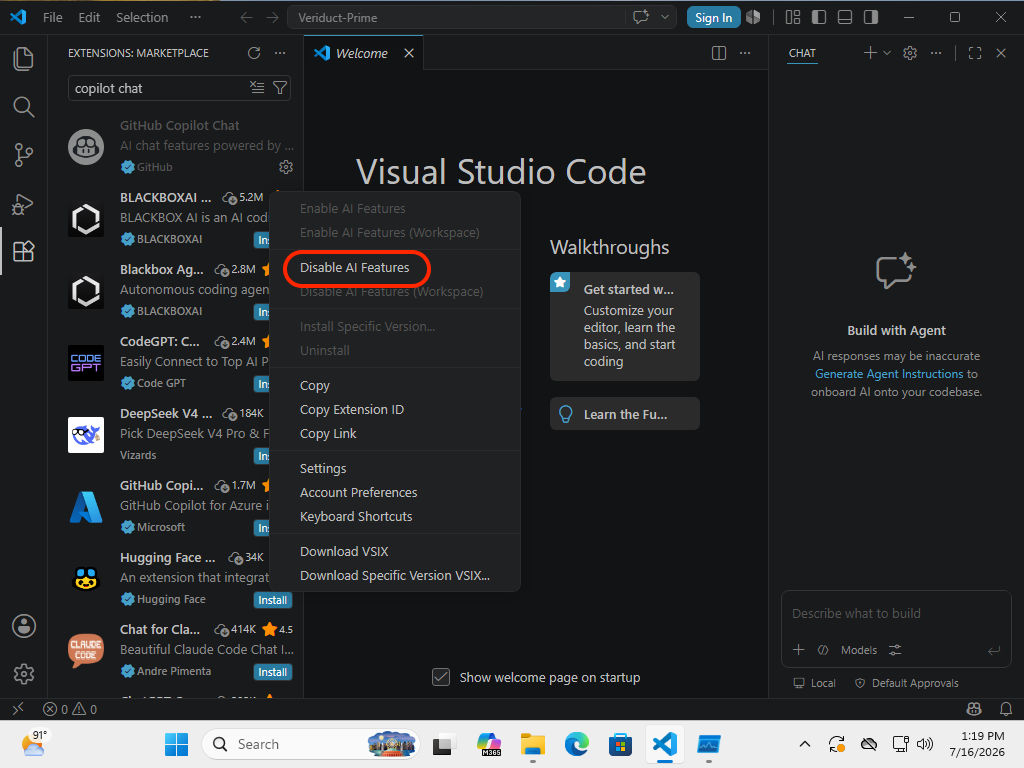
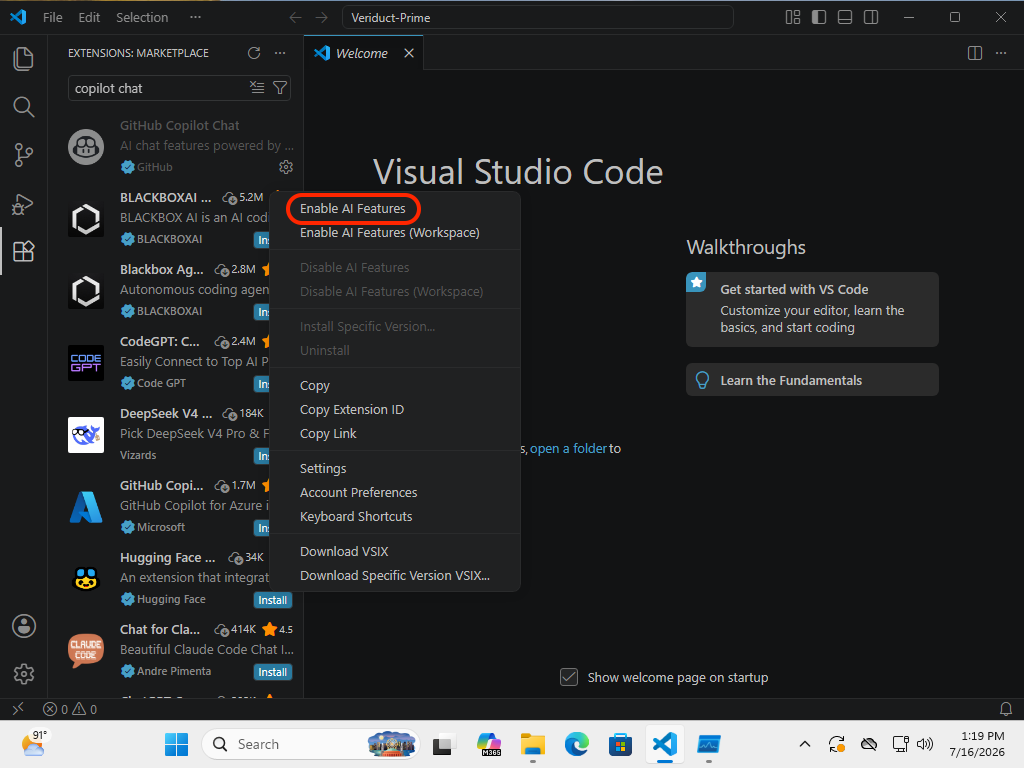
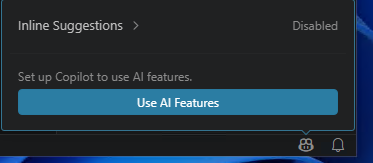
If GitHub Copilot Chat is enabled, and the open repo is trusted, then it pops the git.exe in the repo root automatically.
In my case, I had to do this by first:
[Ctrl][Shift][x]to open extensions- Type in
copilot chat - Click Gear and click
Disable AI Features - Click Gear and click
Enable AI Features
No signing into anything required.
I only figured this out when I noticed that Visual Studio Code on my host machine did pop git.exe, while Visual Studio Code in any of my VMs did not. It took a bit of trial and error to figure out what extension was responsible.
2 media
@wdormann @mttaggart @sharkfie @ajn142 @ifin Thank you so much for looking into this Will. I got sidelined by a family matter.
@mttaggart @Sempf @wdormann @ajn142 @ifin
This is probably it:
https://nodejs.org/api/child_process.html
From my limited understanding this agentHost is a execution environment sandbox for agents. There was also Codex and Anthropic SDKs near those files so may be worth a look.
@sharkfie @mttaggart @Sempf @wdormann @ifin you mean the _runGit function calling cp.execFile (renamed child_process) with the argument ‘git’ ?
