NodeBB v4.11.0 Release Notes
Hi everybody — late last week we released v4.11.0, which contains the following changes:
ActivityPub Specific Fixes
 AP analytics and error pages
New pages have been added to the control panel to display analytics (send/receive counts) and error counts. There is also a new error page that will show error received within the last 24 hours, and their respective payloads. This will aid in debugging federation issues.
 Article vs. Note distinction updated
[...]
Hi everybody — late last week we released v4.11.0, which contains the following changes:
ActivityPub Specific Fixes
AP analytics and error pages
New pages have been added to the control panel to display analytics (send/receive counts) and error counts. There is also a new error page that will show error received within the last 24 hours, and their respective payloads. This will aid in debugging federation issues.
Article vs. Note distinction updated
Prior to this version, NodeBB would determine whether a federated object was an Article or Note based on content length. This was confusing for end users, and was originally added before NodeBB supported title-less topics.
The revised distinction is much simpler. If it has a title, it's an Article. If it doesn't, it's a Note.
Smaller fixes
- Threadiverse software publishes
Deleteobjects wrapped in anAnnounceactivity. This is how content is moderated across the threadiverse. NodeBB now supports this, although it has not been extensively tested at this time. - There was an interoperability issue with Mitra that was identified and fixed.
- When group actors post content directly, the category info is shown in the user icon. It used to error out and show "Guest".
- Optimized the outbound federation of content so the front-end is more responsive. A bunch of back-end optimizations to reduce the number of calculations needed.
- Emojis now supported in DMs to remote users.
 Ability to hide read notifications in user panel
A new option has been added to the "Notifications" sub-section of the user control panel.
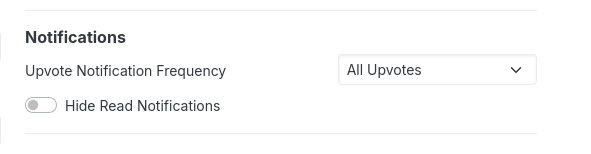
This option will allow you to visibly hide read notifications from the notifications dropdown, which reduces visual clutter.
Tinycon customizations
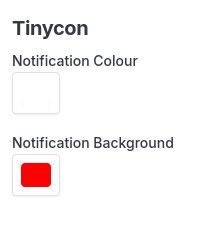
Admins can now customize the notification badge shown in the browser tab icon. We use the Tinycon library for this, and the colour values can be customized now: