
I’m wanting to divest myself from Adobe. And my biggest investment is Lightroom. Anyone here have any thoughts on Darktable? I have over 300k photos in my catalogue and need to be able to import them and all their data/metadata.
Post
Replies:
31


@NunavutBirder I’ve been happy with Capture One but I can’t speak to migrating (I’ve been anti Adobe a looong time). There are subscription and standalone options and you can edit both in the cloud and locally. There are excellent tutorials online.


@NunavutBirder You owe it to yourself to look at Affinity Studio 3. It is free (unless you want a few advanced AI features.) I tried a few PS alternatives after many, many years under the thumb. Didn't like any of them until I stumbled across Affinity Studio and like their RAW processing a lot. Takes a little to get used to their way of doing things, but not a terrible learning curve.


@NunavutBirder as I recall , Lightroom can create XMP sidecar files to store non pixel edits, as well as store metadata in the photo file’s EXIF data. If you can do that thé files should be easily imported in new software. But that would not deal with organisation into folders etc (unless the image files are already in file system directories ).


@NunavutBirder I highly recommend digiKam for management, works well with large collections and it can use xmp sidecar files with metadata but not LR edits - I'm not aware of any alternative software that can import actual LR edits. I use Darktable for editing and raw files, it's powerful but there definitely is a learning curve. This intro has helped me a lot: https://darktable.info/en/getting-started/quick-start/preferences/


@NunavutBirder i've found it very frustrating and occasionally unstable. I prefer RawTherapee, which unfortunately has started using AI code recently.

@NunavutBirder I moved from #Aperture to #C1Pro a few years ago. C1 said it could apply the equivalent of Aperture edits; in practice results were awful. I then used ApertureExporter, which iterated through the A Library, calling Aperture to apply edits and exporting the results. That worked really well. I kept the unedited originals (raws) offline, but I've only gone back to a couple dozen. I don't think there's a similar tool for LR, but it's possible manually, I guess.


@NunavutBirder I’ve tried DT a couple of times and bounced off it hard. It’s obviously a very powerful tool, but my two biggest problems are:
- no library management at all. This, for me, is one of LR’s biggest strengths. You’ll need to find an additional tool for this
- the UI is dreadful. It’s the classic example of a UI designed by coders with little/no human interface design experience. It’s unintuitive and very technical
Many swear by DT, but be prepared for a steep learning curve.

@NunavutBirder I made the switch from Lightroom to darktable a few years ago.
I tried a lot of different tools, but darktable quickly became my favorite. Yes, the usage is quite different from Lightroom and yes, some things might be labeled "clunky". But if you invest in the learning curve (my greatest help were awesome YouTube channels) the results are worth it.
If you create some presets, batch developing is a breeze and for more challenging photos, the masking tools are very powerful.


@NunavutBirder hi
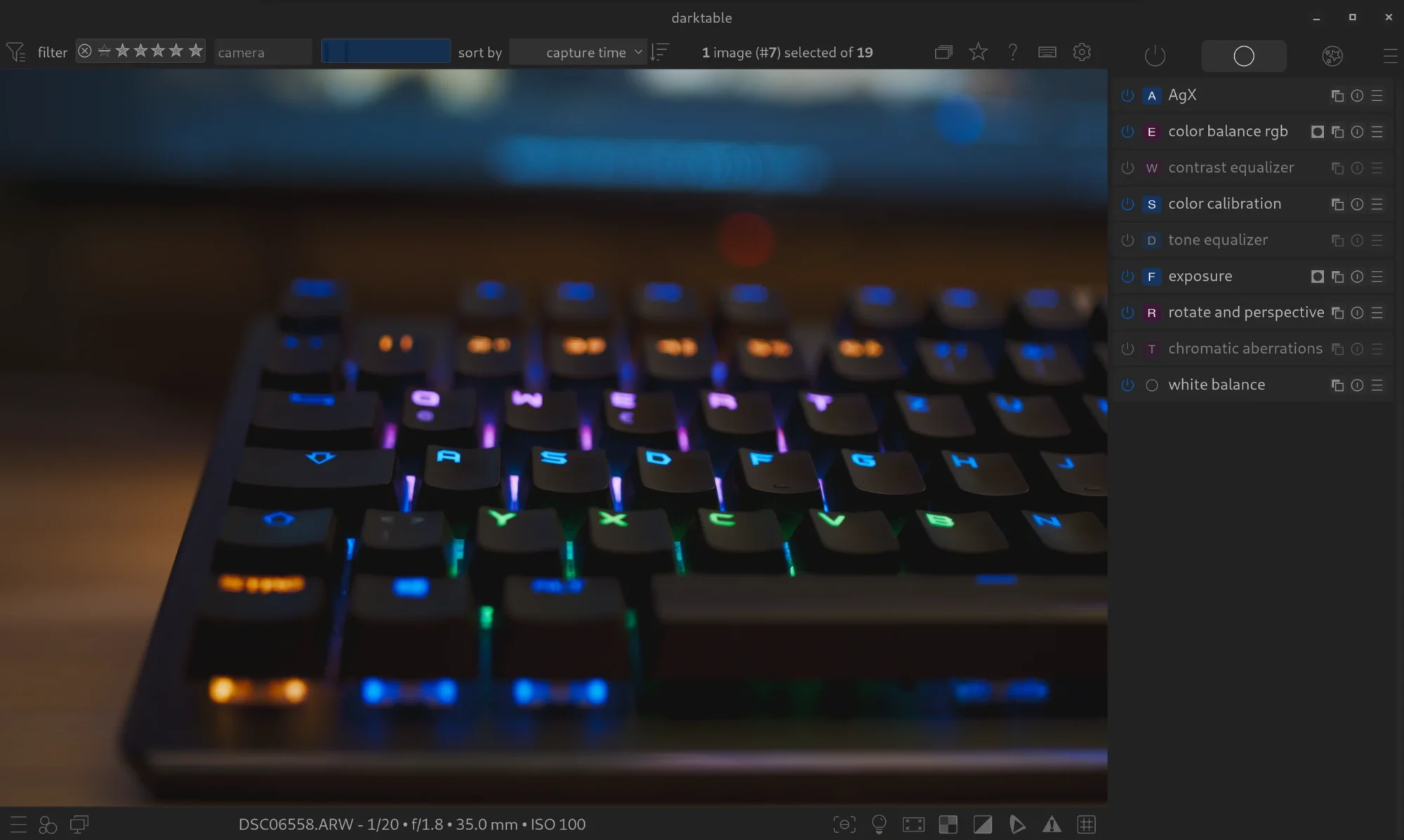
To start with Draktable, I'd do the last 2 points on this: https://darktable.info/en/getting-started/quick-start/preferences/ (AgX as default workflow and activate OpenCL)
Then there is their quickstart: https://darktable.info/en/getting-started/quick-start/darktable-first-steps/ (to learn the interface)
And the standard workflow: https://darktable.info/en/getting-started/quick-start/darktable-first-steps/understand/standard-workflow-2/
That's important: their workflow is up to date and technically correct. A lot of videos / tutorials are outdated or missing some important knowledge about how darktable works.
1/2


@NunavutBirder I use dt for editing and digikam for cataloging. not ideal with two different, but i'm happy to have ditched lightroom. Getting the hang of dt after a month or two, like that there are more options (too many atm, but still learning).
ON1 Photo Raw might be an option also. And it’s on sale right now.


@NunavutBirder It always is. ;)
They swamp you with their newsletters and offerings & stuff, but yes, it’s a nice alternative. Bit slow at times IMHO, and a quasi-sub as there’s a yearly update if you want it.
I found that all competitors lack 1 or several LR features I sorely miss. There’s always sth. Many don’t allow4 my beloved geo tagging, for example. For darktable I had to purchase an external HDR / pano app. LR is near perfect for my workflow. But as a non-pro I could afford the switch.

@NunavutBirder
Switched to Capture One some years ago and like it a lot.
@NunavutBirder Made the switch a few months ago 2get away from Adobe, subscriptions & gain some more digital independence (yeah, on a Mac, I know). How much time do you have b4 the next sub hits? dt has a steep learning curve, you have2 take your time b4 the real switch, prep the LR catalogue 2preserve & transfer as much data as possible via XMP, get into the workflow. I’m happy now and as fast as with LR but it wasn’t easy. Under water these days, but over the weekend I might add some details.
@TeachrDigital it’s monthly. So as much time as I need I guess.

@NunavutBirder Does Darktable have organization features like the LR catalog? Heard mixed reviews on it as an editor but many great editors don't have those kinds of catalogue features. I think Capture One might though.
@michaelrussell Still reading about options. But it does have photo management. Some of the things it doesn’t have, like photo stacking, aren’t features I use.
@NunavutBirder @michaelrussell I think it does have photo stacking. When importing Raw + jpeg, it automatically groups them, and allows to alter groups of photos.
@NunavutBirder Are these 300k edited photo and if so, do your edits transfer over?
@michaelrussell no most are RAW but there are still thousands of edited ones.
@NunavutBirder there’s a dt fork called “Ansel” that I know nothing about (other than its existence) but I liked the description.



@NunavutBirder I've tried it (admittedly briefly) and found the editing performance too slow, eg it doesn't update exposure in real time as you drag the slider

@NunavutBirder I tried switching from Lightroom to Darktable and found it baffling. I ended up switching to Exposure X7. I don't use it heavily, but it does easily handle my ~150k photos. Startup is a little slow.


@NunavutBirder If you can save your edits to XML you can try to see what edits transfer to darktable automatically and make a workflow for what is missing. Darktable needs time to learn but it has a lot of options. You can also customize the sidebar to only have modules you use and rearrange the order. I also separate non essential photo edits to darktable and essential to lightroom while making the transistion.

@NunavutBirder darktable is absolutely great, has been my photo developer for years. However one important thing to keep in mind coming from Lightroom in particular, it's not just a different app doing the same thing. It has its own philosophy, its own approaches and a lot of legacy as well. Thankfully, it also has good docs explaining things in depth, and a good community producing tutorials and answering questions on https://discuss.pixls.us/. But it's going to be a learning curve.


@NunavutBirder I have nothing like 300,000 photos so I can't speak confidently about volume, but I find I use https://rawtherapee.com/ more than I use Darktable.


@NunavutBirder I tried Darktable a little and it looks good. But the effort to migrate also feels huge - have about 100k pic. Also it feels way more ‘fiddly’ 5 of 6 actions to do things that are 2/3 in lightroom for me. I hit a few UI issues which put me off. I want to badly get off lightroom but am feeling too daunted by switching to darktable, unless I could find a month to do it carefully and learn all the new ways of doing things


@NunavutBirder tried it, hated it. I’m happily using Dx0 PhotoLab.

@NunavutBirder darktable SEEMS cool, but i always find the workflows less than ideal. I can't put my finger on why, but I've heard that from a bunch of people.

