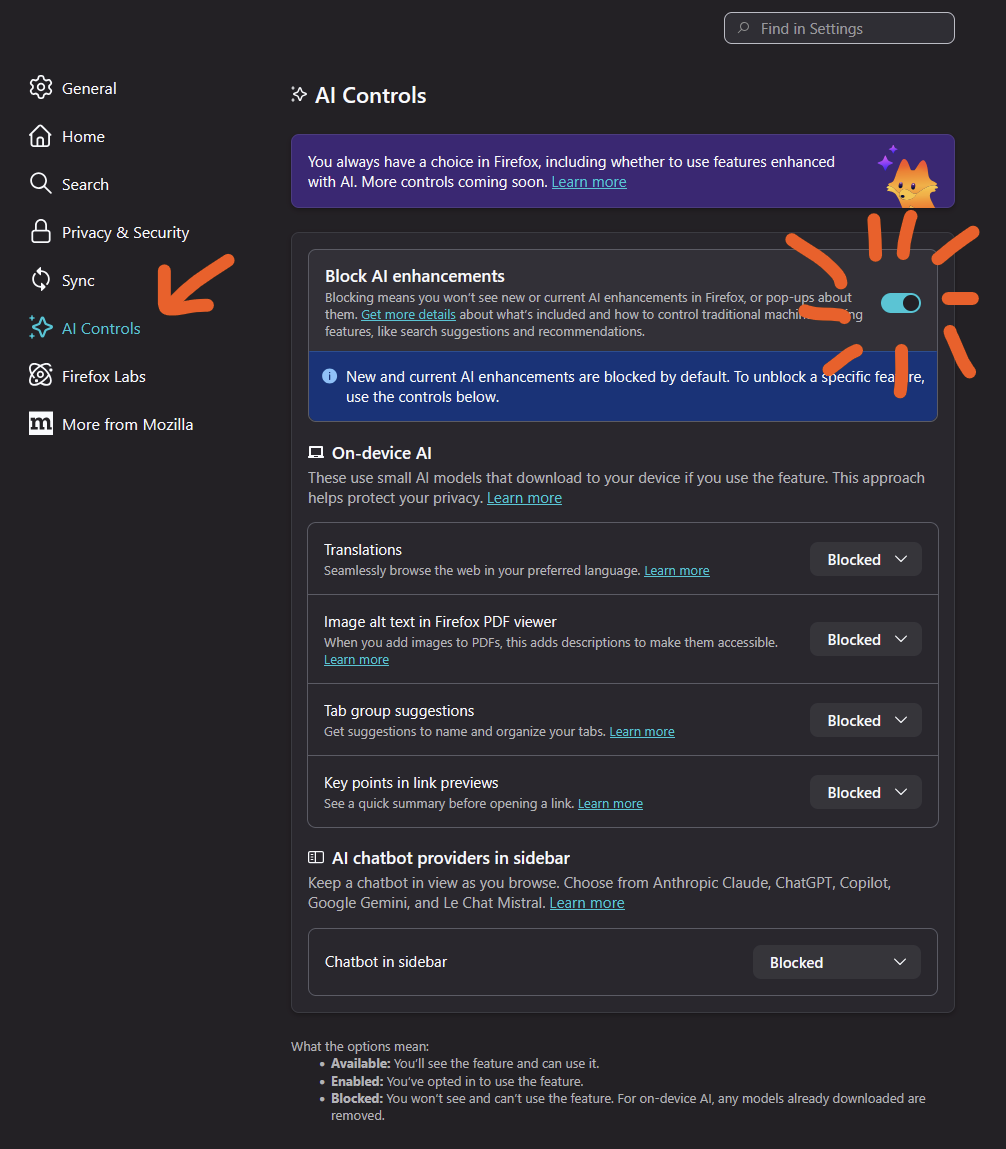
luddite 🇵🇸 computer @ludd@mastodon.gamedev.place · activity timestamp 2 days ago How to fix #firefoxCalling them "enhancements" is the most passive-aggressive pettiest move. Read more Read less Translate Translate alt Screenshot of firefox settings page. Red arrow points to "AI Controls" heading on the left. Then on the right the toggle "Block AI enhancements" is checked. Screenshot of firefox settings page. Red arrow points to "AI Controls" heading on the left. Then on the right the toggle "Block AI enhancements" is checked. Reply Boost or quote Boost Quote You cannot quote this post Like More actions Copy link Flag this post Block
alt Screenshot of firefox settings page. Red arrow points to "AI Controls" heading on the left. Then on the right the toggle "Block AI enhancements" is checked. Screenshot of firefox settings page. Red arrow points to "AI Controls" heading on the left. Then on the right the toggle "Block AI enhancements" is checked.