Discussion
Loading...

Post

Log in
  • About
  • Code of conduct
  • Privacy
  • Users
  • Instances
  • About Bonfire
Adrian Roselli
Adrian Roselli
@aardrian@toot.cafe  ·  activity timestamp 4 days ago

[4/4]

Anyway, I promised @eric and @codingchaos last night to share it but promptly fell asleep. The electrician will be here soon, so I’m doing this in my mobile and have to edit a couple typos in this thread.

Enjoy?

  • Copy link
  • Flag this post
  • Block
Adrian Roselli
Adrian Roselli
@aardrian@toot.cafe replied  ·  activity timestamp 4 days ago

[2/4]

Not only do you need the new meta:
`<meta name="text-scale" content="scale">`

You also need to not set a base font size (or set it relative) as I generally advocate:
https://adrianroselli.com/2024/03/the-ultimate-ideal-bestest-base-font-size-that-everyone-is-keeping-a-secret-especially-chet.html

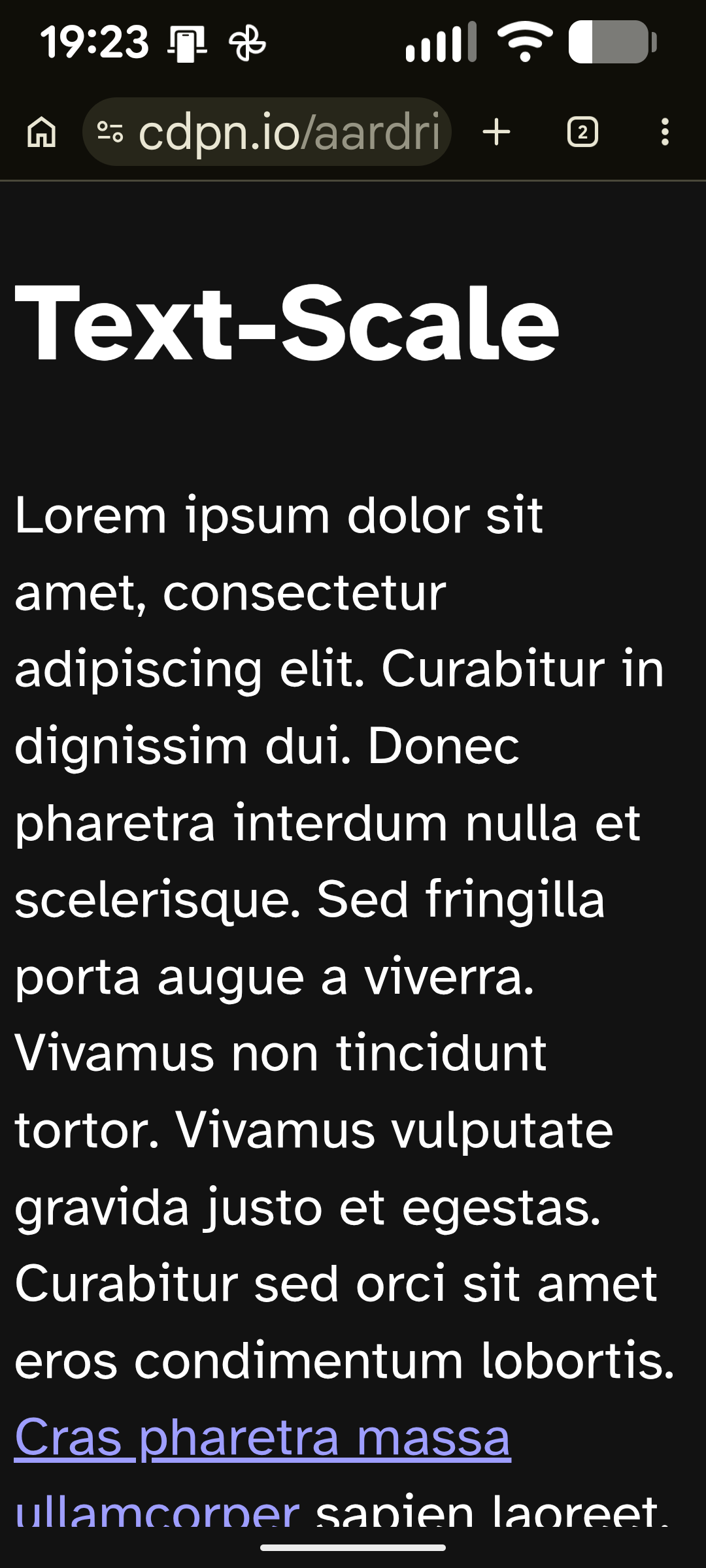
At which point you can start with this (attached images)…

2 media
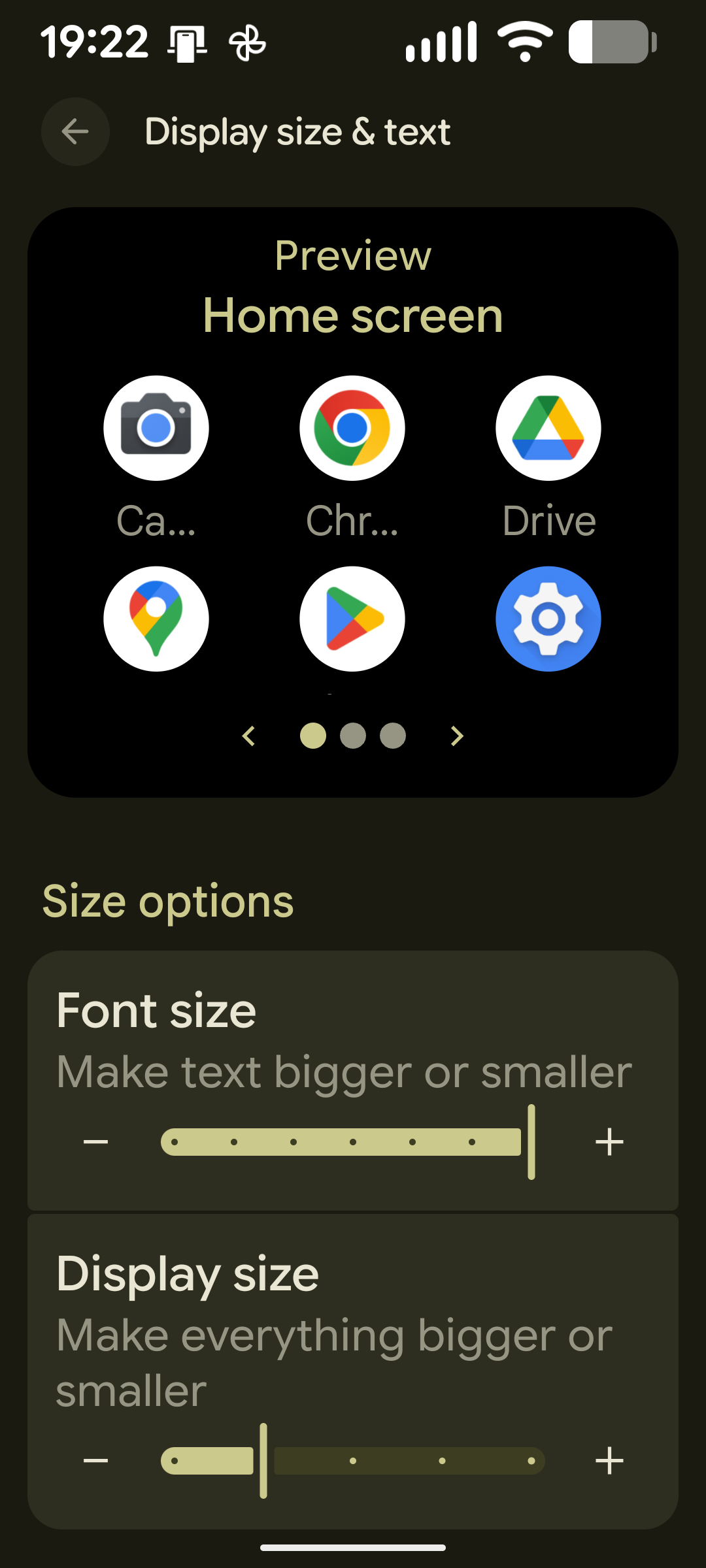
Android > Settings > Accessibility > Display size and text > Size Options : Font size set to second smallest
The demo page showing three headings and the long paragraphs that follow each.
  • Copy link
  • Flag this comment
  • Block
Adrian Roselli
Adrian Roselli
@aardrian@toot.cafe replied  ·  activity timestamp 4 days ago

[3/4]

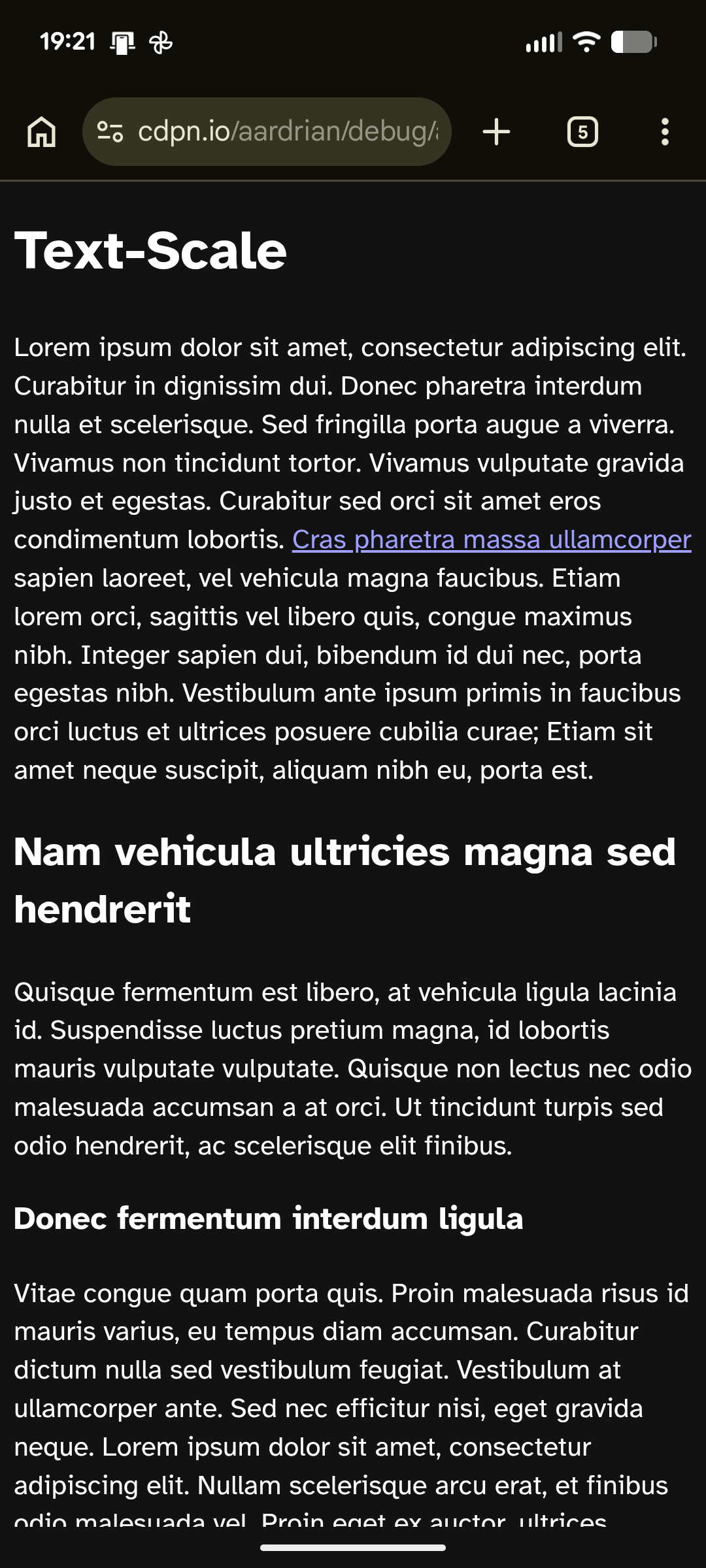
…and up with this after you scale your system text size to maximum.

In practice, this seems analogous to the Apple method to do same on iDevices using `font: -apple-system-body;` and an `@supports()` declaration.

Full code in this comment: https://adrianroselli.com/2024/03/the-ultimate-ideal-bestest-base-font-size-that-everyone-is-keeping-a-secret-especially-chet.html#comment-283164

2 media
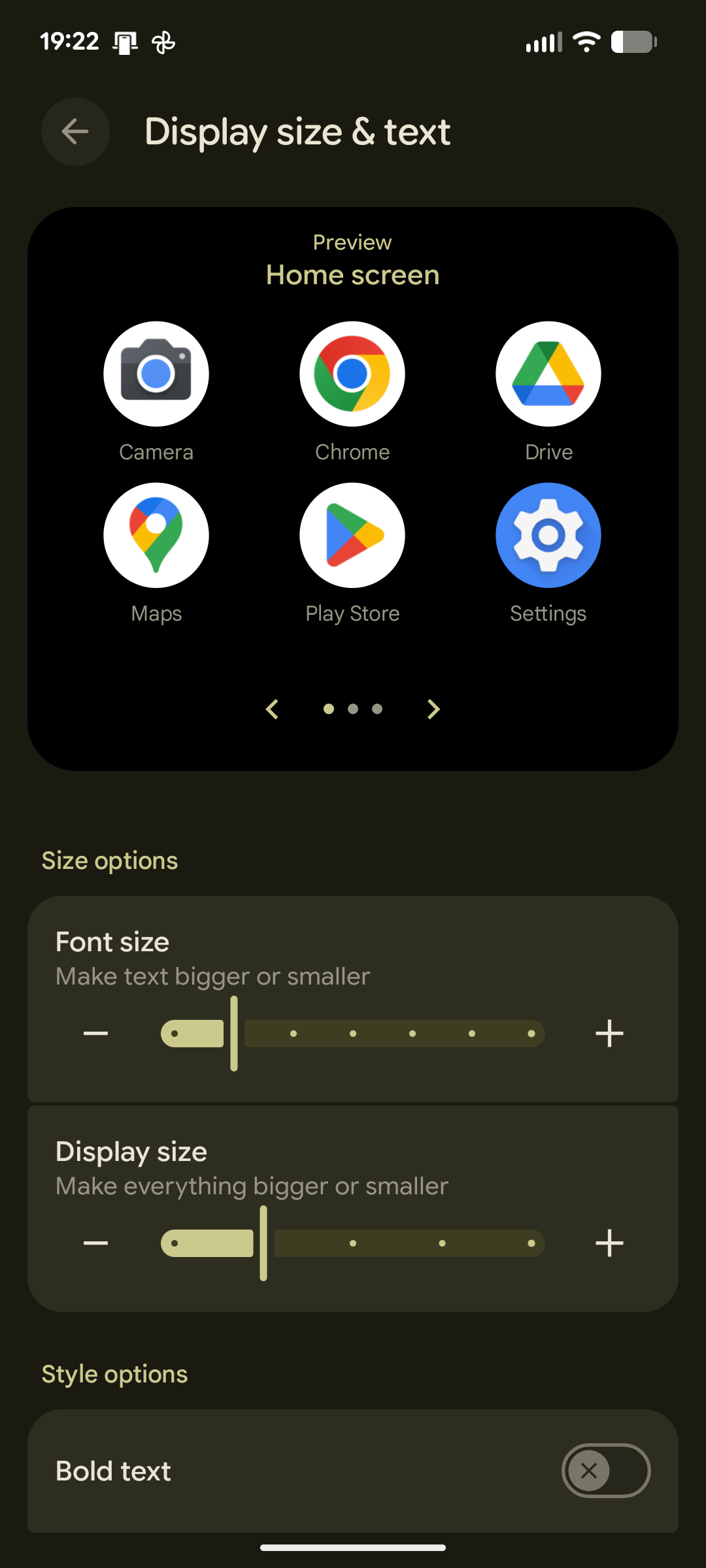
Android > Settings > Accessibility > Display size and text > Size Options : Font size set to largest
The same page as before, but now not only are the Android icons and time text across the top huge, but the page can only fit the part of the first paragraph of the demo because the text is so large.
  • Copy link
  • Flag this comment
  • Block
Adrian Roselli
Adrian Roselli
@aardrian@toot.cafe replied  ·  activity timestamp 4 days ago

[4/4]

Anyway, I promised @eric and @codingchaos last night to share it but promptly fell asleep. The electrician will be here soon, so I’m doing this in my mobile and have to edit a couple typos in this thread.

Enjoy?

  • Copy link
  • Flag this comment
  • Block
Adrian Roselli
Adrian Roselli
@aardrian@toot.cafe replied  ·  activity timestamp 3 days ago

[5/4]

It’s a post now:
https://adrianroselli.com/2026/02/honoring-mobile-os-text-size.html

712 words, but the images are huge (dimensions, not file size). I also captured fresh images (last night’s were an old version of my demo).
#HTML #CSS #accessibility #a11y

  • Copy link
  • Flag this comment
  • Block

bonfire.cafe

A space for Bonfire maintainers and contributors to communicate

bonfire.cafe: About · Code of conduct · Privacy · Users · Instances
Bonfire social · 1.0.2-alpha.7 no JS en
Automatic federation enabled
Log in
  • Explore
  • About
  • Members
  • Code of Conduct