Discussion
Loading...

Post

Log in
  • About
  • Code of conduct
  • Privacy
  • Users
  • Instances
  • About Bonfire
Space Catitude 馃殌
Space Catitude 馃殌
@TerryHancock@realsocial.life  路  activity timestamp 2 weeks ago

Free Software that I rely on. One per day.

Day 13:

VideoLAN Client, a.k.a. VLC

Some distro maintainers apparently hate it. It is very customizable, which results in multiple and frequent UI changes.

But damn is it useful! I MUST have it.

I have found very few video formats that VLC won't play, at least if you install all the codecs (some of which are non-free, which is why you have to install them later -- but that's not VLC's fault).

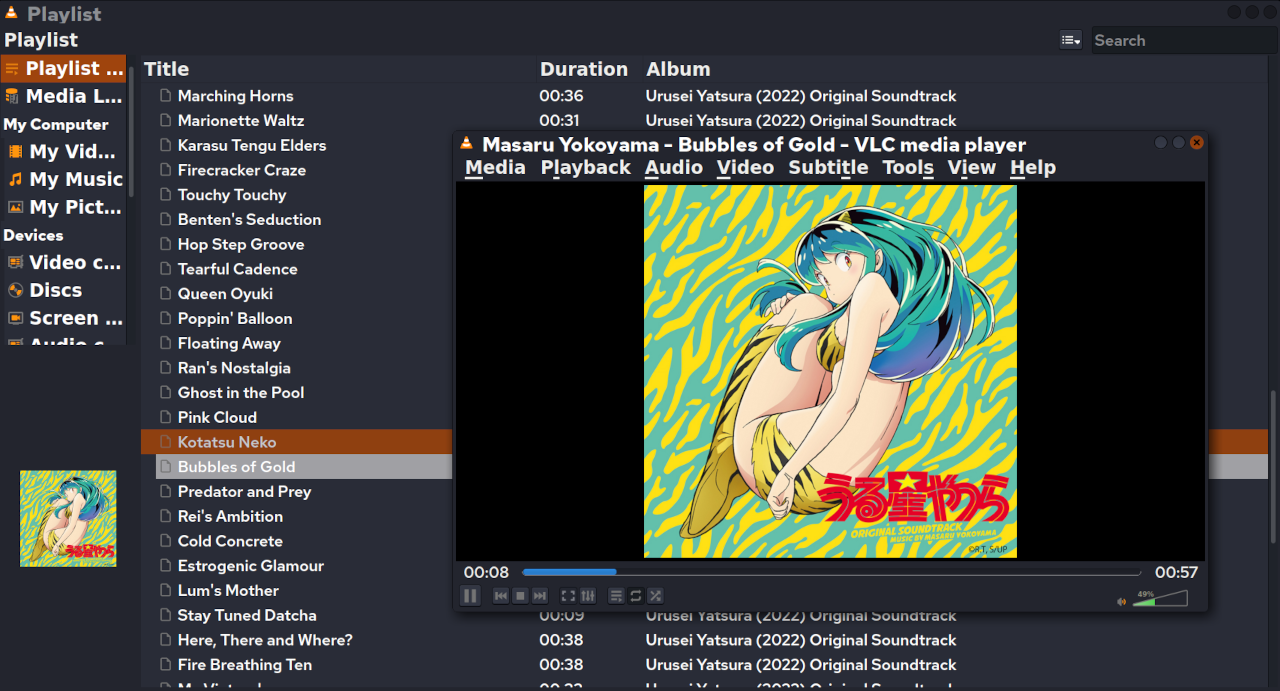
It is my usual music player, and video player. I use it to check my newly-edited videos.

Somewhere in there is a way to edit metadata in files -- I know I've used it, though not in a long time.

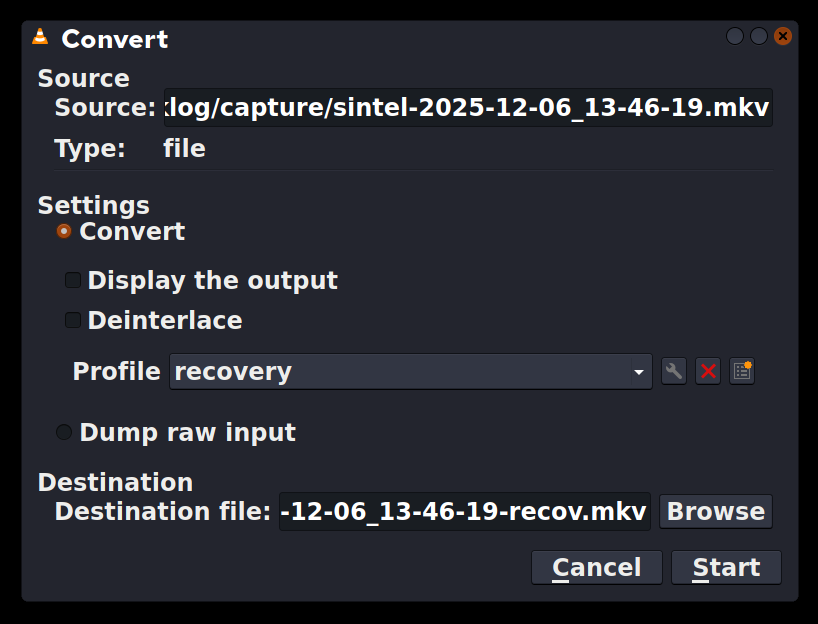
And if I go to "Media -> Convert/Save", it can convert video formats, which can be a life-saver.

If my computer should shut down suddenly, my screenlogging script will produce a corrupted video. VLC can read it and convert into a corrected format that other programs can read. Handy!

https://www.videolan.org/

#FreeSoftwareAdvent #VLC #VideoLan #MusicPlayer #VideoPlayer #Multimedia
Convert/Save dialog from VLC.

At top is the source file. Then there are settings. I have defined a "recovery" profile, because the most common use is to fix video files corrupted by a crash or accidental shutdown without turning off the screen logger.

At bottom is the destination file. Conveniently, it defaults to the same name as the source, and I just add "-recov" to that.
Convert/Save dialog from VLC. At top is the source file. Then there are settings. I have defined a "recovery" profile, because the most common use is to fix video files corrupted by a crash or accidental shutdown without turning off the screen logger. At bottom is the destination file. Conveniently, it defaults to the same name as the source, and I just add "-recov" to that.
VLC, playing an album directory (with the Urusei Yatsura 2022 soundtrack open).

I think some versions of the UI have "File" instead of "Media". But this version has "Media", "Playback", "Audio", "Video", "Subtitle", "Tools", "View", "Help".
VLC, playing an album directory (with the Urusei Yatsura 2022 soundtrack open). I think some versions of the UI have "File" instead of "Media". But this version has "Media", "Playback", "Audio", "Video", "Subtitle", "Tools", "View", "Help".
  • Copy link
  • Flag this post
  • Block

bonfire.cafe

A space for Bonfire maintainers and contributors to communicate

bonfire.cafe: About 路 Code of conduct 路 Privacy 路 Users 路 Instances
Bonfire social 路 1.0.1-alpha.40 no JS en
Automatic federation enabled
Log in
  • Explore
  • About
  • Members
  • Code of Conduct