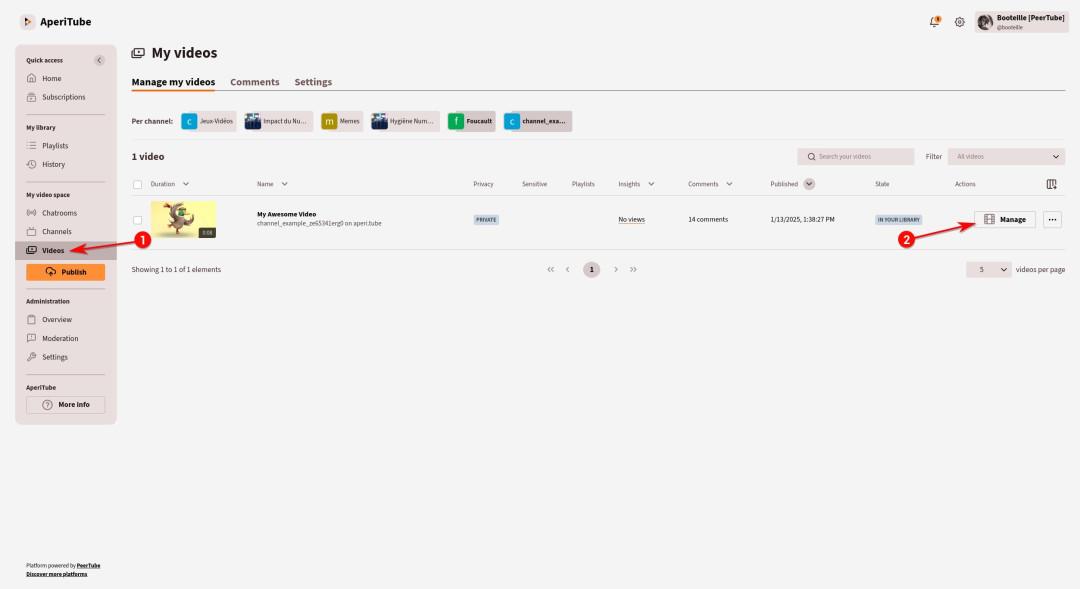
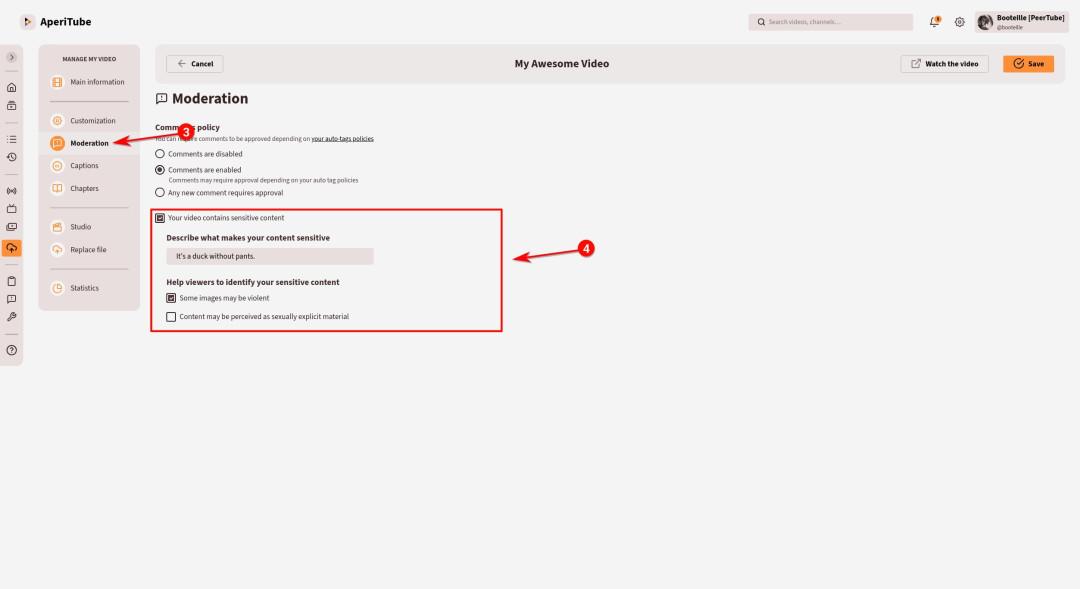
In #PeerTube, you can clearly explain why your content is marked as sensitive.
You can indicate whether your content is sexually explicit or violent and even describe its content in a note shown to the viewer!
2 media
In #PeerTube, you can clearly explain why your content is marked as sensitive.
You can indicate whether your content is sexually explicit or violent and even describe its content in a note shown to the viewer!