Discussion
Loading...

Post

  • About
  • Code of conduct
  • Privacy
  • Users
  • Instances
  • About Bonfire
The Witchy Bitches
@pawpower@beige.party  ·  activity timestamp 3 days ago

It's here!!! I can't decide if I want to look at pictures or read a book! Why this is a big deal is because all of my other braille displays have one line so if you are a person who can see imagine that you only get between 20 and 40 characters before you need to scroll on one line. That is how I read all of the time. This display has a one line display at the bottom, yes, but at the top there is a larger display that is 30 x 10 that lets you read multiple lines at once or… Look at pictures! This is life-changing for me! #DeafBlind
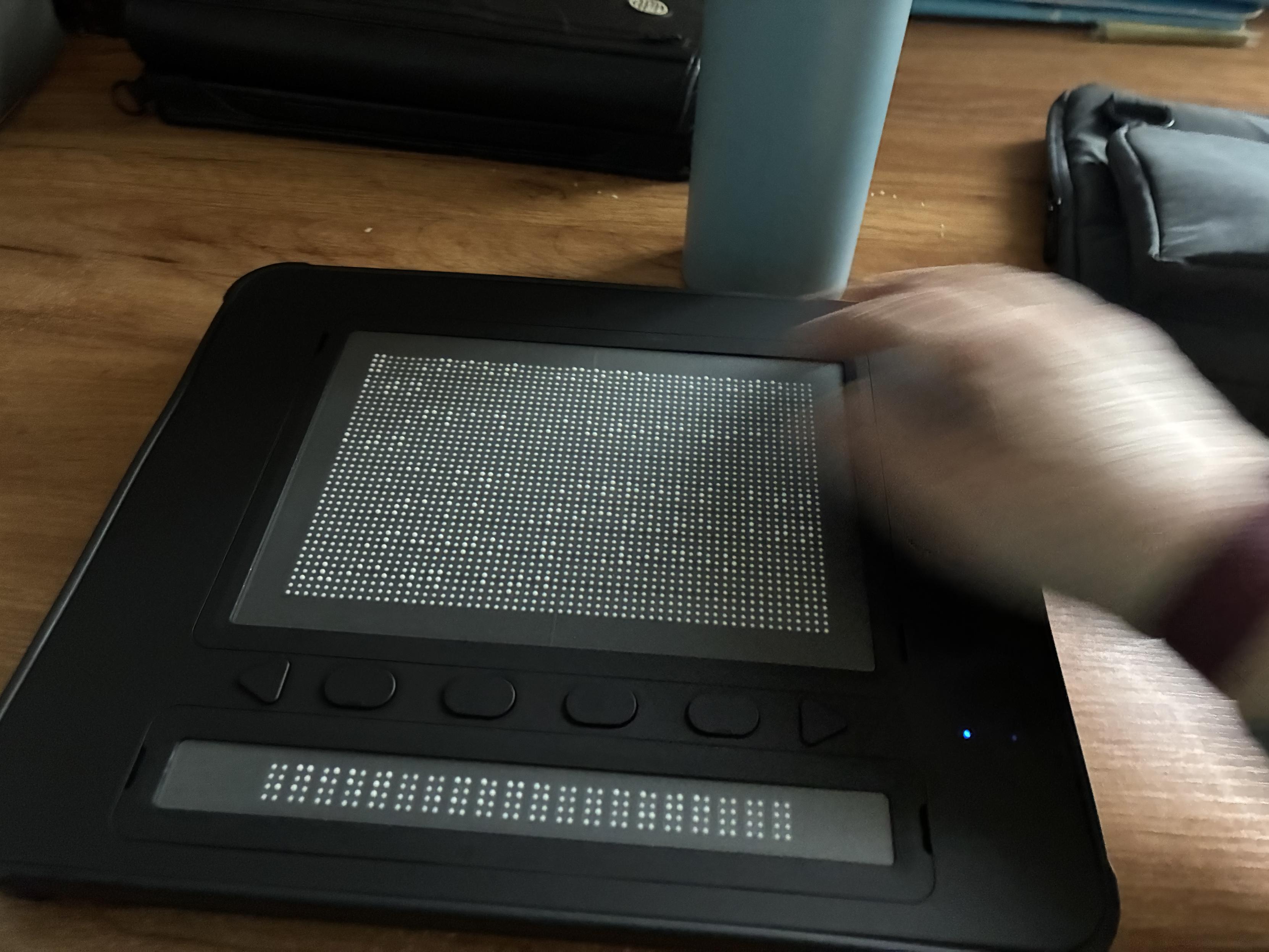
This is a picture of the dot pad. It is a black plastic device and at the top there is a large square area that is 10 lines long by 30 characters wide. Below that there is a divider with two arrow shaped buttons that are for panning, the display and four oval shaped function keys. Below that there is the traditional single line of braille. The single line of braille is used for looking at captions and the larger area can be used for looking at pictures, or you can just use the larger area to read multiple lines at once rather than having to continuously scroll
  • Copy link
  • Flag this post
  • Block
Log in

bonfire.cafe

A space for Bonfire maintainers and contributors to communicate

bonfire.cafe: About · Code of conduct · Privacy · Users · Instances
Bonfire social · 1.0.1-alpha.8 no JS en
Automatic federation enabled
  • Explore
  • About
  • Members
  • Code of Conduct
Home
Login