
Discussion
Loading...

Post

Log in
  • About
  • Code of conduct
  • Privacy
  • Users
  • Instances
  • About Bonfire
Álvaro R.
Álvaro R.
@xenodium@indieweb.social  ·  activity timestamp 3 months ago

I always wanted an Emacs world clock I could easily add cities to and shift the times (ie. find meeting times across timezones).

https://github.com/xenodium/time-zones

edit: now on GitHub

#emacs #timezones #macos #linux #oss #foss #time #madrid #london #tokyo #sanfrancisco
Your browser does not support the video tag.
This video cannot be previewed
Open original
This is a screenshot of an Emacs buffer displaying time zones for multiple cities. At the top, there are navigation shortcuts: `f` for forward, `b` for backward, and `q` to quit. The current local time is shown prominently as "13:39 Sunday 19 October." Below, a list shows the time and date in different cities (San Francisco, Tokyo, Greater London, and Madrid) with corresponding country flags. Options are at the bottom to `+ add city`, remove city, or `g` refresh. The buffer name is `*time zones*`, and the message "End of buffer" is at the bottom.
GitHub

GitHub - xenodium/time-zones: An Emacs major mode to view the time at any city across the world

An Emacs major mode to view the time at any city across the world - xenodium/time-zones
  • Copy link
  • Flag this post
  • Block
Álvaro R.
Álvaro R.
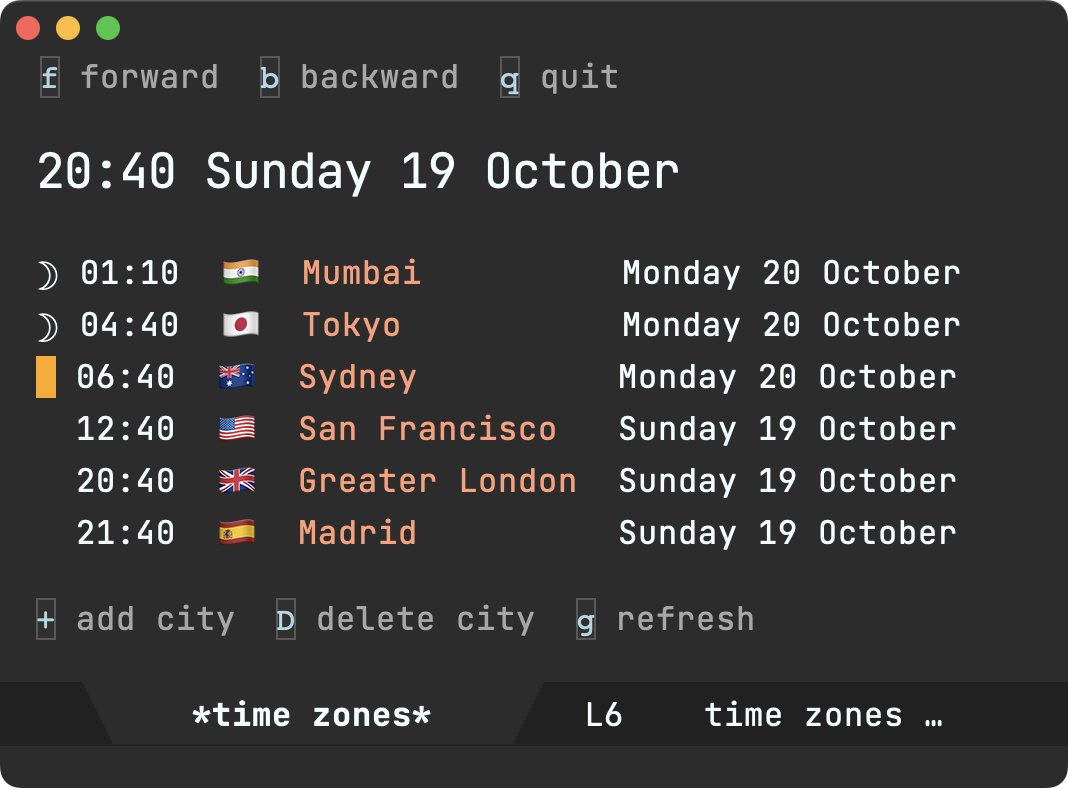
@xenodium@indieweb.social replied  ·  activity timestamp 3 months ago

Now showing ☽ for sleeping hours.

#emacs #timezones #macos #linux #oss #foss #time #madrid #london #tokyo #sanfrancisco

Sorry, no caption provided by author
  • Copy link
  • Flag this comment
  • Block

bonfire.cafe

A space for Bonfire maintainers and contributors to communicate

bonfire.cafe: About · Code of conduct · Privacy · Users · Instances
Bonfire social · 1.0.1 no JS en
Automatic federation enabled
Log in
  • Explore
  • About
  • Members
  • Code of Conduct