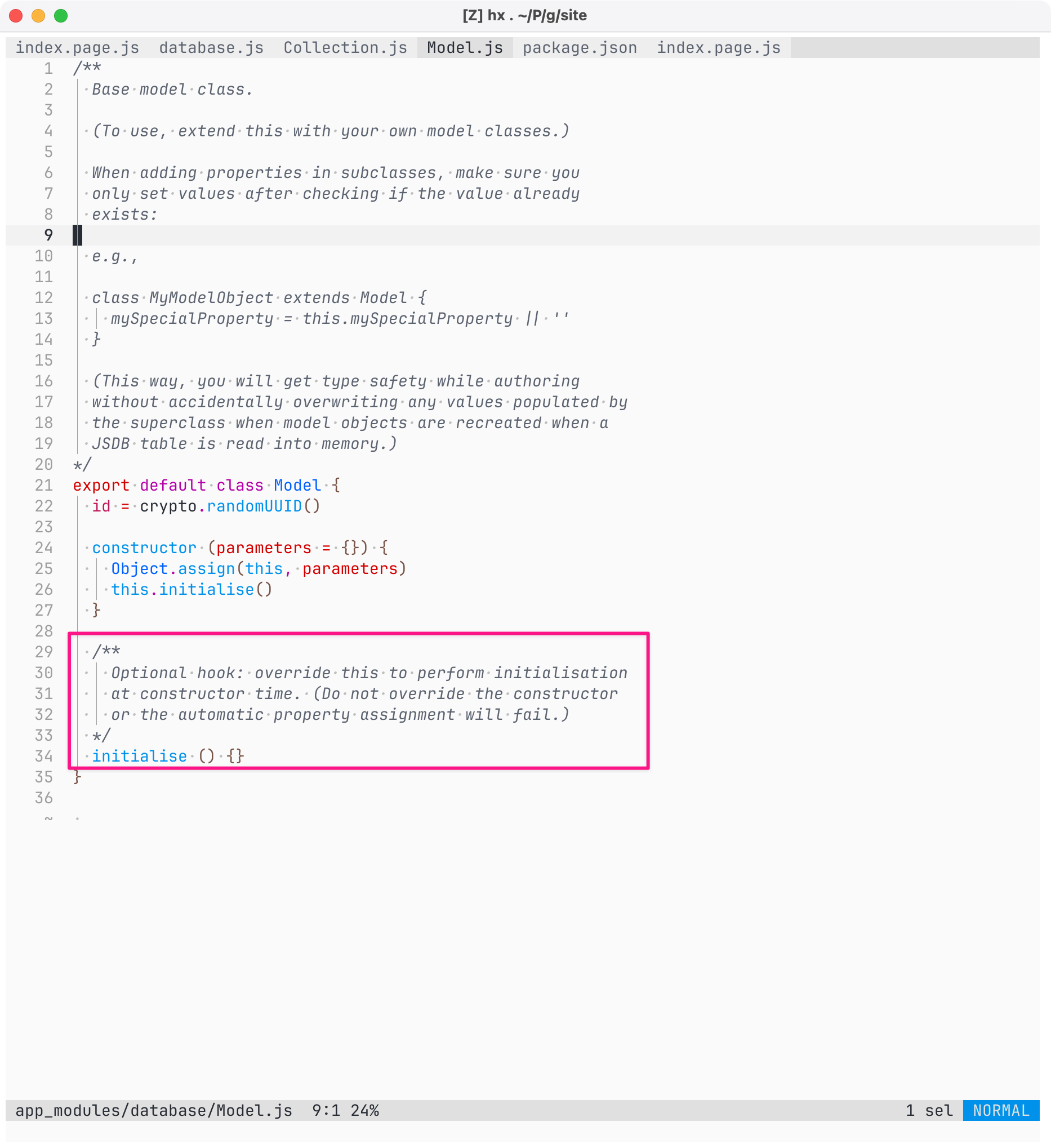
Screenshot of code for app_modules/database/Model.js.

The following code is highlighted with a pink border:

  /**
    Optional hook: override this to perform initialisation
    at constructor time. (Do not override the constructor
    or the automatic property assignment will fail.)
  */
  initialise () {}

Full code listing:

/**
  Base model class.

  (To use, extend this with your own model classes.)

  When adding properties in subclasses, make sure you
  only set values after checking if the value already
  exists:

  e.g.,

  class MyModelObject extends Model {
    mySpecialProperty = this.mySpecialProperty || ''
  }

  (This way, you will get type safety while authoring
  without accidentally overwriting any values populated by
  the superclass when model objects are recreated when a
  JSDB table is read into memory.)
*/
export default class Model {
  id = crypto.randomUUID()

  constructor (parameters = {}) {
    Object.assign(this, parameters)
    this.initialise()
  }

  /**
    Optional hook: override this to perform initialisation
    at constructor time. (Do not override the constructor
    or the automatic property assignment will fail.)
  */
  initialise () {}
}
Screenshot of code for app_modules/database/Model.js. The following code is highlighted with a pink border: /** Optional hook: override this to perform initialisation at constructor time. (Do not override the constructor or the automatic property assignment will fail.) */ initialise () {} Full code listing: /** Base model class. (To use, extend this with your own model classes.) When adding properties in subclasses, make sure you only set values after checking if the value already exists: e.g., class MyModelObject extends Model { mySpecialProperty = this.mySpecialProperty || '' } (This way, you will get type safety while authoring without accidentally overwriting any values populated by the superclass when model objects are recreated when a JSDB table is read into memory.) */ export default class Model { id = crypto.randomUUID() constructor (parameters = {}) { Object.assign(this, parameters) this.initialise() } /** Optional hook: override this to perform initialisation at constructor time. (Do not override the constructor or the automatic property assignment will fail.) */ initialise () {} }
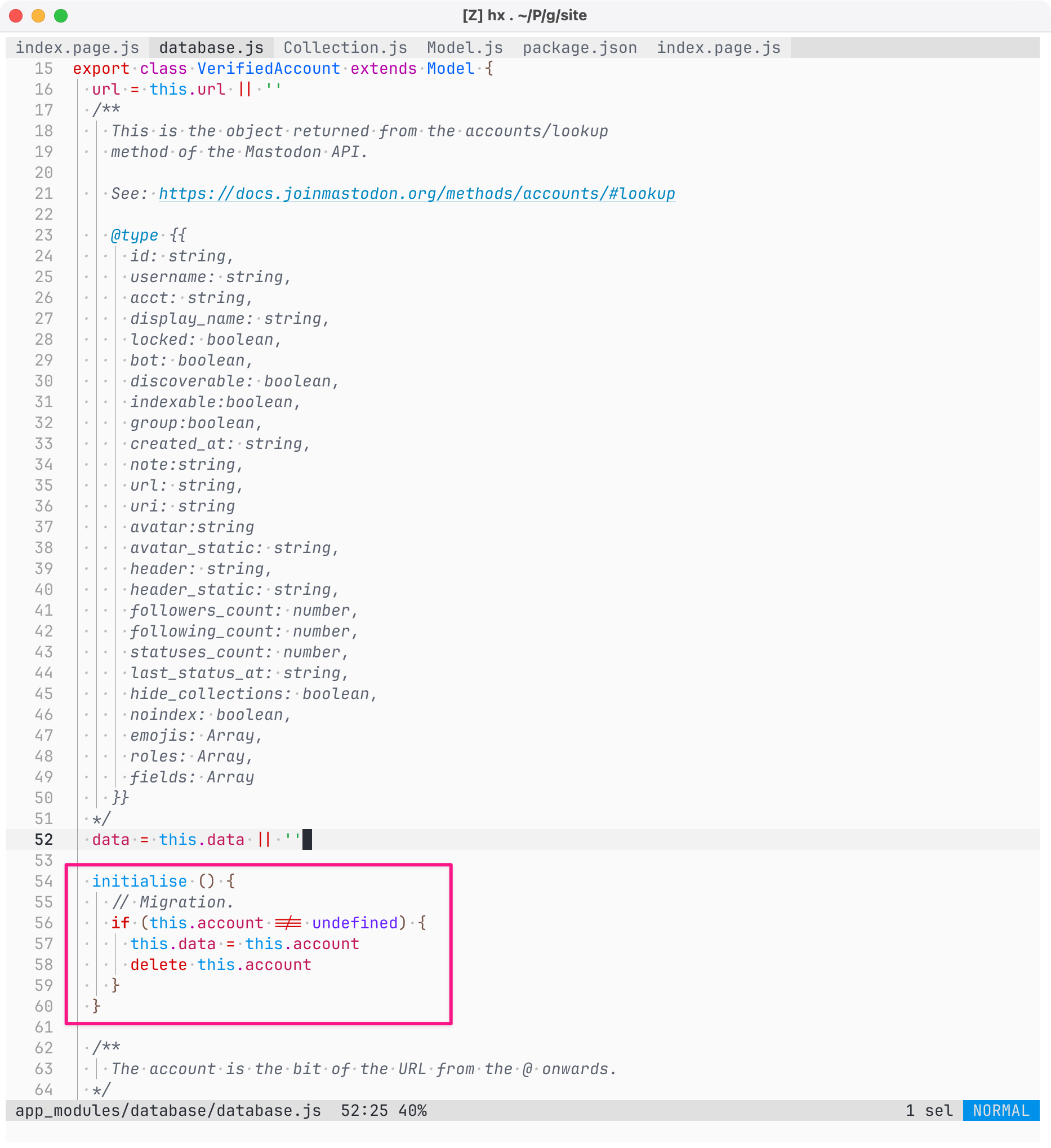
Screenshot of code (detail) in Helix Editor on macOS, showing the source for app_modules/database/database.js. The following code is highlighted with a pink border:

initialise () {
    // Migration.
    if (this.account !== undefined) {
      this.data = this.account
      delete this.account
    }
  }

Full listing

texport class VerifiedAccount extends Model {
  url = this.url || ''
  /**
    This is the object returned from the accounts/lookup
    method of the Mastodon API.

    See: https://docs.joinmastodon.org/methods/accounts/#lookup

    @type {{
      id: string,
      username: string,
      acct: string,
      display_name: string,
      locked: boolean,
      bot: boolean,
      discoverable: boolean,
      indexable:boolean,
      group:boolean,
      created_at: string,
      note:string,
      url: string,
      uri: string
      avatar:string
      avatar_static: string,
      header: string,
      header_static: string,
      followers_count: number,
      following_count: number,
      statuses_count: number,
      last_status_at: string,
      hide_collections: boolean,
      noindex: boolean,
      emojis: Array,
      roles: Array,
      fields: Array
    }}
  */
  data = this.data || ''

  initialise () {
    // Migration.
    if (this.account !== undefined) {
      this.data = this.account
      delete this.account
    }
  }

  /**
    The account is the bit of the URL from the @ onwards.
  */
Screenshot of code (detail) in Helix Editor on macOS, showing the source for app_modules/database/database.js. The following code is highlighted with a pink border: initialise () { // Migration. if (this.account !== undefined) { this.data = this.account delete this.account } } Full listing texport class VerifiedAccount extends Model { url = this.url || '' /** This is the object returned from the accounts/lookup method of the Mastodon API. See: https://docs.joinmastodon.org/methods/accounts/#lookup @type {{ id: string, username: string, acct: string, display_name: string, locked: boolean, bot: boolean, discoverable: boolean, indexable:boolean, group:boolean, created_at: string, note:string, url: string, uri: string avatar:string avatar_static: string, header: string, header_static: string, followers_count: number, following_count: number, statuses_count: number, last_status_at: string, hide_collections: boolean, noindex: boolean, emojis: Array, roles: Array, fields: Array }} */ data = this.data || '' initialise () { // Migration. if (this.account !== undefined) { this.data = this.account delete this.account } } /** The account is the bit of the URL from the @ onwards. */
Screenshot of Kitten’s interactive shell, showing me alterning a database entry in development:

}
  ]

🐱 💬 kitten.db.news[0].link = kitten.db.news[0].postLink

  'https://ar.al/2024/05/23/new-kitten-features-interactive-shell-repl-multi-page-settings-and-backup-and-restore-data-portability/'

🐱 💬 kitten.db.news[0]

  Proxy [
    News {
      link: 'https://ar.al/2024/05/23/new-kitten-features-interactive-shell-repl-multi-page-settings-and-backup-and-restore-data-portability/',
      title: 'New Kitten features: Interactive Shell (REPL), Multi-page Settings, and backup and restore (data portability)',
      date: '2024-05-23',
      image: '',
      summary: 'In this video, Aral demonstrates the new features added to Kitten in May: including the new Interactive Shell (REPL), Multi-page Settings, and backup and restore (data portability).',
      author: 'Aral Balkan',
      sourceName: 'Aral’s Blog',
      sourceLink: 'https://ar.al',
      postLink: 'https://ar.al/2024/05/23/new-kitten-features-interactive-shell-repl-multi-page-settings-and-backup-and-restore-data-portability/',
      presets: 'custom'
    },
    {
      get: [Function: bound getHandler] { boundObject: [DataProxy] },
      set: [Function: bound setHandler] { boundObject: [DataProxy] },
      defineProperty: [Function: bound definePropertyHandler] { boundObject: [DataProxy] },
      deleteProperty: [Function: bound deletePropertyHandler] { boundObject: [DataProxy] }
    }
  ]
Screenshot of Kitten’s interactive shell, showing me alterning a database entry in development: } ] 🐱 💬 kitten.db.news[0].link = kitten.db.news[0].postLink 'https://ar.al/2024/05/23/new-kitten-features-interactive-shell-repl-multi-page-settings-and-backup-and-restore-data-portability/' 🐱 💬 kitten.db.news[0] Proxy [ News { link: 'https://ar.al/2024/05/23/new-kitten-features-interactive-shell-repl-multi-page-settings-and-backup-and-restore-data-portability/', title: 'New Kitten features: Interactive Shell (REPL), Multi-page Settings, and backup and restore (data portability)', date: '2024-05-23', image: '', summary: 'In this video, Aral demonstrates the new features added to Kitten in May: including the new Interactive Shell (REPL), Multi-page Settings, and backup and restore (data portability).', author: 'Aral Balkan', sourceName: 'Aral’s Blog', sourceLink: 'https://ar.al', postLink: 'https://ar.al/2024/05/23/new-kitten-features-interactive-shell-repl-multi-page-settings-and-backup-and-restore-data-portability/', presets: 'custom' }, { get: [Function: bound getHandler] { boundObject: [DataProxy] }, set: [Function: bound setHandler] { boundObject: [DataProxy] }, defineProperty: [Function: bound definePropertyHandler] { boundObject: [DataProxy] }, deleteProperty: [Function: bound deletePropertyHandler] { boundObject: [DataProxy] } } ]