
Working on a new article.
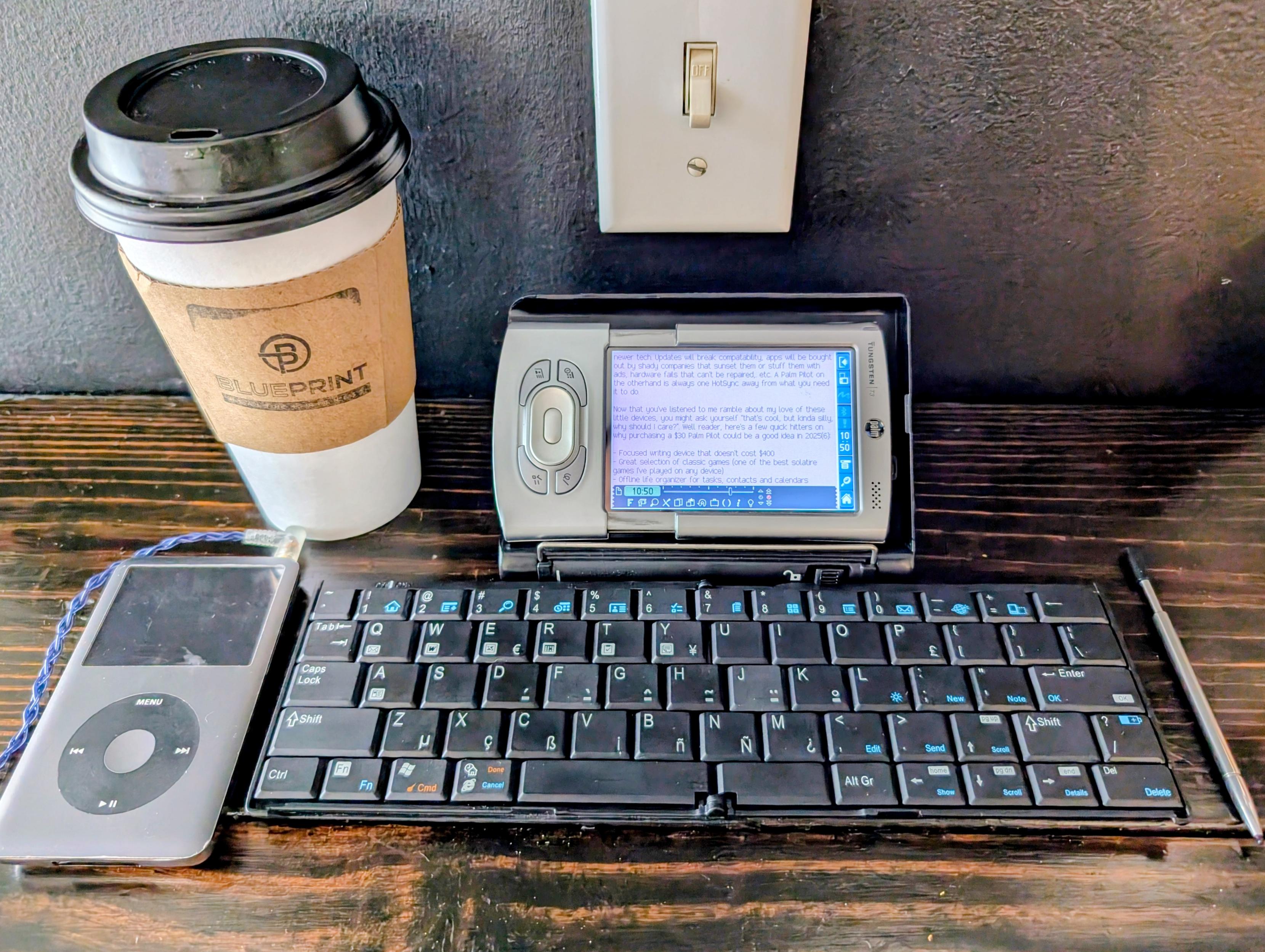


Portable computing machines peaked in the 90s and since then have suffered from the introduction of new technologies that severely decreased their reliability and longevity.
Flash memory
Before this, you used battery-backed RAM and an "AAs + coin cell" approach to keep it alive while swapping batteries. RAM is an unfussy technology without lifetime concerns. All necessary system software is in ROM, is well-debugged (because it can't be updated), and resetting to factory state is quite simple: clear RAM, boot from ROM.
After: You must now patch your firmware to whatever version the community/homebrewers support. Once you use up all your write cycles, machine loses its mind or bricks itself.
Li-ion batteries
Before this, you used standardized modular batteries like AAs or coin cells. When a new battery technology comes out (like rechargeables or NiMH's), upgrades are automatic and backwards-compatible. Battery life is limited only by the number of spare cells you bring.
After: Batteries are custom to the machine and often go out of production along with it. Batteries may be sealed inside and inaccessible without specialized tools.
There are many machines I would collect if not for these poison pill techs.
More portable #retrocomputing philosophizing: Whether a machine has "Instant-On" makes a huge difference in the tasks it's useful for. By this, I mean whether the machine returns to the same program and screen where you left it, when powered back on from inactivity.
Without "Instant-On", the machine demands to be used for long sessions, (else the boot time is too inconvenient) and demands your constant attention (else the power draw of leaving it sitting around powered on is wasted). Using the machine involves clearing your schedule and devoting yourself to it, like reading a book.
Examples of machines without "Instant-On": DOS-era laptops, #Book8088, #GameBoy, #MailStation.
With "Instant-On", the machine is useful for PDA-style quick jottings, grocery lists, etc. It is also useful for fun activities even in circumstances where you are likely to be interrupted.
Examples of machines with "Instant-On": #HP200LX, #HpOmniBook, #PalmPilot, #PocketPC, #TI92 (and other TI calculators), and, of course, smartphones.
While machines in the first category may offer a more immersive experience, they are far less useful to me than machines in the second category. It's like the difference between a luggable and a true mobile computer.
maco
boosted

Graffiti was so well-designed that I still remember nearly all the strokes 20 years later!
#palmpilot #retrocomputing

Graffiti was so well-designed that I still remember nearly all the strokes 20 years later!
#palmpilot #retrocomputing
alcinnz
and 1 other
boosted

Fun fact: you can turn a modern phone and/or a web browser tab into a Palm Pilot or Sony Clie or Handspring Visor or similar Palm OS based PDA. Link heads to some info I put together based on recent experiments. If you desire 'no frills' or 'focused' or 'no need for internet', you may want to look into this further. I've managed to replace my analog pocket notebook with the info at the link.
https://blog.kemonine.info/blog/2025-08-19-old-school-pda/
#RetroComputing#PalmPilot #PalmPilotShouldHaveWon#PalmOS#Organizer
(boosts / replies preferred)
4 media


Fun fact: you can turn a modern phone and/or a web browser tab into a Palm Pilot or Sony Clie or Handspring Visor or similar Palm OS based PDA. Link heads to some info I put together based on recent experiments. If you desire 'no frills' or 'focused' or 'no need for internet', you may want to look into this further. I've managed to replace my analog pocket notebook with the info at the link.
https://blog.kemonine.info/blog/2025-08-19-old-school-pda/
#RetroComputing#PalmPilot #PalmPilotShouldHaveWon#PalmOS#Organizer
(boosts / replies preferred)
4 media