Discussion
Loading...

Discussion

Log in
  • About
  • Code of conduct
  • Privacy
  • Users
  • Instances
  • About Bonfire
Cory Doctorow
Cory Doctorow
@pluralistic@mamot.fr  ·  activity timestamp last week

I want something that:

* defaults to black text on a white screen (e.g. not Sublime Text, which requires that you edit a file rendered in 10% grey on white to make the text darker!)

* remembers my tabs between sessions (so relaunching re-opens all my previous docs)

* spellchecks

* lets me wordcount selection blocks as well as the whole doc

And generally is not designed with infinitesimal UI elements that are rendered in sadistic 10% grey on white.

  • Copy link
  • Flag this post
  • Block
Worik
Worik
@worik@mastodon.social replied  ·  activity timestamp last week

@pluralistic "Any suggestions for a better text editor (not...." any of the really good editors

Golly! Use Emacs, why punish your self? Forty years, now, it has been around. I've been using it for thirty five years.

Other editors come, and then they go, each is better in some ways, but each time they wither and die.

  • Copy link
  • Flag this comment
  • Block
MarjorieR
MarjorieR
@marjolica@social.linux.pizza replied  ·  activity timestamp last week

@pluralistic puzzled you are getting problems with syntax highlighting in gedit. It does provide syntax if it infers that you are writing code. So I get bash syntax if I'm editing a bash script. But it doesn't if I'm writing plain text. You can override it in preferences so I think you could set it to plain text.
But no doubt your other issues are deal breakers anyway.

  • Copy link
  • Flag this comment
  • Block
Sjoerd Stendahl
Sjoerd Stendahl
@sstendahl@floss.social replied  ·  activity timestamp last week

@pluralistic The default GNOME Text Editor has changed a while ago. Not sure if you're still on the old one (or what Ubuntu uses as default), but in the modern text editor you can turn off syntax highlighting by pressing the info icon in the corner, and then choosing "Plain Text" in Document Type.

Doesn't do word count selection blocks though. And I don't know if it even supports auto-scroll. But otherwise I think it fits all listed criteria I think.

  • Copy link
  • Flag this comment
  • Block
Cory Doctorow
Cory Doctorow
@pluralistic@mamot.fr replied  ·  activity timestamp last week

@sstendahl I'm using the new one. The old one (gedit) was primitive but had better scroll and wordcount.

  • Copy link
  • Flag this comment
  • Block
Stephen Dioxide :TwinPines:
@Steve@social.coop replied  ·  activity timestamp last week

@pluralistic @sstendahl I still prefer gedit to the new Gnome editor. The new one has a nicer interface, but gedit has better functions.

  • Copy link
  • Flag this comment
  • Block
Ike
Ike
@ike@pkm.social replied  ·  activity timestamp last week

@pluralistic I know it isn't a text editor / word processor precisely, but Obsidian.md does the word count (both for the document and also the selection), and I find the default configuration to be legible.

There are perhaps many UI elements that you may find disagreeable, however.

EDIT: I didn't check whether the default is black on white, or vice-versa. But I'm confident it meets your other criteria.

I actually use Obsidian as a CMS for my website but I'm not nearly as prolific as you.

  • Copy link
  • Flag this comment
  • Block
Seven
Seven
@creativegamingname@infosec.exchange replied  ·  activity timestamp last week

@pluralistic

You might want to try ghostWriter.

It's a KDE product. It supports MarkDown as well.

ghostWriter - https://ghostwriter.kde.org

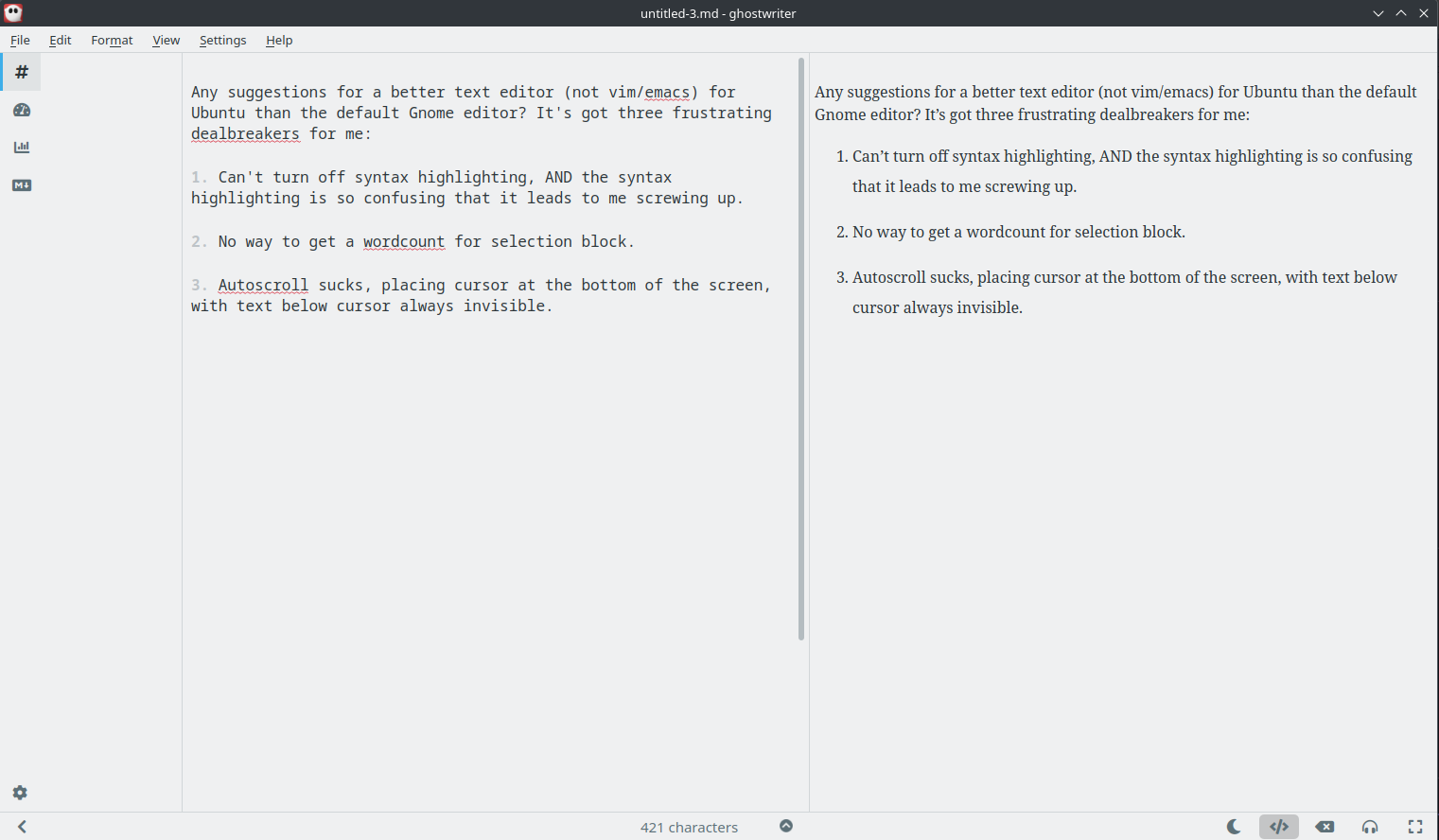
White screen with black text that reads:

Any suggestions for a better text editor (not vim/emacs) for Ubuntu than the default Gnome editor? It's got three frustrating dealbreakers for me:

1. Can't turn off syntax highlighting, AND the syntax highlighting is so confusing that it leads to me screwing up.

2. No way to get a wordcount for selection block.

3. Autoscroll sucks, placing cursor at the bottom of the screen, with text below cursor always invisible.
White screen with black text that reads: Any suggestions for a better text editor (not vim/emacs) for Ubuntu than the default Gnome editor? It's got three frustrating dealbreakers for me: 1. Can't turn off syntax highlighting, AND the syntax highlighting is so confusing that it leads to me screwing up. 2. No way to get a wordcount for selection block. 3. Autoscroll sucks, placing cursor at the bottom of the screen, with text below cursor always invisible.
  • Copy link
  • Flag this comment
  • Block
Cory Doctorow
Cory Doctorow
@pluralistic@mamot.fr replied  ·  activity timestamp last week

@creativegamingname Black on grey/white on grey is a dealbreaker. A

  • Copy link
  • Flag this comment
  • Block
Seven
Seven
@creativegamingname@infosec.exchange replied  ·  activity timestamp last week

@pluralistic OH!

I'm so sorry I thought you were ASKING for a white background?

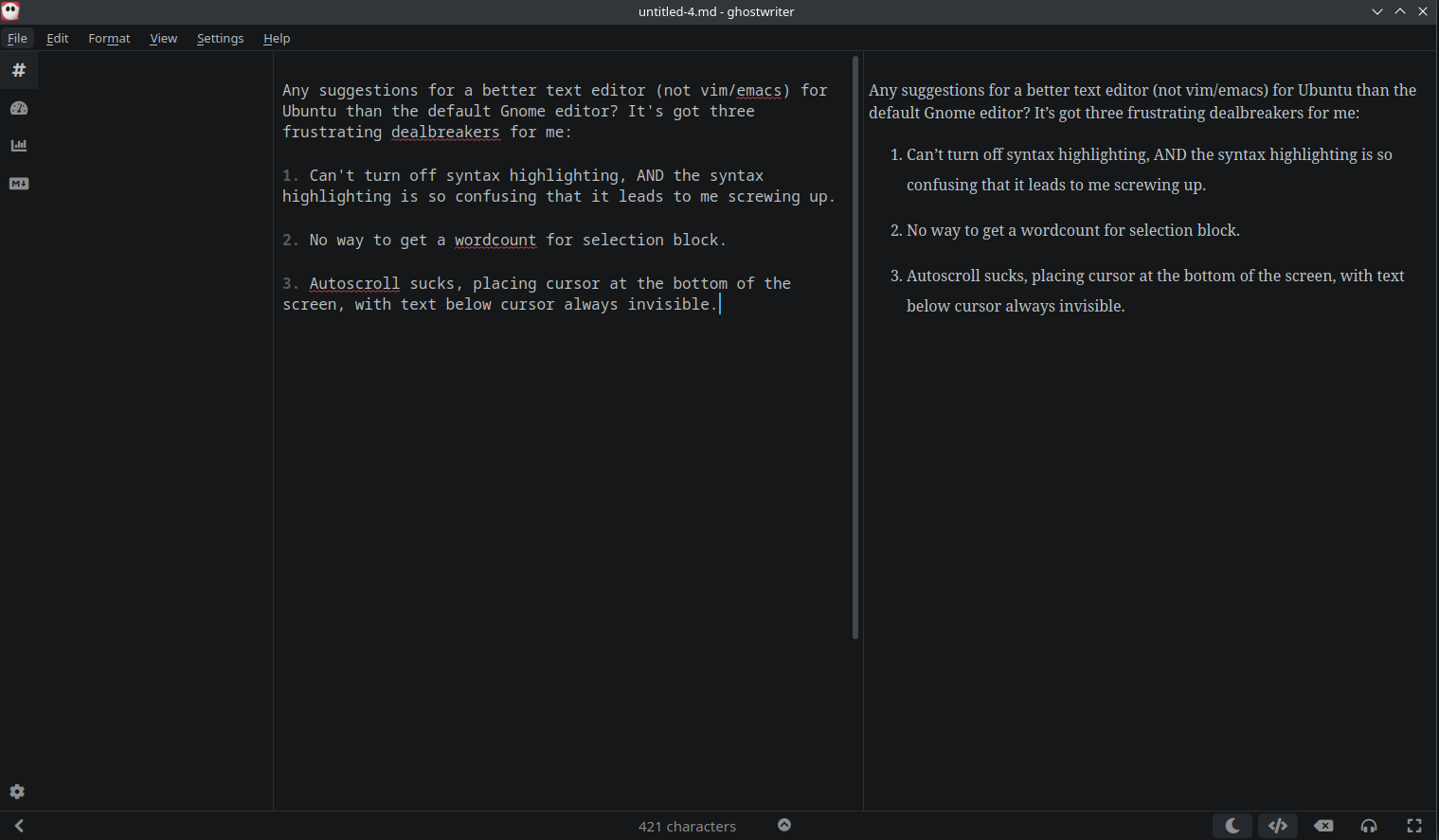
This is the default, if you don't switch it to "light mode".

Sorry if this is completely off base. I just fully feel the pain of "I just need a space to write!"

Any suggestions for a better text editor (not vim/emacs) for Ubuntu than the default Gnome editor? It's got three frustrating dealbreakers for me:

1. Can't turn off syntax highlighting, AND the syntax highlighting is so confusing that it leads to me screwing up.

2. No way to get a wordcount for selection block.

3. Autoscroll sucks, placing cursor at the bottom of the screen, with text below cursor always invisible.
Any suggestions for a better text editor (not vim/emacs) for Ubuntu than the default Gnome editor? It's got three frustrating dealbreakers for me: 1. Can't turn off syntax highlighting, AND the syntax highlighting is so confusing that it leads to me screwing up. 2. No way to get a wordcount for selection block. 3. Autoscroll sucks, placing cursor at the bottom of the screen, with text below cursor always invisible.
  • Copy link
  • Flag this comment
  • Block
Mike Spencer
Mike Spencer
@mikerspencer@mastodon.scot replied  ·  activity timestamp last week

@pluralistic
Ghost writer, maybe?
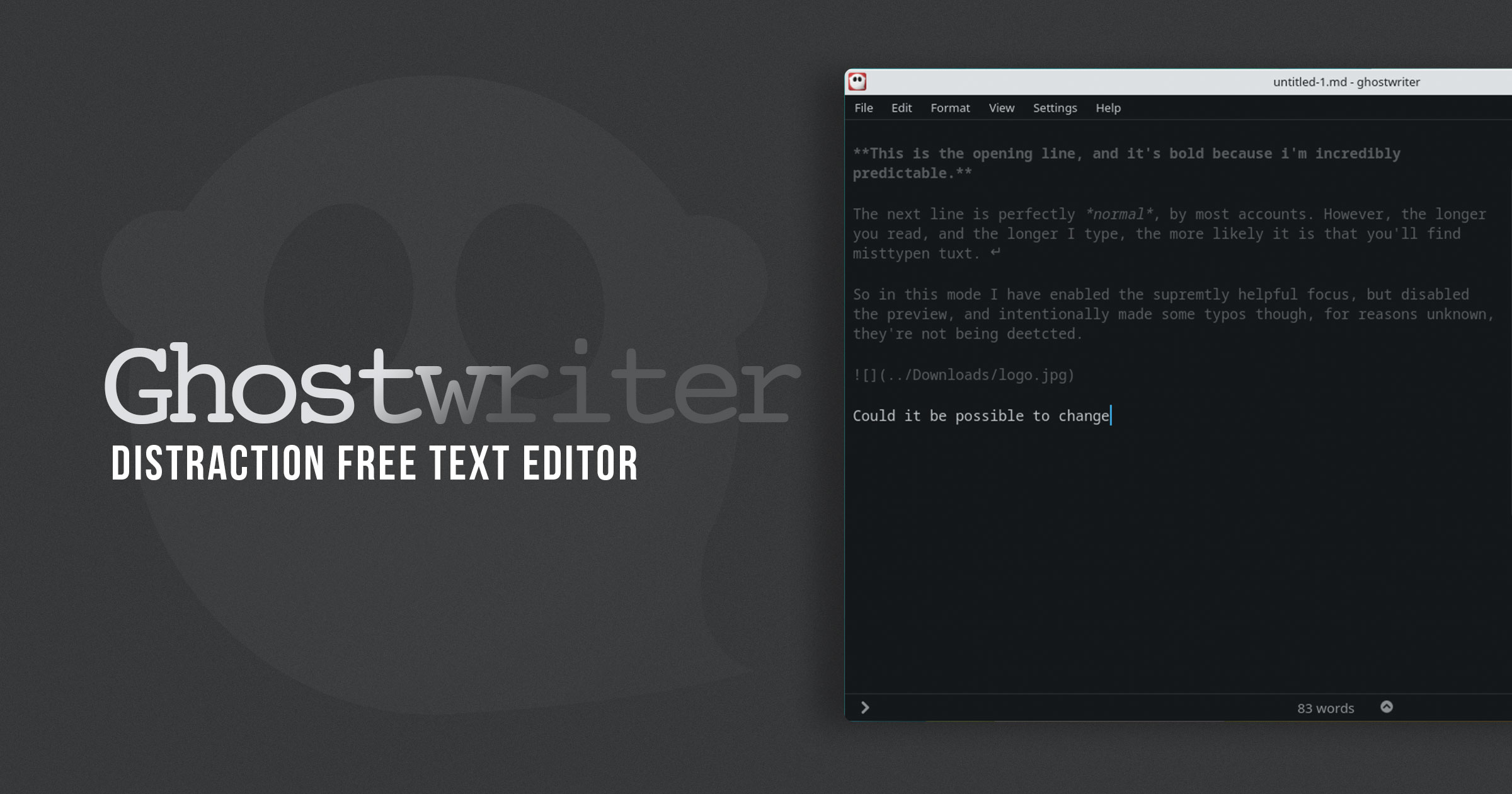
https://www.omgubuntu.co.uk/2022/10/ghostwriter-distraction-free-writing-app-qt

OMG! Ubuntu

Ghostwriter is a Spookily Good Distraction Free Writing App for Linux - OMG! Ubuntu

Linux isn't short of distraction free text editors but Ghostwriter stands out. The app is written in Qt and can also be used on macOS and Windows desktops.
  • Copy link
  • Flag this comment
  • Block
Cory Doctorow
Cory Doctorow
@pluralistic@mamot.fr replied  ·  activity timestamp last week

@mikerspencer The screeenshot shows it using grey on white type. Total dealbreaker. I need black on white, including (especially) for the UI where I select the color schemes. I'm not willing to use something i have to magnify and squint at just to configure.

  • Copy link
  • Flag this comment
  • Block
Mike Spencer
Mike Spencer
@mikerspencer@mastodon.scot replied  ·  activity timestamp last week

@pluralistic
I remember the colours appearing stark or harsh, but I've not used it in a few years.

  • Copy link
  • Flag this comment
  • Block
Stefan Gast
Stefan Gast
@notbobbytables@infosec.exchange replied  ·  activity timestamp last week

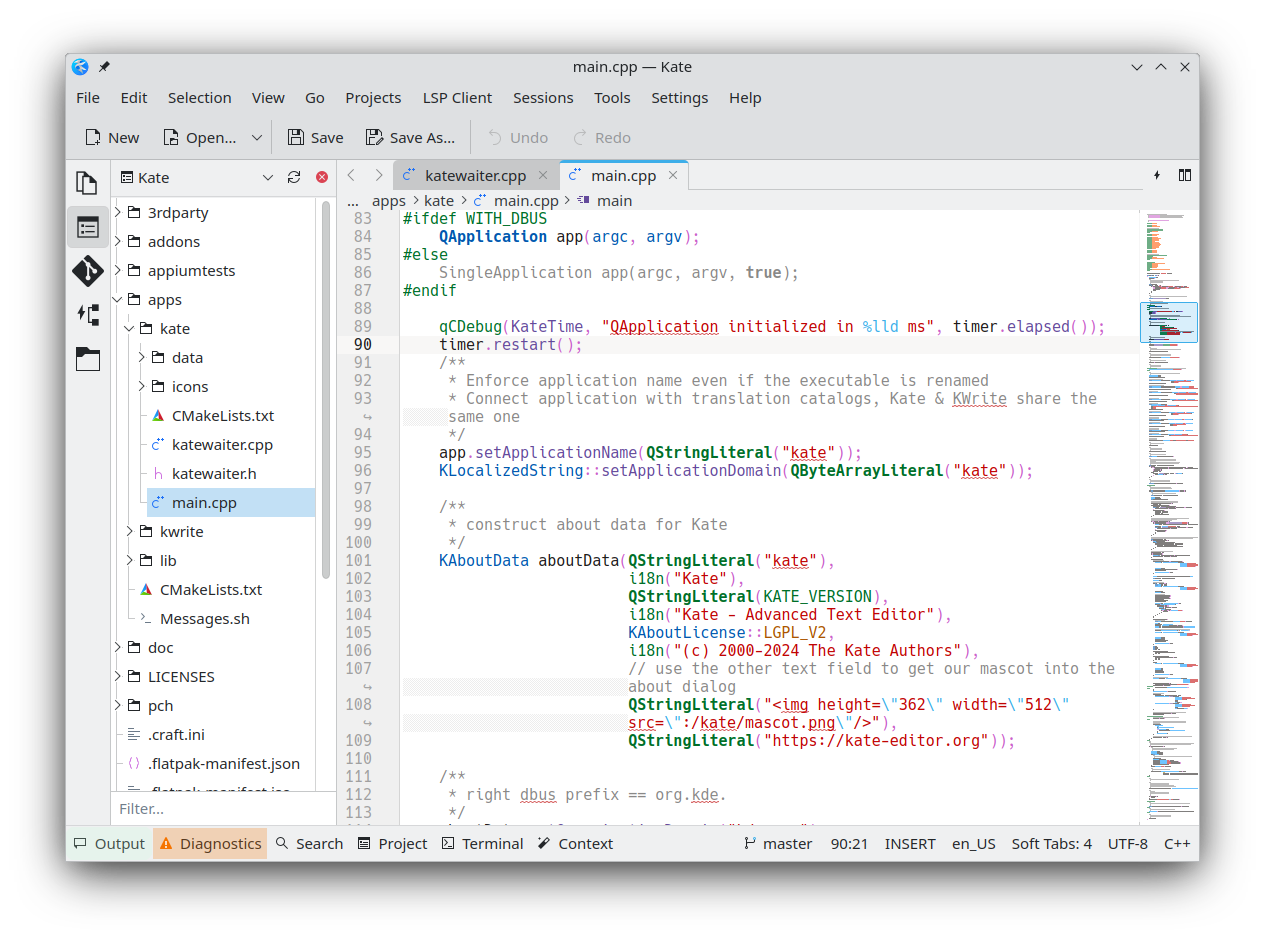
@pluralistic If you don't mind a load of KDE Plasma dependencies, KWrite or Kate?

  • Copy link
  • Flag this comment
  • Block
Cory Doctorow
Cory Doctorow
@pluralistic@mamot.fr replied  ·  activity timestamp last week

@notbobbytables Nope. Both launch with unreadable, minuscule grey on white UI type. I can't even read it - let alone change it.

  • Copy link
  • Flag this comment
  • Block
Mistake not ...
Mistake not ...
@zeri@chaos.social replied  ·  activity timestamp last week

@pluralistic oh the bravery ... starting an editor war like this and then as a first move you immediately fire shots at the two biggest and meanest editor communities.

Wars have been started over less, for example, 50 million barrels of oil.

  • Copy link
  • Flag this comment
  • Block
Chris Hodges
Chris Hodges
@HodgesC@mas.to replied  ·  activity timestamp last week

@pluralistic I rather like jEdit (Java/cross-platform; I'm on Xubuntu). I've checked and the wordcount is for the selection if there is one. Spellcheck is a plugin that uses Aspell and I think it does the rest of what you're looking for out of the box.

  • Copy link
  • Flag this comment
  • Block
TacoPlant
TacoPlant
@TacoPlant@mastodon.social replied  ·  activity timestamp last week

@pluralistic how about https://vscodium.com/

  • Copy link
  • Flag this comment
  • Block
Jesse Alexander, WB2IFS/3
@wb2ifs@mastodon.hams.social replied  ·  activity timestamp last week

@pluralistic I run notepad++ via #Wine on #Ubuntu because I use it on #Windoze ...I really miss #Atom editor😟

  • Copy link
  • Flag this comment
  • Block
Christopher Isene
Christopher Isene
@cisene@mastodon.social replied  ·  activity timestamp last week

@pluralistic Sublime Text or Typora (typora.io)

  • Copy link
  • Flag this comment
  • Block
Cory Doctorow
Cory Doctorow
@pluralistic@mamot.fr replied  ·  activity timestamp last week

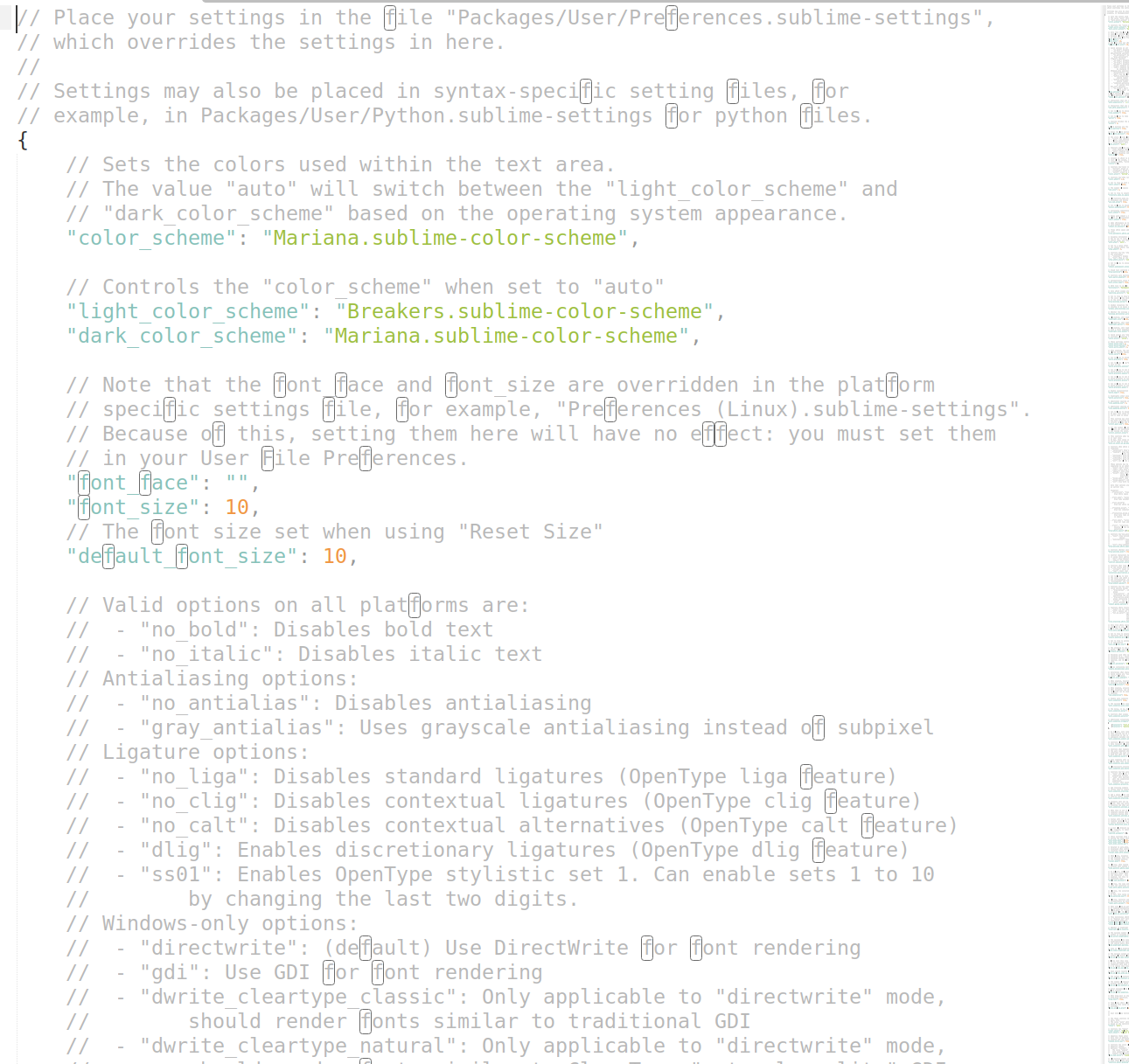
@cisene Sublime Text defaults to an unreadable color scheme, and has no way to turn the type into black on white without editing a config file that it loads as 10% grey on white. It's the worst onboarding experience I've ever had.

Sadism. Absolute fucking sadism.
  • Copy link
  • Flag this comment
  • Block
controlc
controlc
@controlc@mstdn.ca replied  ·  activity timestamp last week

@pluralistic The plague of low contrast text is everywhere and I hate it.

  • Copy link
  • Flag this comment
  • Block
Christopher Isene
Christopher Isene
@cisene@mastodon.social replied  ·  activity timestamp last week

@pluralistic Oh, I'm sorry .. I use a color scheme that is black on white, Typora.io is lika a zero-bells+whistles Word clone but better, outputs a whole bunch of formats but mainly Markdown, black on white default.

  • Copy link
  • Flag this comment
  • Block
Cory Doctorow
Cory Doctorow
@pluralistic@mamot.fr replied  ·  activity timestamp last week

@cisene Alas, there seems to be no way to get it to just display my text, including, e.g. image tags. It tries to render everything.

  • Copy link
  • Flag this comment
  • Block
Christopher Isene
Christopher Isene
@cisene@mastodon.social replied  ·  activity timestamp last week

@pluralistic Well, then I'm out of ideas.

  • Copy link
  • Flag this comment
  • Block
Cory Doctorow
Cory Doctorow
@pluralistic@mamot.fr replied  ·  activity timestamp last week

I want something that:

* defaults to black text on a white screen (e.g. not Sublime Text, which requires that you edit a file rendered in 10% grey on white to make the text darker!)

* remembers my tabs between sessions (so relaunching re-opens all my previous docs)

* spellchecks

* lets me wordcount selection blocks as well as the whole doc

And generally is not designed with infinitesimal UI elements that are rendered in sadistic 10% grey on white.

  • Copy link
  • Flag this comment
  • Block
Cory Doctorow
Cory Doctorow
@pluralistic@mamot.fr replied  ·  activity timestamp last week

ETA: Thanks, all, I'm going with Geany (h/t https://mamot.fr/@kirch@tilde.zone)

  • Copy link
  • Flag this comment
  • Block
Space flip-flops
Space flip-flops
@fisher@toots.nu replied  ·  activity timestamp last week

@pluralistic good choice, I used to use it a lot as an IDE.

If you don't need IDE though please take a look at SciTE, it's the same library under the hood but stripped of IDE functionality.

  • Copy link
  • Flag this comment
  • Block
Jack
Jack
@knapjack@gruntle.cc replied  ·  activity timestamp last week

Maybe Mousepad? 🤔

https://en.wikipedia.org/wiki/Mousepad_(software)

  • Copy link
  • Flag this comment
  • Block
Sarah dreams of beans
@beandreams@friendhole.social replied  ·  activity timestamp last week

@pluralistic Weird suggestion -- Obsidian? It defaults to your system colour scheme, remembers tabs, and does spellcheck and whole/highlighted word count.

BUT since it is a notes app not a text editor it only opens/saves .md files in a specified "vault" folder. There are ways to make it open and export .txt but it depends what you need

  • Copy link
  • Flag this comment
  • Block
Flaki
Flaki
@flaki@flaki.social replied  ·  activity timestamp last week

@pluralistic if open source is not a requirement you might like Typora

https://typora.io

  • Copy link
  • Flag this comment
  • Block
kirch
kirch
@kirch@tilde.zone replied  ·  activity timestamp last week

@pluralistic have you tried Geany? I think it has everything you're asking for, but might need a plugin for spellcheck...

  • Copy link
  • Flag this comment
  • Block
Cory Doctorow
Cory Doctorow
@pluralistic@mamot.fr replied  ·  activity timestamp last week

@kirch It's looking very promising - thank you!

  • Copy link
  • Flag this comment
  • Block
Fabio Neves
Fabio Neves
@fffabiooo@mstdn.ca replied  ·  activity timestamp last week

@pluralistic It’s not very clear to me if you want a code editor or a text editor, but I’d recommend Zed for the former and maybe Obsidian for the latter

  • Copy link
  • Flag this comment
  • Block
Cory Doctorow
Cory Doctorow
@pluralistic@mamot.fr replied  ·  activity timestamp last week

@fffabiooo All Obsidian UI elements are grey on white, and I cannot read them.

  • Copy link
  • Flag this comment
  • Block
LaughingMaus
LaughingMaus
@laughingmaus@glammr.us replied  ·  activity timestamp last week

@pluralistic @fffabiooo Changing themes in Obsidian is simple. Control+comma, Appearance, Themes and click the Manage button. There are hundreds to choose from. 😃

  • Copy link
  • Flag this comment
  • Block
DragonBard
DragonBard
@DragonBard@dice.camp replied  ·  activity timestamp last week

@pluralistic @fffabiooo that's just a theme change away. And the default obsidian is Grey on black, so perhaps your whole desktop theme is skewed?

  • Copy link
  • Flag this comment
  • Block
Escapistes :aroaceheart:
@escapistes@neopaquita.es replied  ·  activity timestamp last week

@pluralistic I'd recommend my own distraction-free editor, Apostrophe, but doesn't have tabs https://flathub.org/en/apps/org.gnome.gitlab.somas.Apostrophe

Install Apostrophe on Linux | Flathub

Edit Markdown in style
  • Copy link
  • Flag this comment
  • Block
milofle
milofle
@flns@norden.social replied  ·  activity timestamp last week

@pluralistic maybe kate from #KDE?
https://apps.kde.org/de/kate/

KDE-Anwendungen

Kate

Erweiterter Texteditor
  • Copy link
  • Flag this comment
  • Block
Cory Doctorow
Cory Doctorow
@pluralistic@mamot.fr replied  ·  activity timestamp last week

@flns Nope. Starts up with sadistic, minuscule grey on white type. I can't even decipher the UI well enough to figure out how to make the UI decipherable.

  • Copy link
  • Flag this comment
  • Block
ahoyboyhoy
ahoyboyhoy
@ahoyboyhoy@floss.social replied  ·  activity timestamp last week

@pluralistic is this for configuration file and code editing or for note taking/short form or for long form writing?

  • Copy link
  • Flag this comment
  • Block
Cory Doctorow
Cory Doctorow
@pluralistic@mamot.fr replied  ·  activity timestamp last week

@ahoyboyhoy It's the file you get when you select "preferences."

  • Copy link
  • Flag this comment
  • Block

bonfire.cafe

A space for Bonfire maintainers and contributors to communicate

bonfire.cafe: About · Code of conduct · Privacy · Users · Instances
Bonfire social · 1.0.1-beta.35 no JS en
Automatic federation enabled
Log in
  • Explore
  • About
  • Members
  • Code of Conduct