Discussion
Loading...

Post

Log in
  • About
  • Code of conduct
  • Privacy
  • Users
  • Instances
  • About Bonfire
PeerTube
PeerTube
@peertube@framapiaf.org  ·  activity timestamp last week

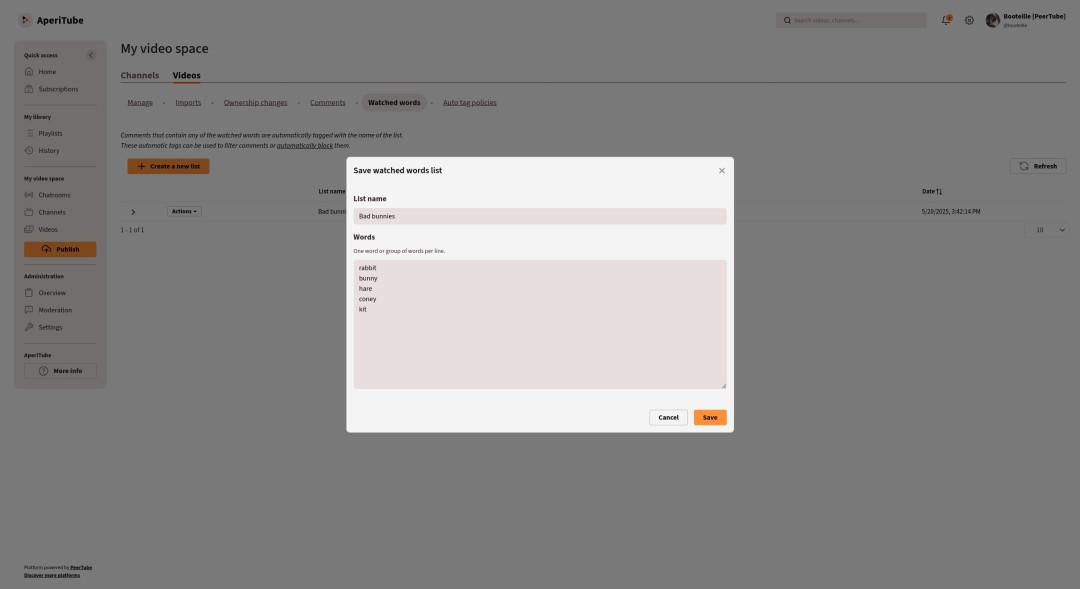
To facilitate content moderation, you can create lists of watched words. Any comment containing a word from one of these lists is automatically tagged, and video makers can choose to block these comments or moderate them on a case-by-case basis.

#PeerTubeTipOfTheWeek

3 media
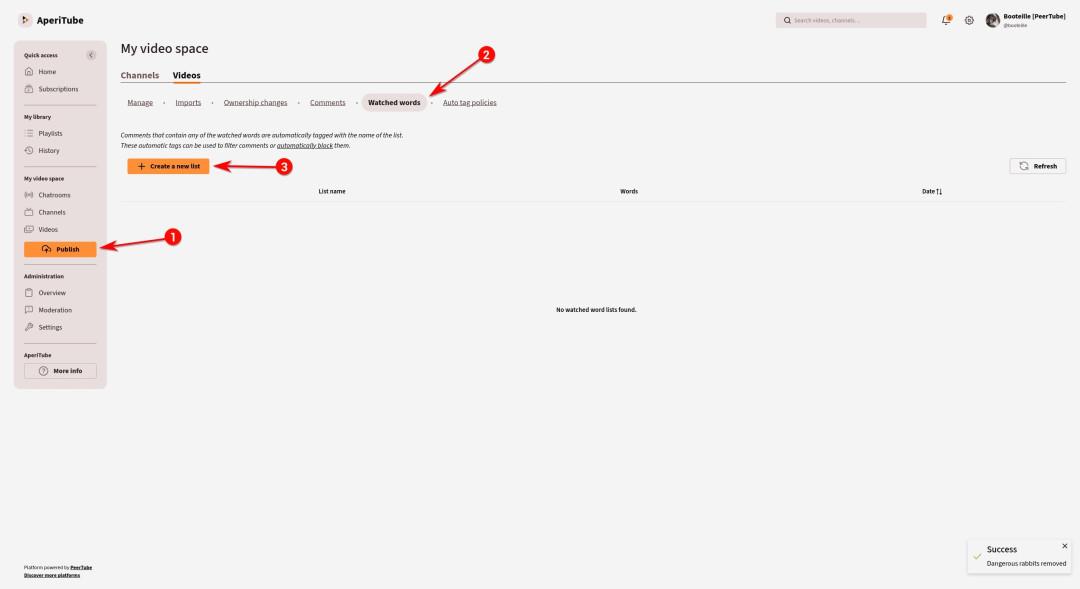
Screenshot showing the path to create a new watched words list on PeerTube.

1. Click on "Videos" menu
2. Click on "Watched words" sub-menu
3. Click on "Create a new list"
Screenshot showing the path to create a new watched words list on PeerTube. 1. Click on "Videos" menu 2. Click on "Watched words" sub-menu 3. Click on "Create a new list"
Sorry, no caption provided by author
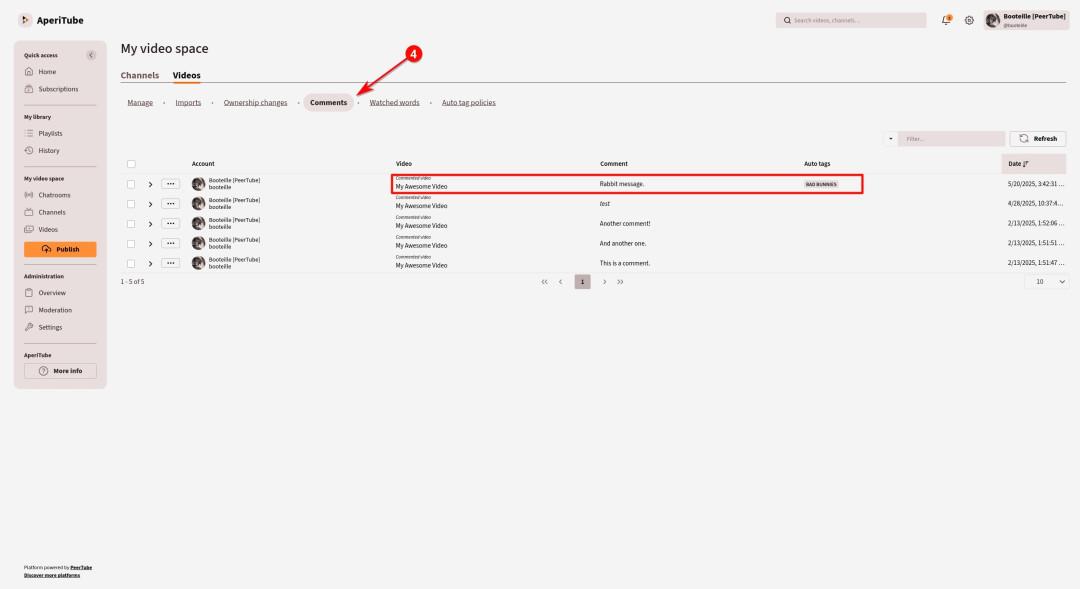
Screenshot showing a videomaker comments list.
PeerTube tagged one of the comment with the name of the list previously created because it contains one of the watched words.
Screenshot showing a videomaker comments list. PeerTube tagged one of the comment with the name of the list previously created because it contains one of the watched words.
  • Copy link
  • Flag this post
  • Block

bonfire.cafe

A space for Bonfire maintainers and contributors to communicate

bonfire.cafe: About · Code of conduct · Privacy · Users · Instances
Bonfire social · 1.0.1-beta.35 no JS en
Automatic federation enabled
Log in
  • Explore
  • About
  • Members
  • Code of Conduct