

@wdormann @ajn142 @ifin Oh, who is the "them" in this case? I guess I lost the context somewhere, it's been a week. In VSCode it runs immediately, and then keeps running it every time you interact with VSCode. Doesn't seem right. I need to try it with an absolutely vanilla vscode install though. That's a heavier lift for me right this moment.
25
Replies
·
0
Boosts

@mttaggart Confirmed that exiting restricted mode launched calc multiple times instantly.

@mttaggart @ajn142 @Sempf @ifin
Hm, I've got 6 VMs running (with different properties, e.g. trusted vs. not, actual git directory vs. not, git.exe installed vs. not) and have yet to see a git.exe launch from the project directory.
Note that these are all click-through-the-installer installs on a clean Win11 VM. No optional features, no github integration, etc.
We'll see what happens at the 30-minute mark.
@mttaggart @ajn142 @Sempf @ifin
Even after 30 minutes, I have no execution of git.exe from my repo directory. Even after exiting restricted mode.
If there's a way to repro this with a clean install of VS Code in a clean Win11 VM, then I suppose more guidance might needed to share what the trigger is.
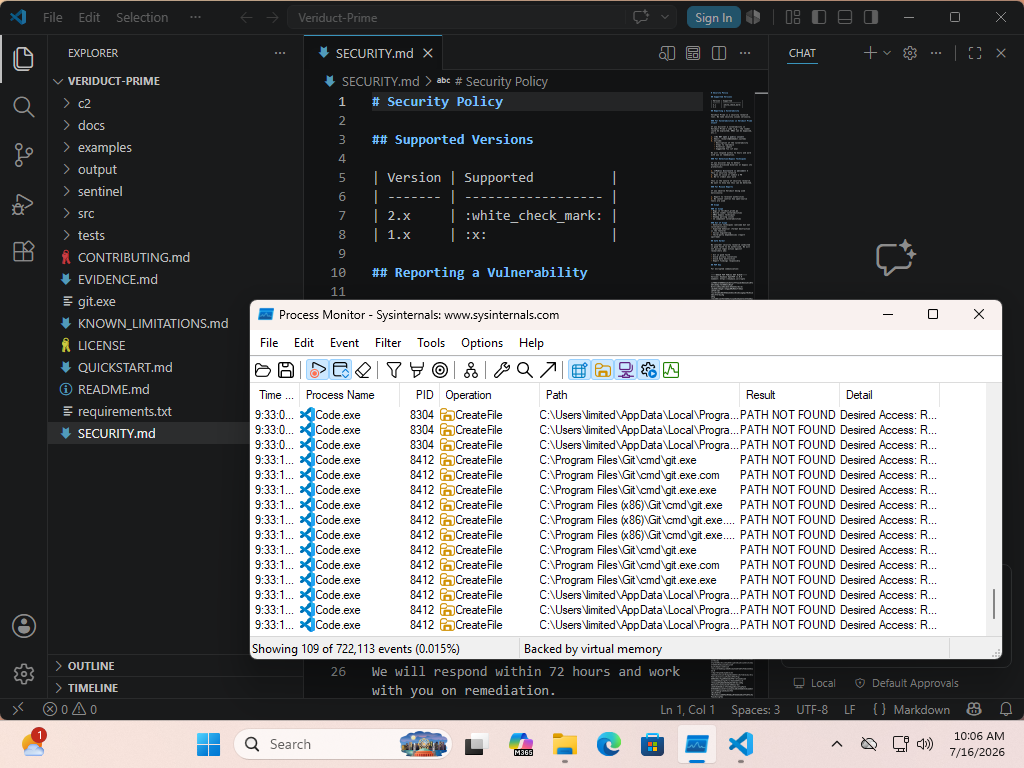

@mttaggart @wdormann @ajn142 @Sempf @ifin maybe it depends on which install of git people have? Some will be earlier in search order.
It comes with a few different software installers in different locations. I will give it a try at reproducing later
@sharkfie @mttaggart @ajn142 @Sempf @ifin
I've not found any git install option that triggers it. (Including not having git installed)

@mttaggart @sharkfie @ajn142 @Sempf @ifin
I was just about to post my recent findings:
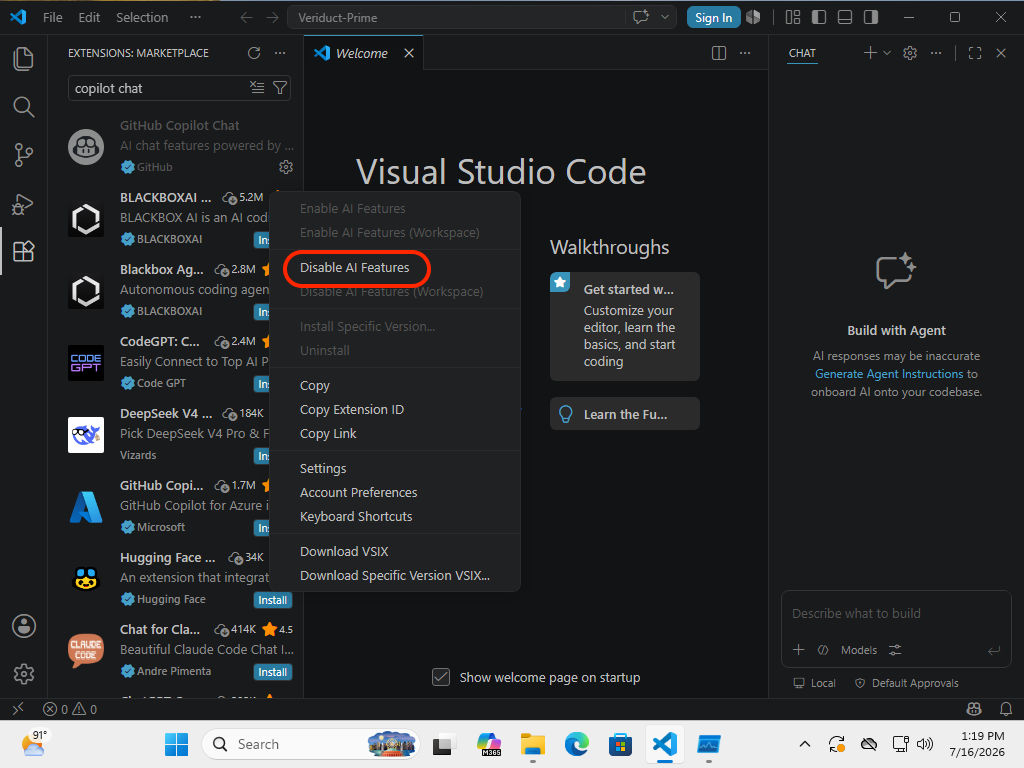
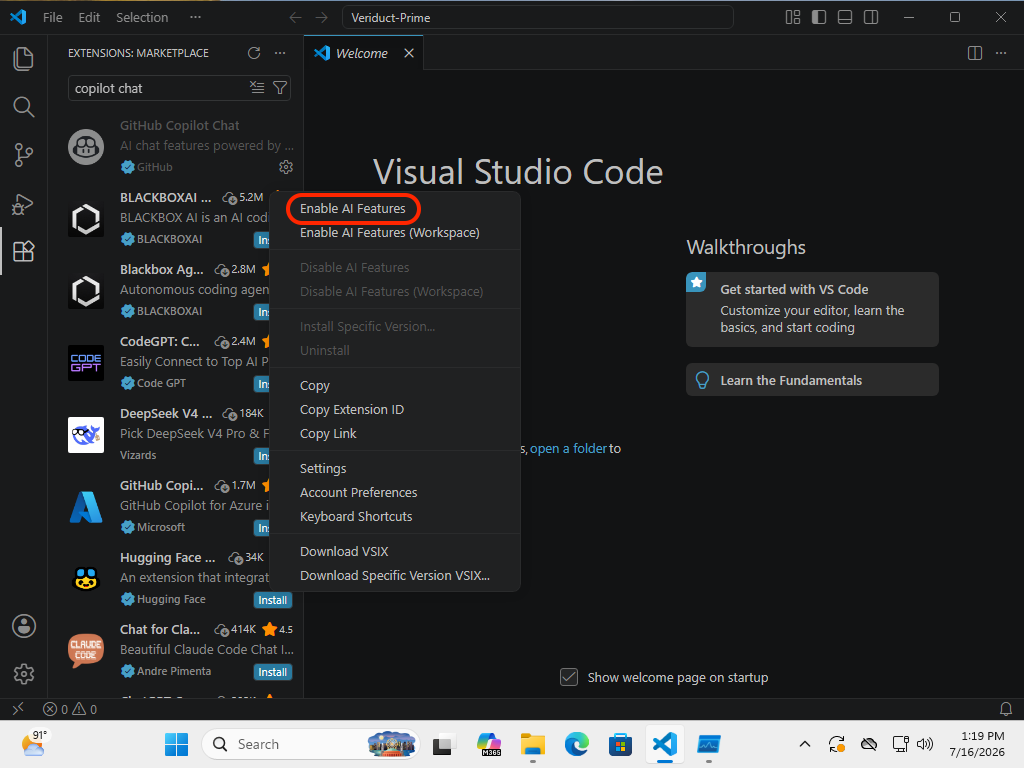
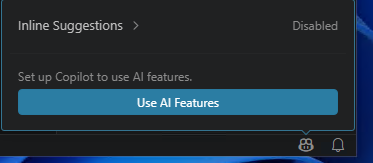
If GitHub Copilot Chat is enabled, and the open repo is trusted, then it pops the git.exe in the repo root automatically.
In my case, I had to do this by first:
[Ctrl][Shift][x]to open extensions- Type in
copilot chat - Click Gear and click
Disable AI Features - Click Gear and click
Enable AI Features
No signing into anything required.
I only figured this out when I noticed that Visual Studio Code on my host machine did pop git.exe, while Visual Studio Code in any of my VMs did not. It took a bit of trial and error to figure out what extension was responsible.
2 media
@wdormann @mttaggart @sharkfie @ajn142 @ifin Thank you so much for looking into this Will. I got sidelined by a family matter.
@mttaggart @Sempf @wdormann @ajn142 @ifin
This is probably it:
https://nodejs.org/api/child_process.html
From my limited understanding this agentHost is a execution environment sandbox for agents. There was also Codex and Anthropic SDKs near those files so may be worth a look.

@sharkfie @mttaggart @Sempf @wdormann @ifin you mean the _runGit function calling cp.execFile (renamed child_process) with the argument ‘git’ ?
