Discussion
Loading...

Discussion

Log in
  • About
  • Code of conduct
  • Privacy
  • Users
  • Instances
  • About Bonfire
Vivaldi
Vivaldi
@Vivaldi@social.vivaldi.net  路  activity timestamp 2 weeks ago

@oliver

Psst! Go into Settings > Appearance > Menu > Menu Customization > Web Page and move the commands around to fit your workflow. 馃槈

https://help.vivaldi.com/desktop/appearance-customization/customize-application-and-context-menus/
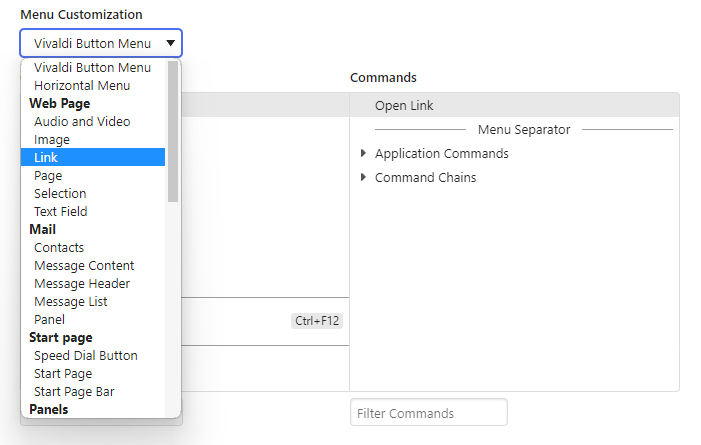

Vivaldi Browser Help

Customize application and context menus | Vivaldi Browser Help

In Vivaldi, you can customize the commands in the main application menu as well as in the user interface and web page context menus to fit your workflow.
  • Copy link
  • Flag this post
  • Block
Oliver Humpage
Oliver Humpage
@oliver@toots.im replied  路  activity timestamp 2 weeks ago

@Vivaldi I knew there鈥檇 be something somewhere, thank you! #lazyweb

  • Copy link
  • Flag this comment
  • Block

bonfire.cafe

A space for Bonfire maintainers and contributors to communicate

bonfire.cafe: About 路 Code of conduct 路 Privacy 路 Users 路 Instances
Bonfire social 路 1.0.1-alpha.44 no JS en
Automatic federation enabled
Log in
  • Explore
  • About
  • Members
  • Code of Conduct