
Discussion
Loading...

Discussion

  • About
  • Code of conduct
  • Privacy
  • Users
  • Instances
  • About Bonfire
Esparta :ruby:
@esparta@ruby.social  ·  activity timestamp 3 weeks ago

(continue about using Microsoft Windows in 2025)

it looks like you can enroll in the "Extended Security Updates", I'm not sure if that's only for Windows 10 Pro users.

> Enroll in Extended Security Updates
> Your device is no longer receiving security updates. Enroll now to stay protected and productive for another year.

let's see

> Sig in.

Nope, I'm out....
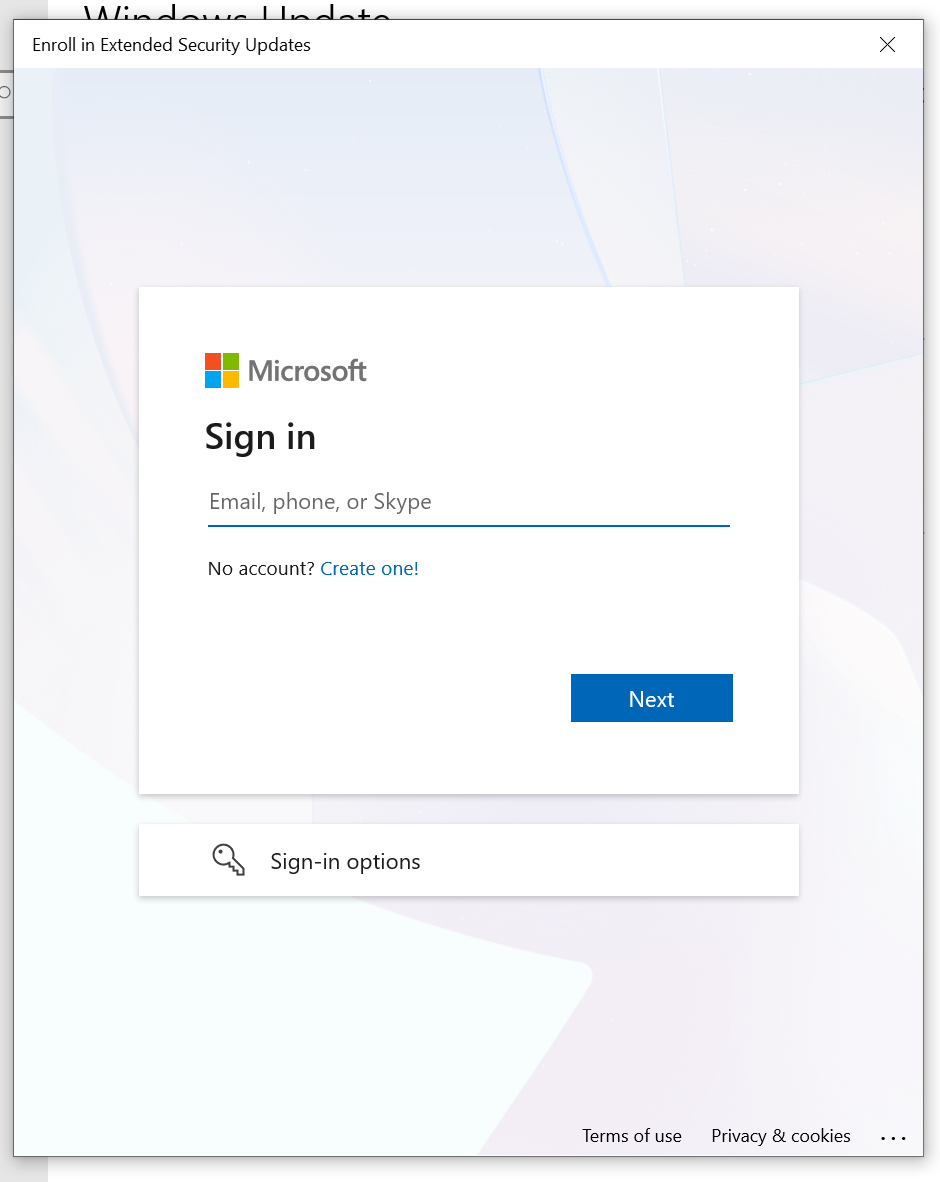
Enroll in Extended Security Updates

then a Login windows to, which I'm not longer have interest on going into since I'm don't wish to login to Microsoft account.
Enroll in Extended Security Updates then a Login windows to, which I'm not longer have interest on going into since I'm don't wish to login to Microsoft account.
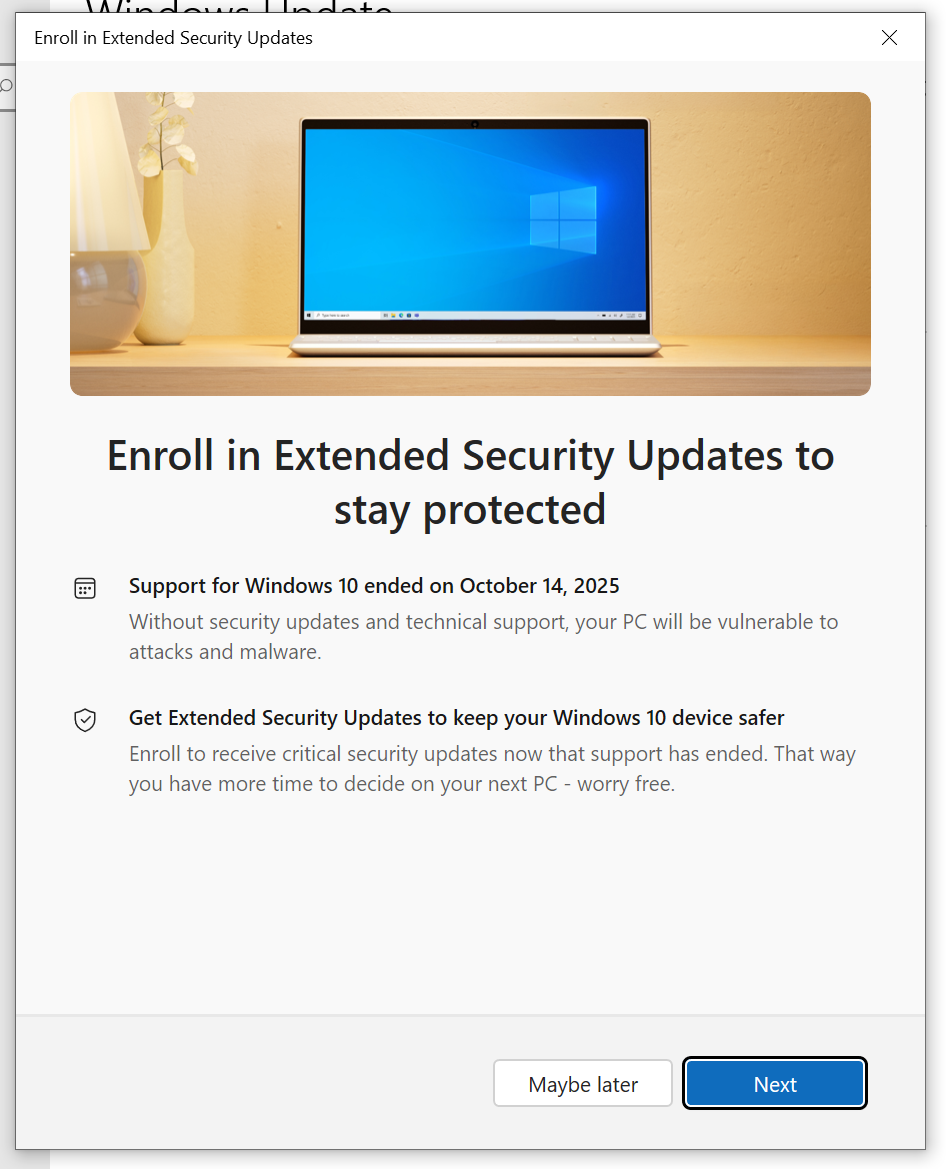
Enroll in Extended Security Updates to stay protected

Support for Windows 10 ended on October 14, 2025
Without security updates and technical support, your PC will be vulnerable to attacks and malware.

Get Extended Security Updates to keep your Windows 10 device safer
Enroll to receive critical security updates now that support has ended. That way you have more time to decide on your next PC - worry free.
Enroll in Extended Security Updates to stay protected Support for Windows 10 ended on October 14, 2025 Without security updates and technical support, your PC will be vulnerable to attacks and malware. Get Extended Security Updates to keep your Windows 10 device safer Enroll to receive critical security updates now that support has ended. That way you have more time to decide on your next PC - worry free.
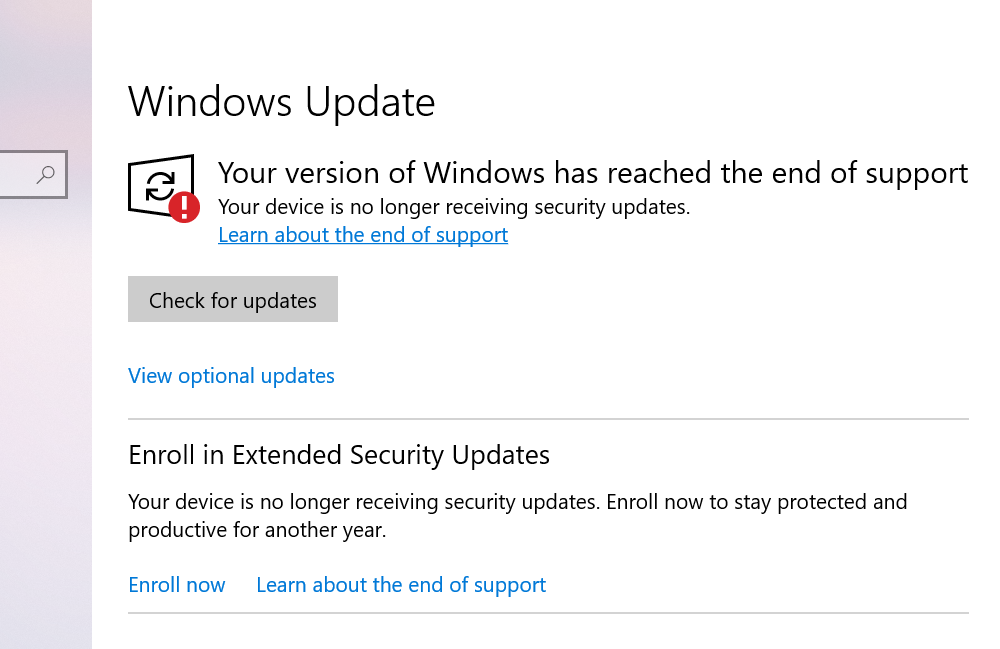
> Enroll in Extended Security Updates
> Your device is no longer receiving security updates. Enroll now to stay protected and productive for another year.
> Enroll in Extended Security Updates > Your device is no longer receiving security updates. Enroll now to stay protected and productive for another year.
  • Copy link
  • Flag this post
  • Block
Esparta :ruby:
@esparta@ruby.social replied  ·  activity timestamp 3 weeks ago

(continue about using Microsoft Windows in 2025)

Good news everybody, I've done with the updates in this machine.

> Your version of Windows has reached the end of support
> Your device is no longer receiving security updates.
> Learn more about the end of support

Additionally, a window started to pop up after the last update, it reads:
> An error has occurred in the script on this page.
Do you want to continue running script on this page?

Where "this page" is nothing more than the desktop

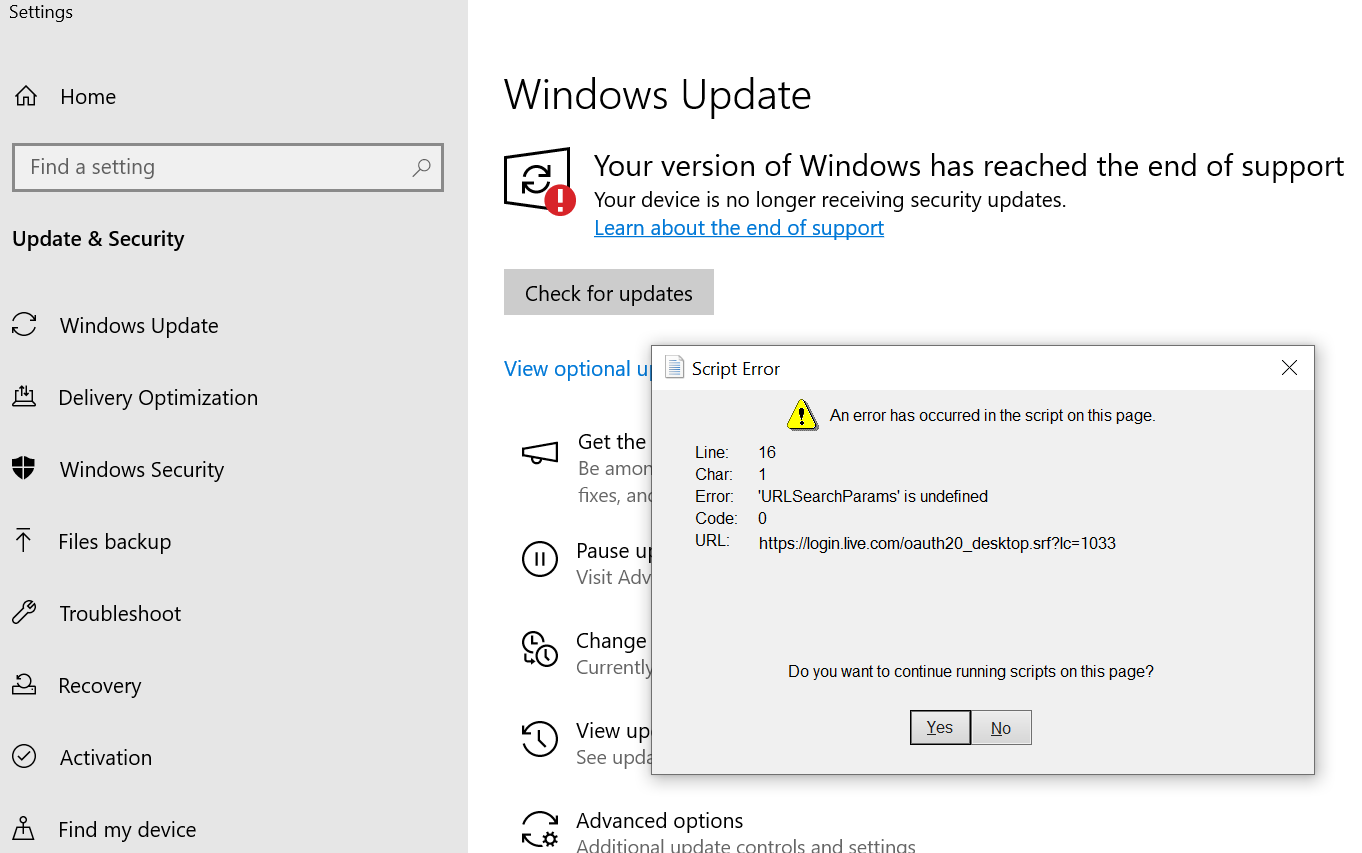
an screenshot of the Windows Update app:


> Your version of Windows has reached the end of support
> Your device is no longer receiving security updates.
> Learn more about the end of support

on top of that a pop-up window with the title: Script Error

> An error has occurred in the script on this page

Line: 16
Char: 1
Error: 'URLSearchParams' is undefined
Code: 0
URL: https://login.live.com/oauth20_desktop.srf?lc=1033

Do you want to continue running script on this page?
an screenshot of the Windows Update app: > Your version of Windows has reached the end of support > Your device is no longer receiving security updates. > Learn more about the end of support on top of that a pop-up window with the title: Script Error > An error has occurred in the script on this page Line: 16 Char: 1 Error: 'URLSearchParams' is undefined Code: 0 URL: https://login.live.com/oauth20_desktop.srf?lc=1033 Do you want to continue running script on this page?
  • Copy link
  • Flag this comment
  • Block
Esparta :ruby:
@esparta@ruby.social replied  ·  activity timestamp 3 weeks ago

(continue about using Microsoft Windows in 2025)

it looks like you can enroll in the "Extended Security Updates", I'm not sure if that's only for Windows 10 Pro users.

> Enroll in Extended Security Updates
> Your device is no longer receiving security updates. Enroll now to stay protected and productive for another year.

let's see

> Sig in.

Nope, I'm out....

Enroll in Extended Security Updates

then a Login windows to, which I'm not longer have interest on going into since I'm don't wish to login to Microsoft account.
Enroll in Extended Security Updates then a Login windows to, which I'm not longer have interest on going into since I'm don't wish to login to Microsoft account.
Enroll in Extended Security Updates to stay protected

Support for Windows 10 ended on October 14, 2025
Without security updates and technical support, your PC will be vulnerable to attacks and malware.

Get Extended Security Updates to keep your Windows 10 device safer
Enroll to receive critical security updates now that support has ended. That way you have more time to decide on your next PC - worry free.
Enroll in Extended Security Updates to stay protected Support for Windows 10 ended on October 14, 2025 Without security updates and technical support, your PC will be vulnerable to attacks and malware. Get Extended Security Updates to keep your Windows 10 device safer Enroll to receive critical security updates now that support has ended. That way you have more time to decide on your next PC - worry free.
> Enroll in Extended Security Updates
> Your device is no longer receiving security updates. Enroll now to stay protected and productive for another year.

> Enroll in Extended Security Updates > Your device is no longer receiving security updates. Enroll now to stay protected and productive for another year.
  • Copy link
  • Flag this comment
  • Block
Esparta :ruby:
@esparta@ruby.social replied  ·  activity timestamp 3 weeks ago

(continuing about using Microsoft Windows in Nov 2025)

You may ask: are you stupid, esparta? you knew about that, what in the actual heck are you using windows anyway? Just eat the damn orange! Install #proxmox or whatever sh*t you mean and STFU, would ya!?

I don't have an answer to the first question, but I can tell why I'm using Microsoft Windows this time around: Update firmware, BIOS in specific

The majority of the vendors issues their update in a windows executable, so here I am...

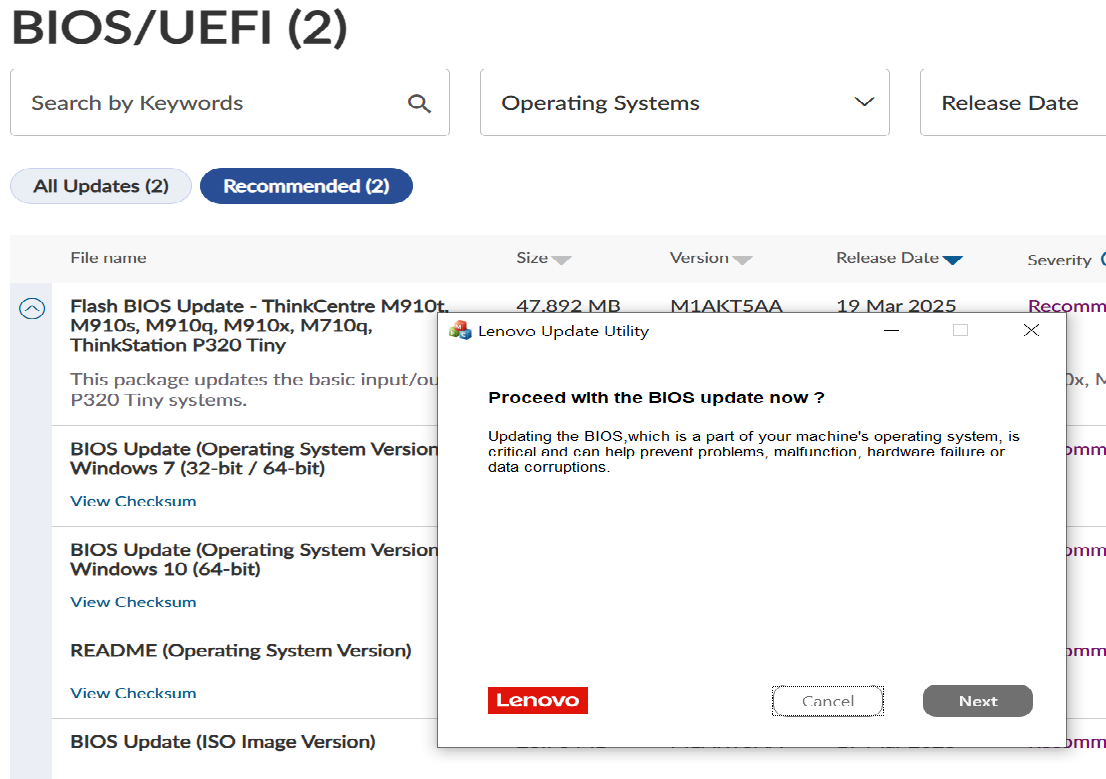
an screenshot of one of my windows, in the background there's a list the updates for the firmware of the computer I'm setting up, in the foreground a window titled: "Lenovo Update Utility", which reads:

> Proceed with the BIOS update now? (in bold)

> Updating the BIOS, which is a part of your machine's operating system, is critical and can help prevent problems, malfunction, hardware failure or data corruption.
an screenshot of one of my windows, in the background there's a list the updates for the firmware of the computer I'm setting up, in the foreground a window titled: "Lenovo Update Utility", which reads: > Proceed with the BIOS update now? (in bold) > Updating the BIOS, which is a part of your machine's operating system, is critical and can help prevent problems, malfunction, hardware failure or data corruption.
  • Copy link
  • Flag this comment
  • Block
AstroBoat
@loptimist@piaille.fr replied  ·  activity timestamp 3 weeks ago

@esparta Seems like the script is executed in Internet Explorer, which don't support URLSearchParams

  • Copy link
  • Flag this comment
  • Block
Esparta :ruby:
@esparta@ruby.social replied  ·  activity timestamp 3 weeks ago

@loptimist as I mentioned, I was not executing nothing in the computer, it pops up on every login in this Microsoft Windows 10 box. They might be running Edged to get the dashboard (news and weather) which I didn't ask for.

  • Copy link
  • Flag this comment
  • Block
AstroBoat
@loptimist@piaille.fr replied  ·  activity timestamp 3 weeks ago

@esparta Well, hardly surprising coming from an OS with very little consideration for its users. Even gamers wants to get rid of that thing.

  • Copy link
  • Flag this comment
  • Block
Log in

bonfire.cafe

A space for Bonfire maintainers and contributors to communicate

bonfire.cafe: About · Code of conduct · Privacy · Users · Instances
Bonfire social · 1.0.1-alpha.8 no JS en
Automatic federation enabled
  • Explore
  • About
  • Members
  • Code of Conduct
Home
Login